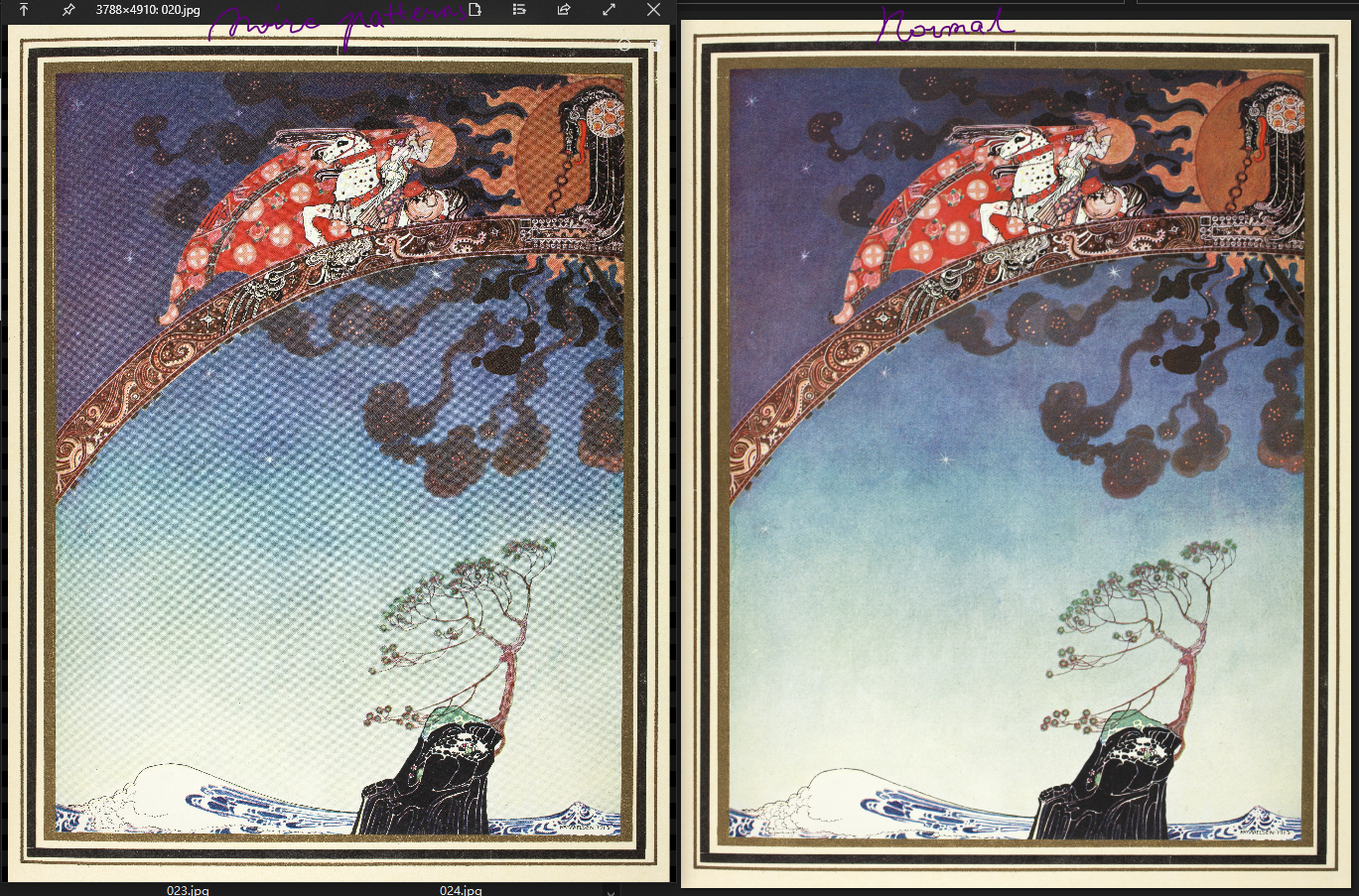
scaned images show Moire Patterns when zooming out
Open
Nobody has claimed this yet.
- Dominant language
- C#
- Stars
- 24.7k
- Forks
- 1.3k
- Avg merge
- 4d 7h
- Merged PRs (30d)
- 1
Description
The scanned image displayed in quicklook has a serious moire patterns problem when zoomed out (see bottom left image). But the same image, when displayed in win10 system picture viewer, does not have this problem (see bottom right image).
- OS Version: Windows 10.0.19041
- QuickLook Version: v3.6.11 (UWP)
Contributor guide
No contributing guide indexed for this repository
First steps
- Read the whole issue, then the project's contributing guide.
- Comment on the issue to say you are picking it up — it saves two people doing the same work.
- Fork the repository and make your change on a branch.
- Open a pull request that references the issue number.
Research direction
Start by reproducing the moiré pattern in QuickLook v3.6.11 on Windows 10 using the supplied scanned-image example, then compare its zoomed-out rendering with the Windows picture viewer. Done means the scanned image no longer shows moiré patterns when zoomed out.
Written by the indexing model from the issue text.
Assessment
- Tech stack
- csharp
- Domain
- computer-graphics, desktop
- Issue type
- Bug
- Difficulty
- 4/5
- Estimated time
- 3-5 days
- Activity status
- Stale
- Clarity
- Needs clarification
- Newbie friendliness
- 35/100