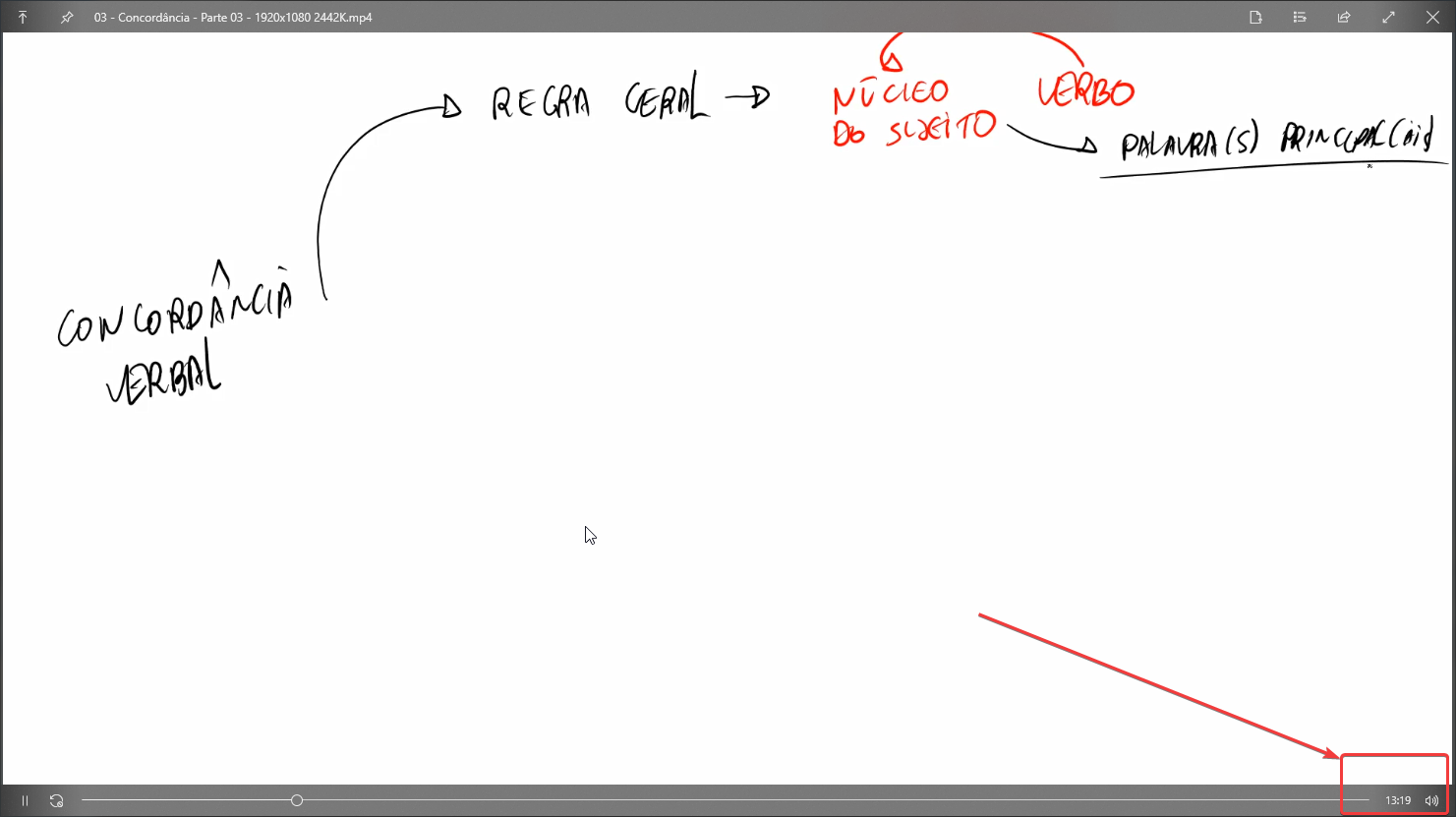
[FR] Place estimate time left (full length) of media being previewed/played on the right bottom
Nobody has claimed this yet.
- Dominant language
- C#
- Stars
- 24.7k
- Forks
- 1.3k
- Avg merge
- 4d 7h
- Merged PRs (30d)
- 1
Description
Is your feature request related to a problem? Please describe.
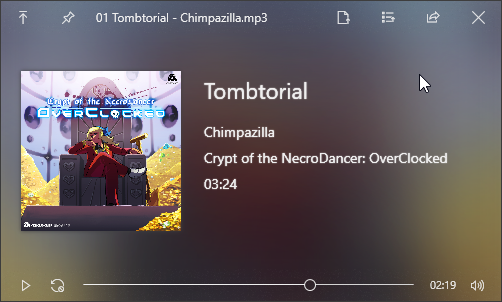
Currently, when previewing a media file (audio*/video) there's not 'remaining time left' to be seen on the right bottom of the window.
- It looks like the audio currently has the estimate time left in the center (see the screenshot below), but the played videos don't.
Describe the solution you'd like
There could be a estimate time left like this: 0:26 / 3:47
Please see the screenshots below:
Expected:

Current:
Describe alternatives you've considered
For now, that's it. Nothing else to be done.
Additional context
I've taken that screenshot with the other player, MPC-HC, so, even though it's heavyweight, the idea of previewing would be for scenarios you wouldn't have it, VLC, JetAudio, or anything like that installed.
Thanks!
Contributor guide
No contributing guide indexed for this repository
First steps
- Read the whole issue, then the project's contributing guide.
- Comment on the issue to say you are picking it up — it saves two people doing the same work.
- Fork the repository and make your change on a branch.
- Open a pull request that references the issue number.
Research direction
No files, tests, or entry points are identified in the issue. Start by locating the media preview/player implementation for video playback and compare its controls with the existing audio time display. Done means the preview shows elapsed and full media duration at the bottom right in the requested format.
Written by the indexing model from the issue text.
Assessment
- Tech stack
- csharp
- Domain
- desktop
- Issue type
- Feature
- Difficulty
- 3/5
- Estimated time
- 1-2 days
- Activity status
- Stale
- Clarity
- Mostly clear
- Newbie friendliness
- 35/100