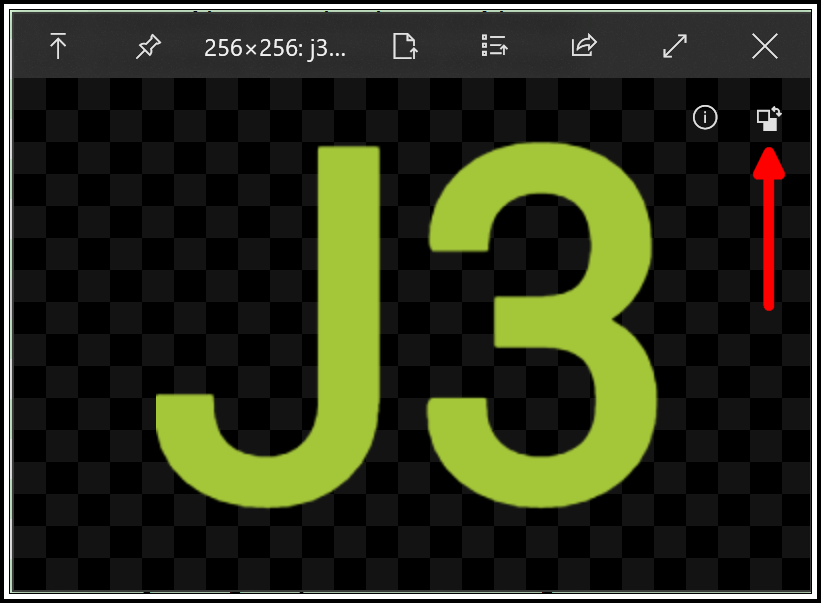
Image preview, two requests for the "toggle button": 1) add tooltip and 2) allow app settings to control the default state
Nobody has claimed this yet.
- Dominant language
- C#
- Stars
- 24.7k
- Forks
- 1.3k
- Avg merge
- 4d 7h
- Merged PRs (30d)
- 1
Description
For all's convenience, please use English to fill this issue.
Is your feature request related to a problem? Please describe.
not applicable
Describe the solution you'd like
- Add tooltip for the "toggle button." (I don't know what to call it even when filling out this form!) :D
- Add an option under the app settings for the default "toggle button" state ("normal" or "alternate", "off" or "on"; see discussion below) when I hit the space bar to preview the image.
Describe alternatives you've considered
not applicable
Additional context
Example preview of a .png file, with red arrow added by me to point to the "toggle button." For the sake of discussion, let's call this state "normal."
Here's what happens when I click on the "toggle button." Let's call this state "alternate."
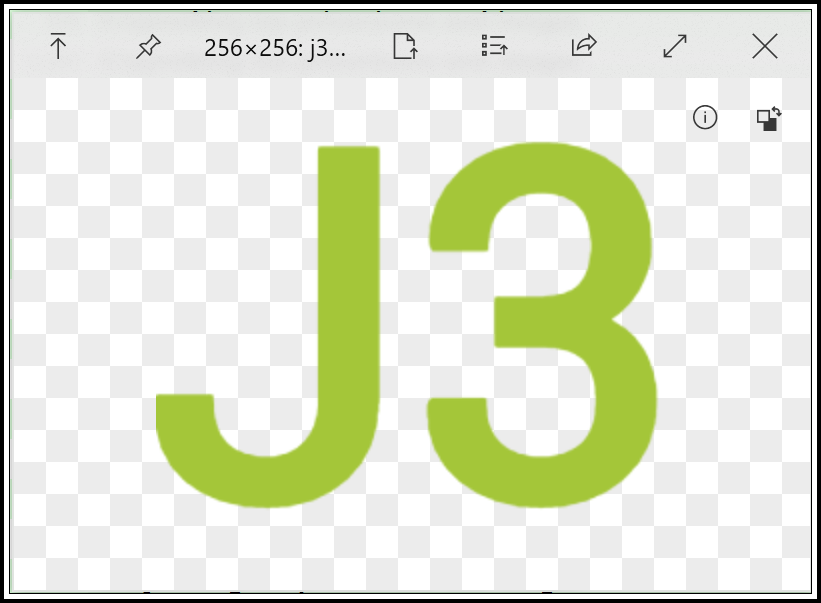
I installed Quick Look specifically to help me determine whether images have a transparency layer or mask or alpha channel (not sure of the correct terminology). For this reason, if my suggested feature is implemented, I would change the default "toggle button" state to be "alternate."
Note that maybe "normal" and "alternate" are not the appropriate words to use; maybe "off" is the default when the app is installed and I would be changing it to "on". Hope that makes sense.
Contributor guide
No contributing guide indexed for this repository
First steps
- Read the whole issue, then the project's contributing guide.
- Comment on the issue to say you are picking it up — it saves two people doing the same work.
- Fork the repository and make your change on a branch.
- Open a pull request that references the issue number.
Research direction
Start by locating the image preview UI and its toggle button, then trace how app settings are defined and loaded. Confirm how the button switches between normal and alternate states, add a discoverable tooltip and a persisted default-state option, and verify both settings values when opening an image preview.
Written by the indexing model from the issue text.
Assessment
- Tech stack
- csharp
- Domain
- desktop
- Issue type
- Feature
- Difficulty
- 4/5
- Estimated time
- 3-5 days
- Activity status
- Stale
- Clarity
- Mostly clear
- Newbie friendliness
- 35/100