ProxymanApp / ProxymanApp/Proxyman
Can't reach http://proxy.man/ssl on iPhone
Open
@NghiaTranUIT is already working on this.
Since Apr 26, 2021.
- Dominant language
- No language data
- Stars
- 7k
- Forks
- 237
- PR merge metrics
- No merged PRs in 30d
Description
Proxyman version? (Ex. Proxyman 1.4.3)
2.24.0 (22400)
macOS Version? (Ex. mac 10.14)
11.0.1 (20B29)
Steps to reproduce
Premise:
I've closed all VPN programs (Wireguard and ProtonMail Bridge just to be sure) after a restart of the computer. I've only used Proxyman on Mac before, mostly for iOS Simulator and I have an installed and trusted root certificate on the Mac to enable SSL proxying.
IP in Proxyman instruction page matches what I see in my network settings.
en1: flags=8863<UP,BROADCAST,SMART,RUNNING,SIMPLEX,MULTICAST> mtu 1500
	options=400<CHANNEL_IO>
	ether 4c:20:b8:aa:97:5f
	inet6 fe80::1c18:c4c5:9de:9e1d%en1 prefixlen 64 secured scopeid 0xc
	inet 10.110.110.21 netmask 0xffffff00 broadcast 10.110.110.255
	nd6 options=201<PERFORMNUD,DAD>
	media: autoselect
	status: active
On computer:
- Restart computer.
- Quit Wireguard and ProtonMail Bridge.
- Open Proxyman.
On iPhone:
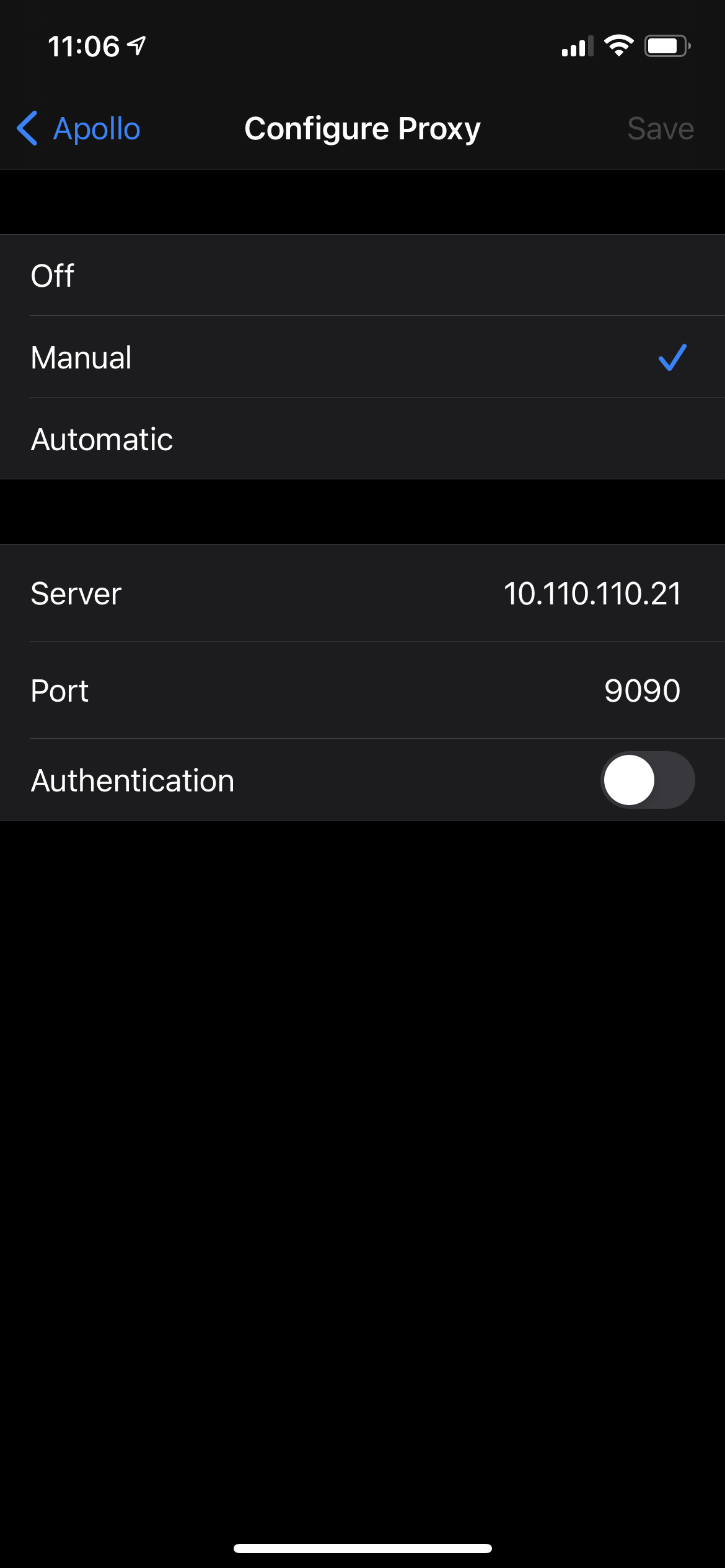
- Open Settings → Wi-Fi → ⓘ on the cell of the network phone and Mac are connected to → Configure Proxy
- Select Manual.
- Enter server as computer IP and Port 9090.
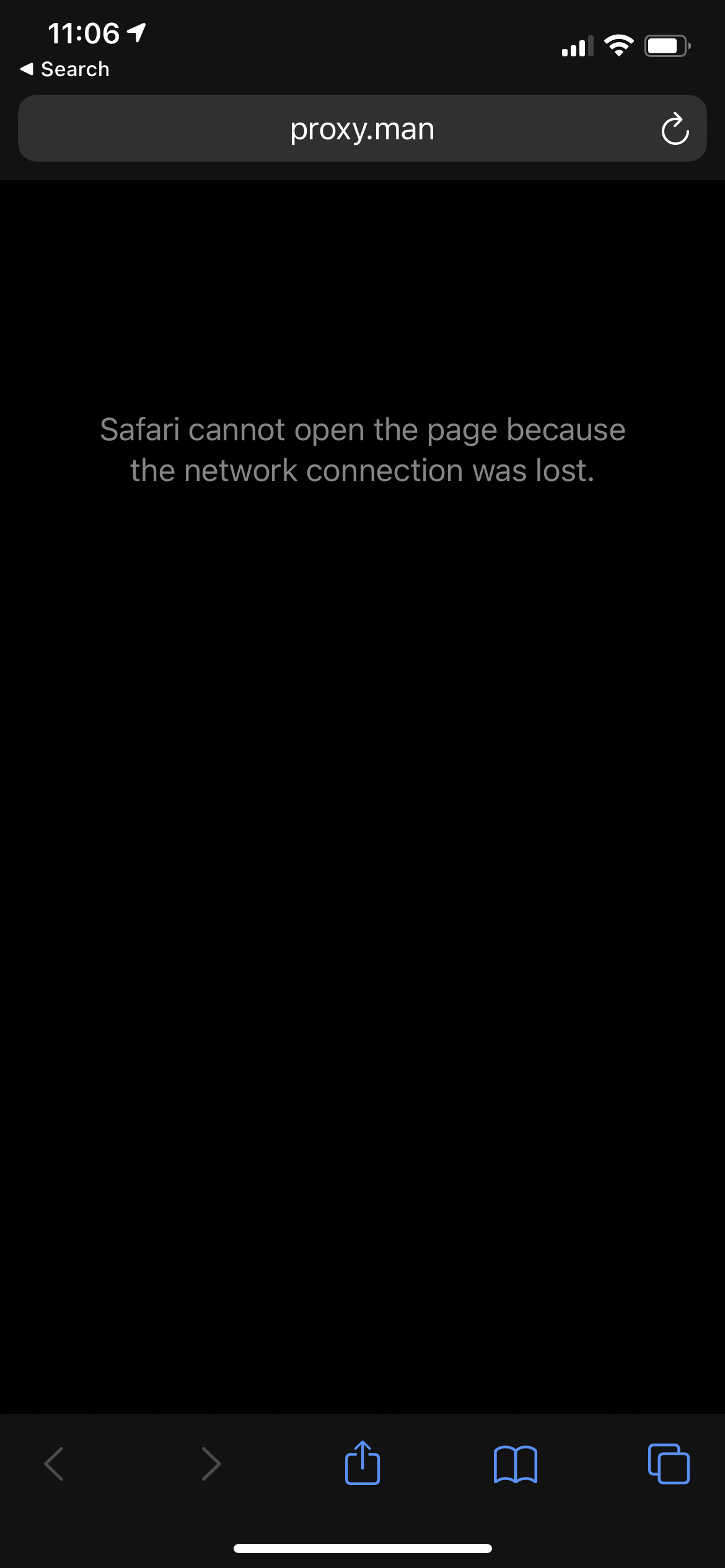
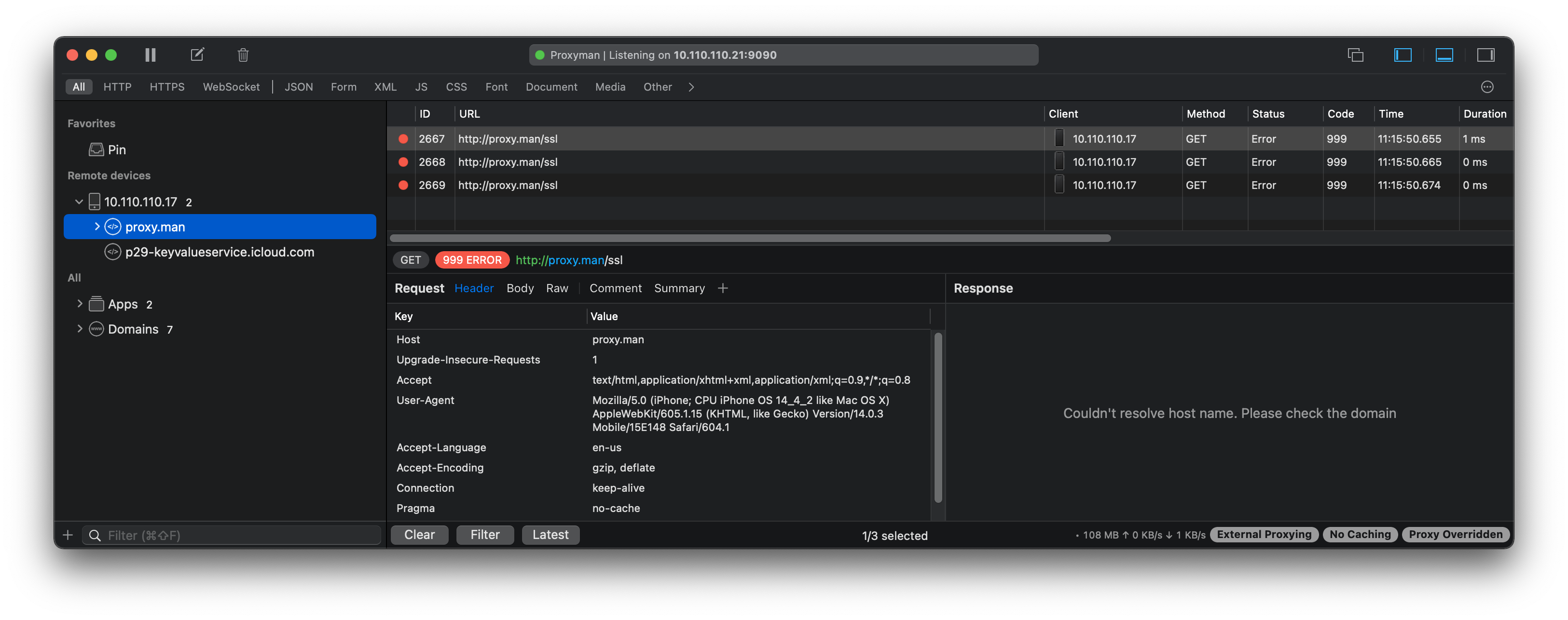
- Open Safari and go to http://proxy.man/ssl
Expected behavior
I'm extecting certificate things to happen.
Screenshots (optional)
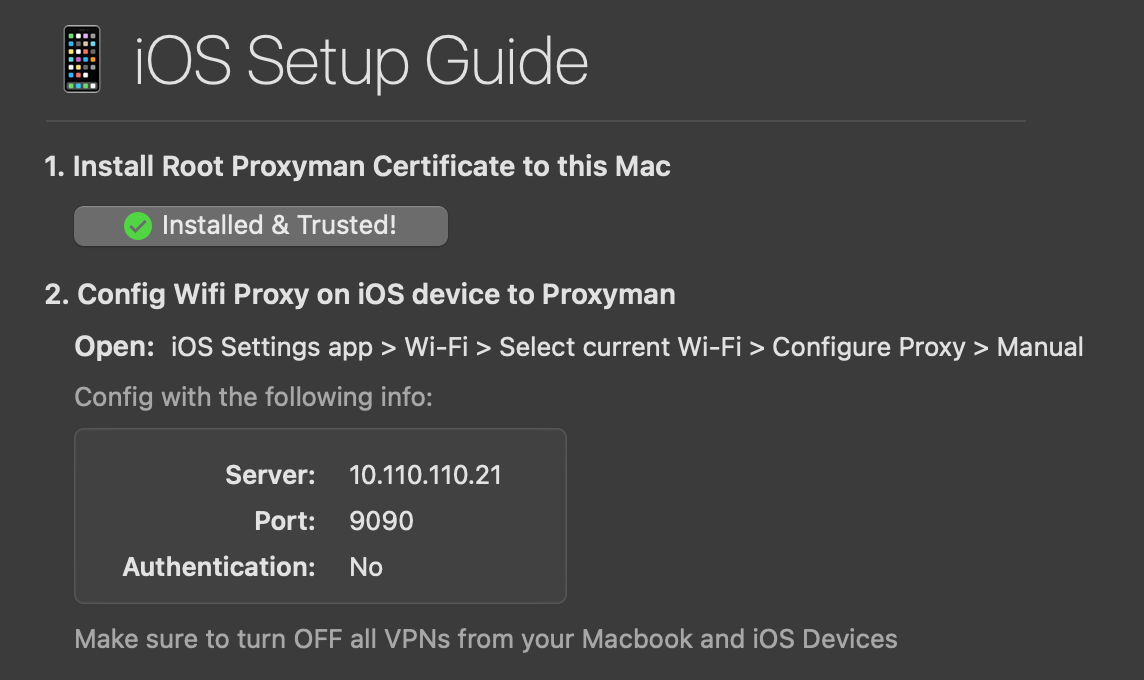
Open Proxyman ports:
parski@savoy ~ % sudo lsof -PiTCP -sTCP:LISTEN | grep Proxyman
Proxyman  618 parski   14u  IPv4 0xf8d368867453dd51      0t0  TCP *:9090 (LISTEN)
Proxyman  618 parski   15u  IPv4 0xf8d3688677cec941      0t0  TCP localhost:10090 (LISTEN)
Proxyman  618 parski   28u  IPv6 0xf8d368867452a489      0t0  TCP *:10909 (LISTEN)
Contributor guide
No contributing guide indexed for this repository
First steps
- Read the whole issue, then the project's contributing guide.
- Comment on the issue to say you are picking it up — it saves two people doing the same work.
- Fork the repository and make your change on a branch.
- Open a pull request that references the issue number.
Assessment
This issue has not been assessed yet.