ProxymanApp / ProxymanApp/Proxyman
macOS 13: Toolbar items not visible, breakpoint window size multiple times wider than screen
@NghiaTranUIT is already working on this.
Since Jun 16, 2022.
- Dominant language
- No language data
- Stars
- 7k
- Forks
- 237
- PR merge metrics
- No merged PRs in 30d
Description
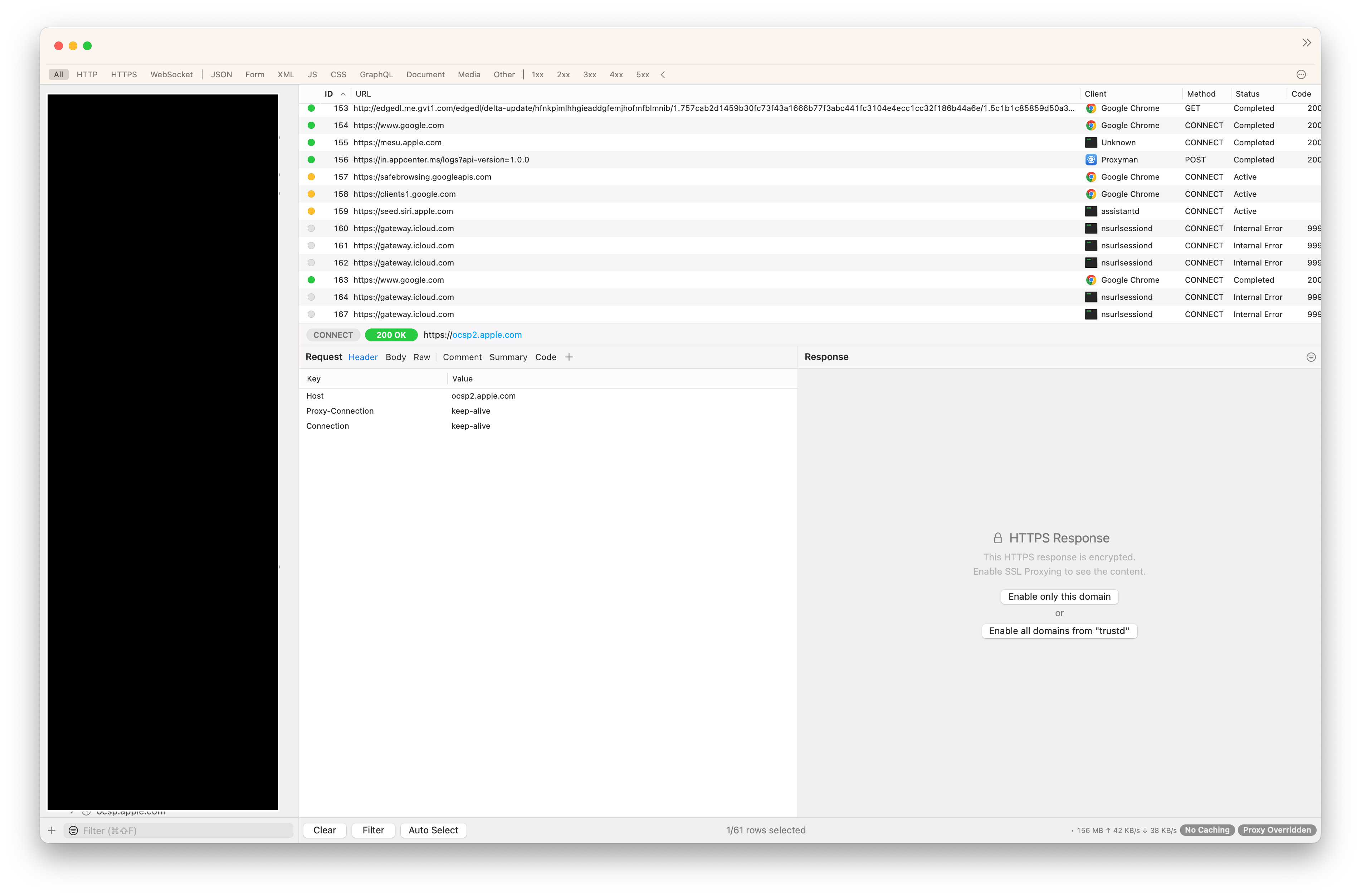
I'm having some major issues with the windowing and toolbar interfaces when running on the macOS 13 developer beta 1. I have toolbar set to "Icon & Text" and all my icons are being overflowed (chevron). Interestingly if I set to "Icon" only toolbar icons appear. If I set to "Icon & Text" or "Text" the icons disappear and are shown in the overflow menu.
Also some windows that are presented automatically, i.e. when hitting a breakpoint are multiple times wider than the screen resolution making it almost impossible to use.
I have not noticed issues like this with other 3rd party software so far.
Proxyman version? (Ex. Proxyman 1.4.3)
Version 3.5.2 (30520)
macOS Version? (Ex. mac 10.14)
macOS 13.0 Beta (22A5266r) (aka Ventura) - Developer Beta 1
Steps to reproduce
- Install macOS Ventura Developer Beta 1
- Set toolbar to "Icon & Text"
- Enable breakpoints
- Trigger breakpoint
Expected behavior
Toolbar items to be visible unless they actually overlow.
Window sizing to be within the bounds of the screen.
It appears maybe in both cases that the screen size logic might be incorrect causing both icons to overflow and windows to be too wide.
Screenshots (optional)

Contributor guide
No contributing guide indexed for this repository
First steps
- Read the whole issue, then the project's contributing guide.
- Comment on the issue to say you are picking it up — it saves two people doing the same work.
- Fork the repository and make your change on a branch.
- Open a pull request that references the issue number.
Assessment
This issue has not been assessed yet.