PipedreamHQ / PipedreamHQ/pipedream
Founderpath
- Dominant language
- JavaScript
- Stars
- 11.7k
- Forks
- 5.8k
- Avg merge
- 3d 10h
- Merged PRs (30d)
- 102
Description
### App
Founderpath
### Summary:
Google OAuth consent grant not persisting — GSC connection shows "Connected" in our app but returns 401 Invalid Credentials on every API call
### Details:
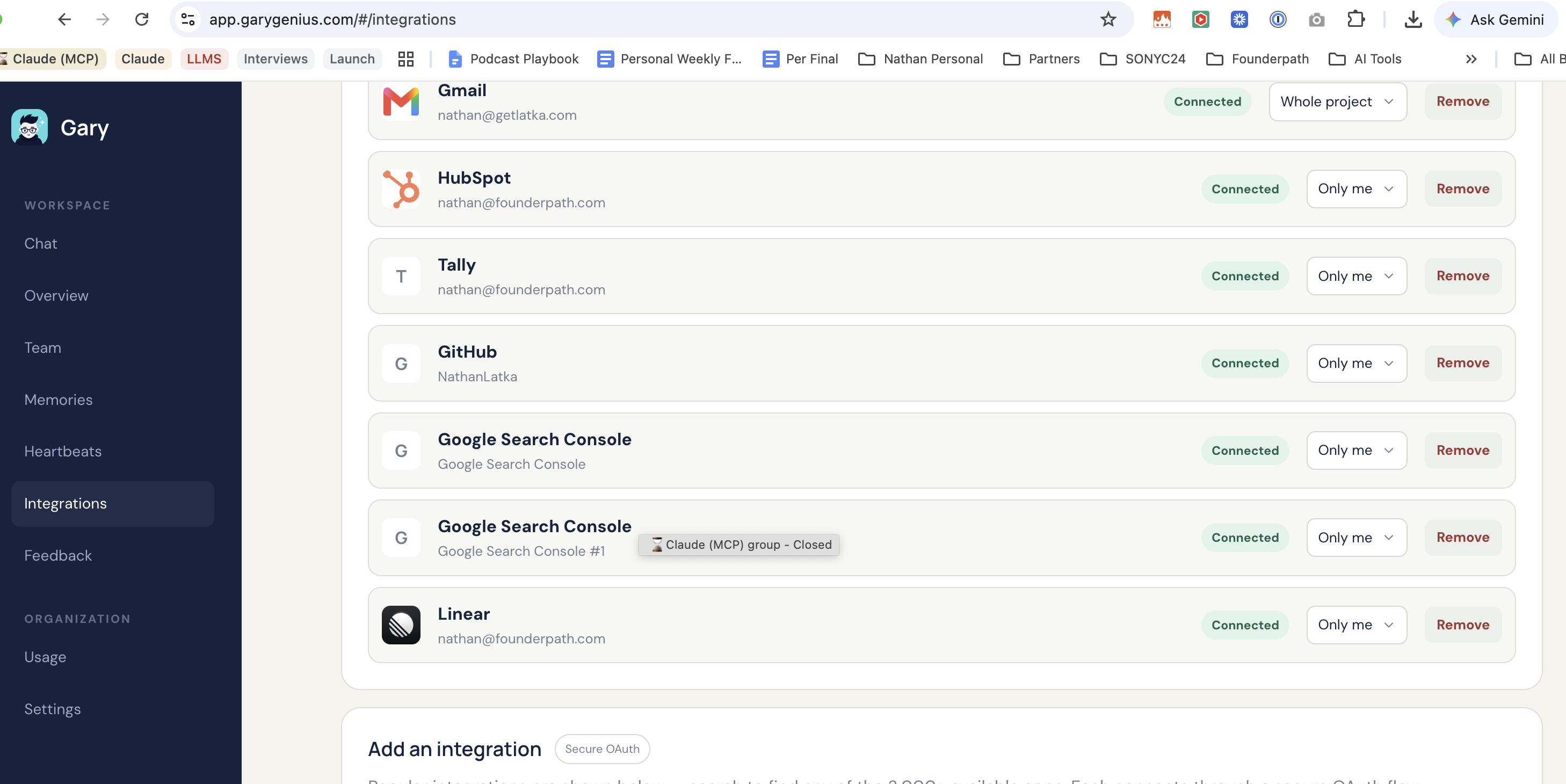
We have 3 separate Google Search Console connections in our app, all showing status "Connected" in the integrations dashboard (screenshot attached). However, live API calls against all of them consistently fail with "401 Invalid Credentials."
Steps observed:
1. User completes the standard Google OAuth consent flow (scopes selected, "Continue" clicked on the Google consent screen).
2. A second, separate Pipedream-branded consent screen then appears ("Pipedream wants access to your Google Account... Pipedream already has some access – see the 7 services"), with Continue/Cancel buttons.
3. Even after clicking Continue on both screens, the resulting connection is marked "Connected" in our dashboard, but no working token is actually issued — API calls immediately 401.
4. We also hit a separate but related issue: a Pipedream connect-token link expired mid-session and returned "This session has expired. Please refresh the page to try again" (screenshot attached).
This has happened across multiple connection attempts (3 separate GSC connection records created, all non-functional) and blocks us from pulling Search Console performance data via the API.
Account: Founderpath (nathan@founderpath.com plan)
App affected: Google Search Console (google_search_console)
Expected: After completing OAuth consent, the connection should return a valid, usable token.
Actual: Connection shows "Connected" in UI but token is invalid/missing — 401 on every request.
Can you confirm whether this is a known issue on Pipedream's side with the GSC connector's OAuth flow, and whether a fix is in progress?
### Screenshots:
Contributor guide
Research direction
Start by reproducing the google_search_console OAuth flow described in the issue, including both consent screens and the connect-token expiry case. Inspect whether the resulting connection has a usable token and whether a live API call still returns 401; done means the connection is genuinely usable and Search Console requests no longer fail.
Written by the indexing model from the issue text.
Assessment
- Tech stack
- google-cloud
- Domain
- api, authentication
- Issue type
- Bug
- Difficulty
- 4/5
- Estimated time
- 3-5 days
- Activity status
- Active
- Clarity
- Needs clarification
- Newbie friendliness
- 35/100