PathOfBuildingCommunity / PathOfBuildingCommunity/PathOfBuilding
PoB GPU utilization
Nobody has claimed this yet.
- Dominant language
- Lua
- Stars
- 5.4k
- Forks
- 2.4k
- Avg merge
- 1d 12h
- Merged PRs (30d)
- 26
Description
Check version
- I'm running the latest version of Path of Building and I've verified this by checking the changelog
Check for duplicates
- I've checked for duplicate issues by using the search function of the issue tracker
How is Path of Building expected to behave?
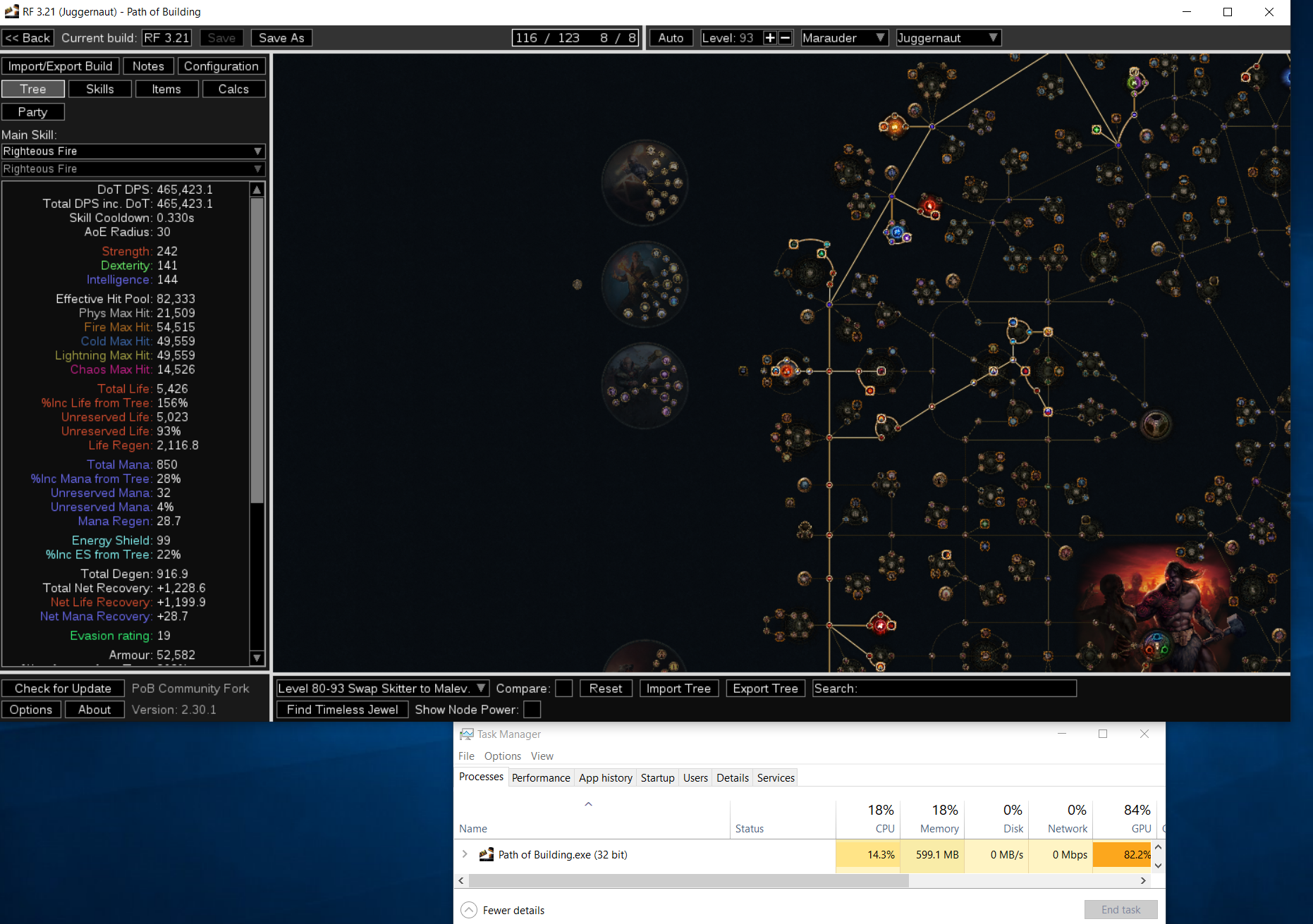
When viewing the skill tree PoB GPU utilization spikes to 80%+. If I switch to any other screen in PoB the GPU utilization drops to around 15%. This is causing PoE to crash due to high GPU utilization.
I have completely removed PoB from my PC and reinstalled.
I have done a fresh driver installation.
Edition Windows 10 Pro
Version 21H2
Installed on 5/3/2021
OS build 19044.2846
Experience Windows Feature Experience Pack 120.2212.4190.0
AMD Ryzen 7 5800X 8-Core Processor 3.80 GHz
Installed RAM 64.0 GB
System type 64-bit operating system, x64-based processor
RTX3060ti
How does Path of Building behave?
PoB Behaves seems to behave normally.
How to reproduce the issue
- Launch PoB
- View passive tree
Character build code
https://poe.ninja/pob/cCR
Screenshots

Contributor guide
First steps
- Read the whole issue, then the project's contributing guide.
- Comment on the issue to say you are picking it up — it saves two people doing the same work.
- Fork the repository and make your change on a branch.
- Open a pull request that references the issue number.
Research direction
Start by launching Path of Building on Windows and viewing the passive tree while measuring GPU utilization, then compare it with another screen. No source file or test is identified in the issue; done means finding the passive-tree behavior responsible and reducing its GPU usage without regressing the tree view.
Written by the indexing model from the issue text.
Assessment
- Tech stack
- lua
- Domain
- desktop, performance
- Issue type
- Bug
- Difficulty
- 4/5
- Estimated time
- 3-5 days
- Activity status
- Stale
- Clarity
- Mostly clear
- Newbie friendliness
- 30/100