PathOfBuildingCommunity / PathOfBuildingCommunity/PathOfBuilding
High contrast option for the passive skill tree
Nobody has claimed this yet.
- Dominant language
- Lua
- Stars
- 5.4k
- Forks
- 2.4k
- Avg merge
- 1d 12h
- Merged PRs (30d)
- 26
Description
Check for duplicates
- I've checked for duplicate issues by using the search function of the issue tracker
Is your feature request related to a problem?
High contrast option when the option to show node power is active. Currently it very hard to see the tree proper when it's active as only nodes that are highlighted are visible on the black background because the tree is also pretty much black in this case as well. I edited the files to a different background and now I can at least see the outlines and thus can interact with all nodes, not just the ones highlighted.
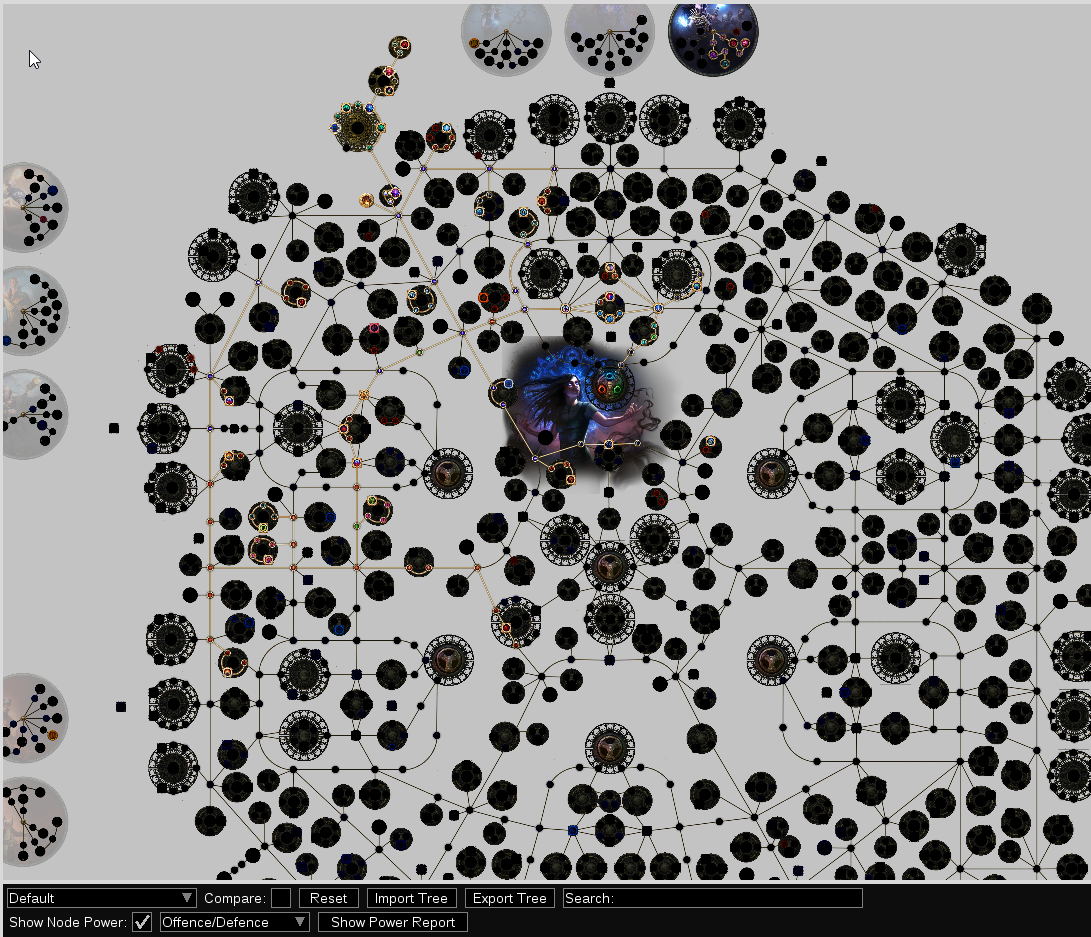
But this is still not ideal as you can't properly see jewel sockets and have to guess where notable passives are, plus my edits will be lost on update so a built-in option is needed.
Describe the solution you'd like
High contrast option for the passive skill tree planner so every passive is clearly visible, not just the ones highlighted at the moment.
Describe alternatives you've considered
Additional context
When planning builds PoB often takes a while to highlight a good passive I already know of so often I'd like to allocate it as soon as possible w/o having to wait for it to become marked, or I might want to allocate something not covered by the current filter like Minion Instability so that I could actually plan my build with it in mind.
Contributor guide
First steps
- Read the whole issue, then the project's contributing guide.
- Comment on the issue to say you are picking it up — it saves two people doing the same work.
- Fork the repository and make your change on a branch.
- Open a pull request that references the issue number.
Research direction
No file or test is named; start by locating the passive skill tree planner and the existing “show node power” option. Compare the current tree rendering with the requested high-contrast state. The work is done when all nodes, including jewel sockets and notable passives, remain clearly visible while the option is active.
Written by the indexing model from the issue text.
Assessment
- Tech stack
- lua
- Domain
- accessibility, desktop
- Issue type
- Feature
- Difficulty
- 4/5
- Estimated time
- 3-5 days
- Activity status
- Stale
- Clarity
- Mostly clear
- Newbie friendliness
- 38/100