NotionX / NotionX/react-notion-x
Synced blocks not displaying in different pages
Nobody has claimed this yet.
- Dominant language
- TypeScript
- Stars
- 5.4k
- Forks
- 645
- PR merge metrics
- No merged PRs in 30d
Description
Hello!
I'm having some doubts about the synced block support.
In the demo the blocks appear to work as intended and they do if the original block and the clones are in the same page.
But if I create the block in page A:
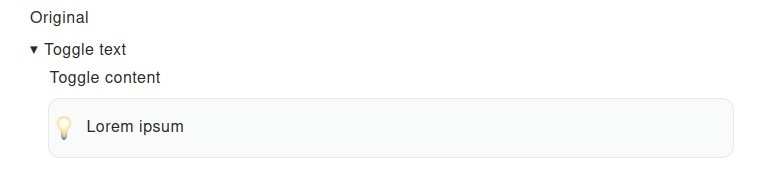
And have the synced block in page B this is what I can see:

This seems to be the case also with file links, they are in the page and visible but no longer take you to their destination.
Please, do let me know if there is something wrong with my use of the library or if it's a known problem.
Have a great day!
Contributor guide
First steps
- Read the whole issue, then the project's contributing guide.
- Comment on the issue to say you are picking it up — it saves two people doing the same work.
- Fork the repository and make your change on a branch.
- Open a pull request that references the issue number.
Research direction
Reproduce the behavior using the linked synced-block demo, with the original block on page A and its clone on page B, then compare it with clones on the same page. Done means synced blocks render correctly across pages and file links still navigate to their destinations.
Written by the indexing model from the issue text.
Assessment
- Tech stack
- react, typescript
- Domain
- frontend
- Issue type
- Bug
- Difficulty
- 4/5
- Estimated time
- 3-5 days
- Activity status
- Stale
- Clarity
- Needs clarification
- Newbie friendliness
- 35/100