In-line/refreshable templates (data-view v1)
@EduardMe is already working on this.
Since Mar 8, 2022.
- Dominant language
- JavaScript
- Stars
- 204
- Forks
- 82
- Avg merge
- 22h 27m
- Merged PRs (30d)
- 3
Description
someone could embed template code like this:
```Template
some np.Template code here
```
and then when NP sees that code block, it passes it to np.Templates to execute/"render" it (and refreshes it on demand). Whatever the return value is gets rendered by NotePlan in-line. It is important for the formatting to clearly indicate that this is not just user-typed text (hence why I like the code block formatting here).
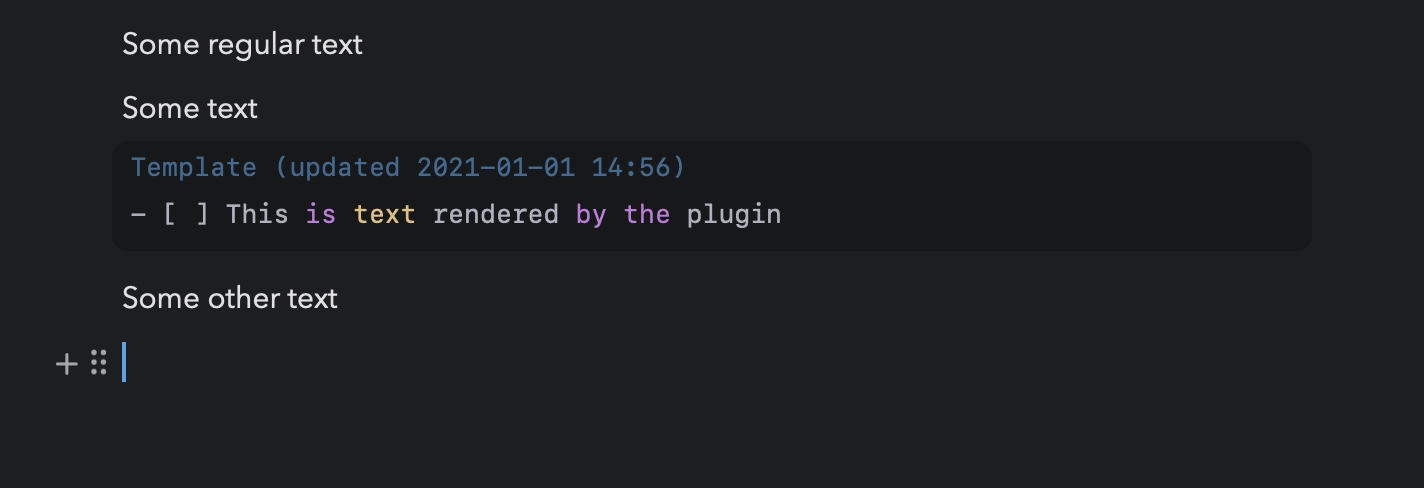
I was thinking that it would trigger a re-draw on:
- note load
- code block edit
- refresh button/menu press (initially could be on note
...overflow menu, but at some point a circular refresh arrow on the block itself would be nice)
It would have some indication of what it was last refreshed (here I put it in the top of the code block next to the title, but it could be bottom right or whatever)
Note: @mikeerickson said: Another FYI, any time you execute a template to render, any JavaScript code you have between tags will be executed.
You will have access to any:
- NotePlan API command
- Any methods defined in globals.js
- Any methods you have supplied to in your own plugins located in methods object or variables located in data object
So, basically using any template you can do d LOT LOT LOT LOT more than existing templates
Contributor guide
No contributing guide indexed for this repository
First steps
- Read the whole issue, then the project's contributing guide.
- Comment on the issue to say you are picking it up — it saves two people doing the same work.
- Fork the repository and make your change on a branch.
- Open a pull request that references the issue number.
Assessment
This issue has not been assessed yet.