NVIDIA-Merlin / NVIDIA-Merlin/Merlin
[FEA] Give users an ability to understand what their model consists of without having to read code
@EvenOldridge is already working on this.
Since Jul 13, 2022.
- Dominant language
- Python
- Stars
- 907
- Forks
- 129
- PR merge metrics
- No merged PRs in 30d
Description
Problem:
For a user who is new to our library, figuring out exactly what the supported architectures consist of, and what happens to data as it flows through Merlin Models, might not be easy.
The only viable path right now is to read the code.
If one attempts to understand the model via looking at its layers, this is what they see
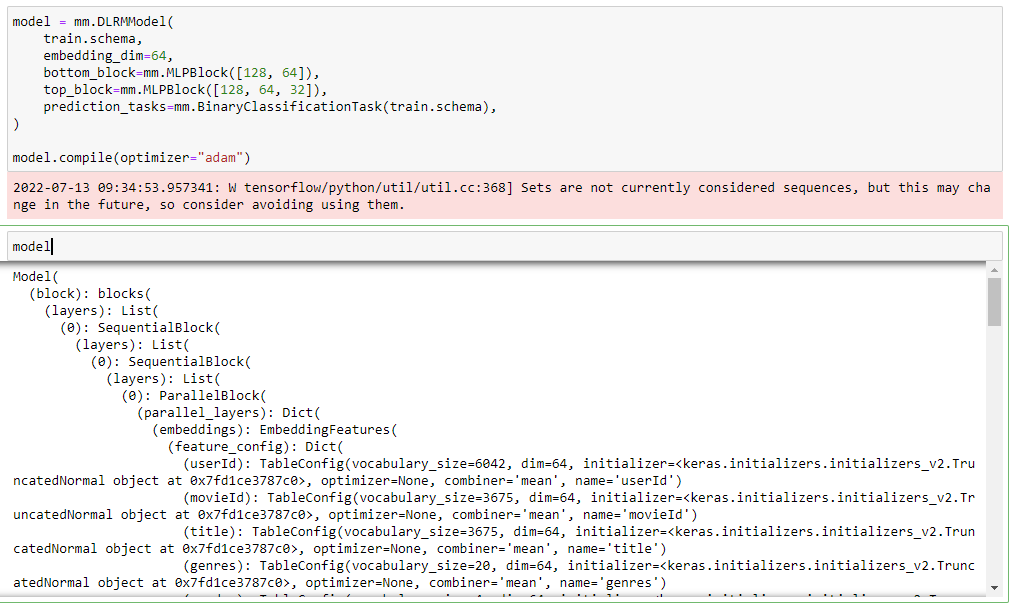
This structure is very hard to traverse. A solution that @marcromeyn suggested was to create a graph representation of the model that would include visualization of how layers relate to one another and would display important information (such as dimensionality of input/output of each layer, etc).
The overarching objective is to not require a user to jump into library code to have a way of finding out what their model is doing.
Goal:
- Give users a simple way of understanding what the architecture at hand consists of
- Stretch goal -- use visualizations to demonstrate each step of how the data is fed to the model
Constraints:
- This feature only makes sense if it is "lightweight", if it would not require writing a lot of custom code for each type of layer that we currently support or will support in the future
Starting Point:
[ ] Implement an ability to visualize what a model consists of
[ ] Create an example notebook demonstrating this functionality (better yet, include this as a segment of one of the first example notebooks and demonstrate the use of this functionality as one progresses through the examples).
Contributor guide
First steps
- Read the whole issue, then the project's contributing guide.
- Comment on the issue to say you are picking it up — it saves two people doing the same work.
- Fork the repository and make your change on a branch.
- Open a pull request that references the issue number.
Assessment
This issue has not been assessed yet.