MicrosoftEdge / MicrosoftEdge/WebView2Feedback
File Open/Save Dialog doesn't work with automatic elevation (uiAccess=true)
@tofuandeve is already working on this.
Since Jan 5, 2023.
- Dominant language
- PowerShell
- Stars
- 526
- Forks
- 67
- PR merge metrics
- No merged PRs in 30d
Description
Description
Based on https://github.com/MicrosoftEdge/WebView2Feedback/issues/802, Webview2 can now show file dialog when 'Run as administrator'. But it still does not work with automatic elevation using 'uiAccess=true' method.
Version
SDK: 1.0.1549-prerelease, 1.0.1462.37
Runtime: 108.0.1462.54
Framework: WPF 4.7.2
OS: Windows11 22H2 (22621.963)
Repro Steps
I have made a sample exe program that demo the situation:
Debug.zip
1) Works ok without automatic elevation:
a. extract zip file to a folder on desktop or other normal dir.
b. double click 'WebView2UiAccess.exe' to start the program.
c. click the input button, file dialog will show.
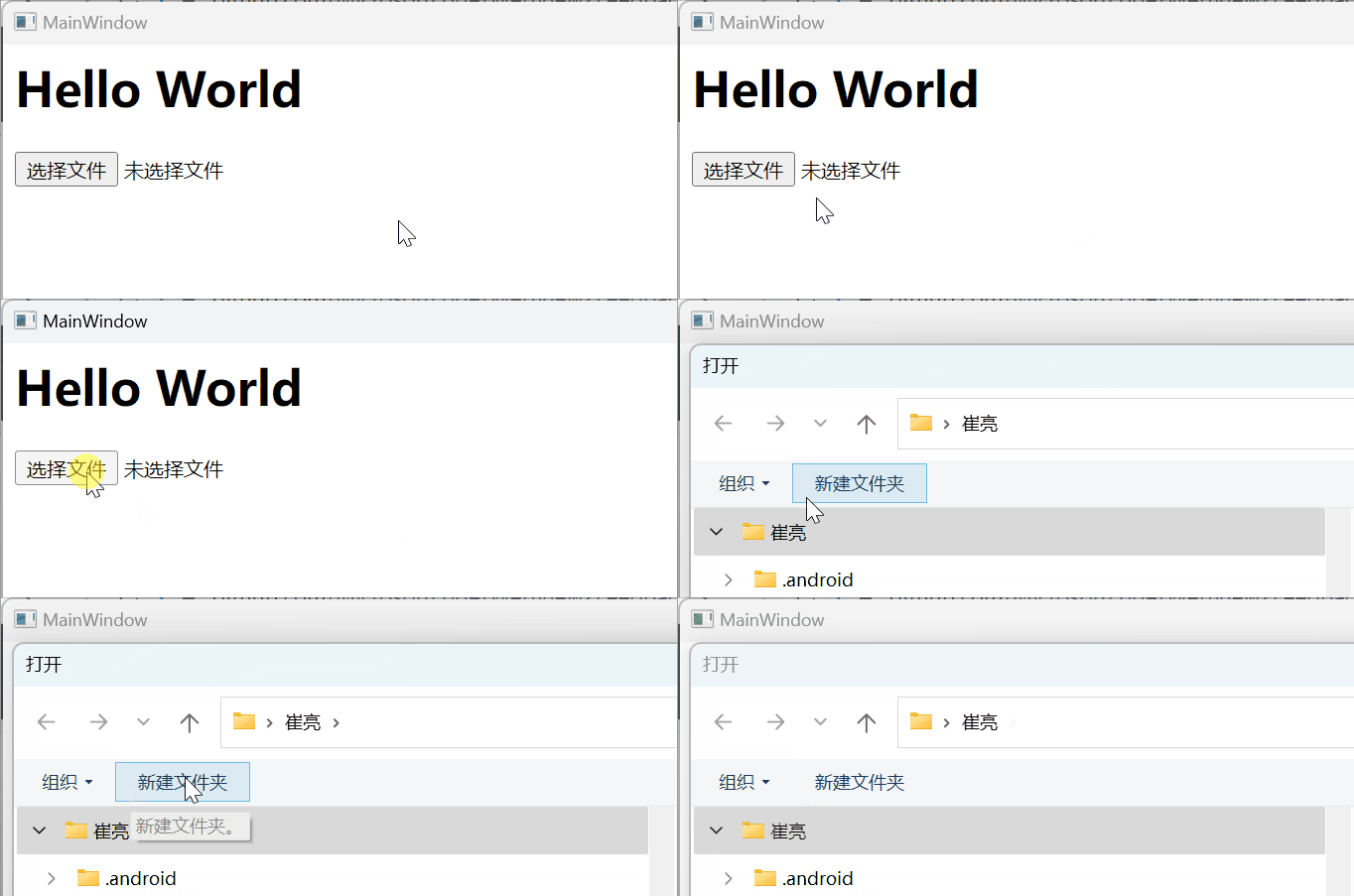
2) Not work when automatic elevated:
a. copy extracted files into a folder in c:\Program files , for example c:\Program files\test
b. double click 'WebView2UiAccess.exe' to start the program.
c. click the input button, file dialog will not show.
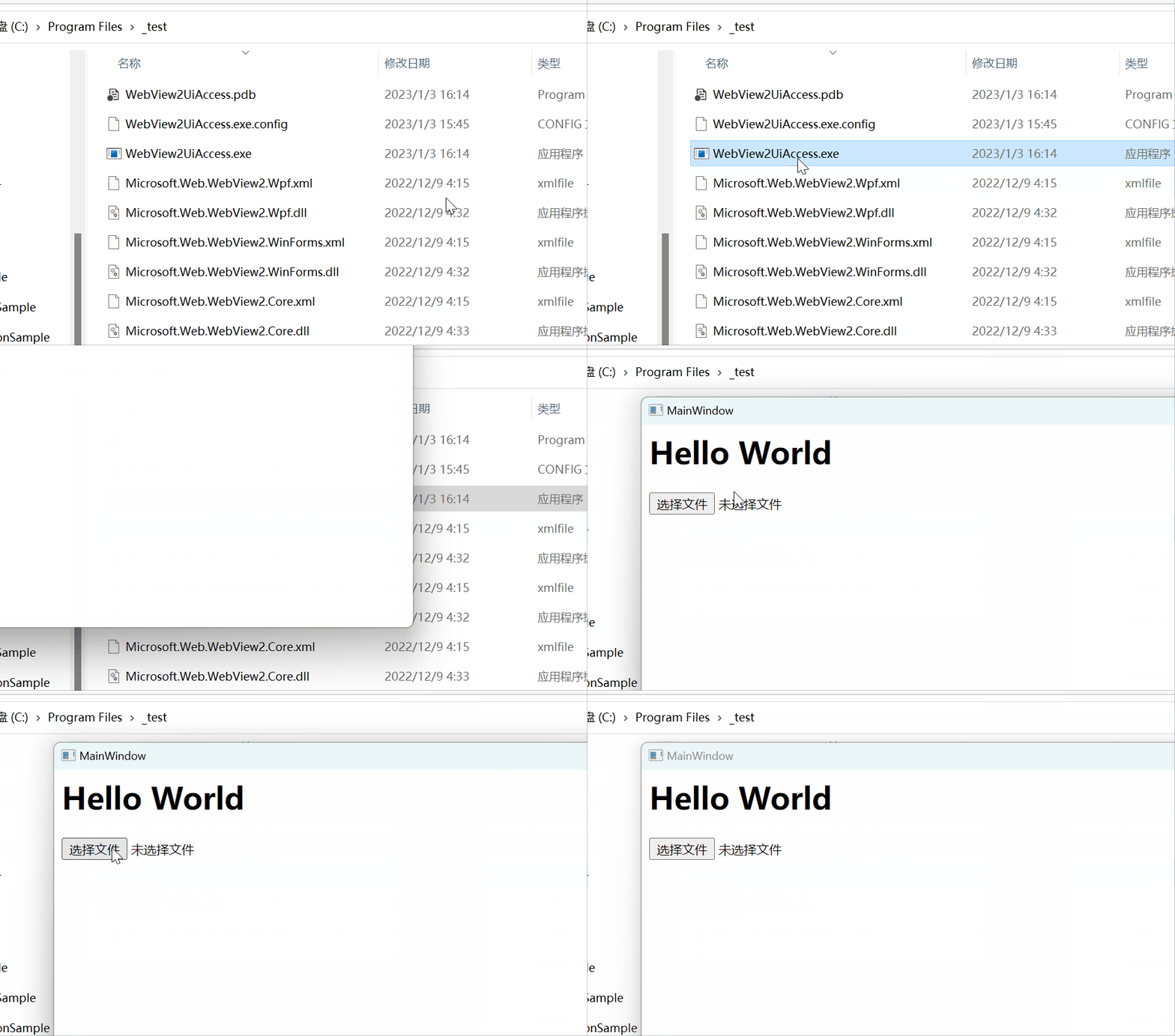
Source code (need to change code sign cert file path and password in project properties):
WebView2UiAccess.zip
Screenshots
Additional context
How to make exe automatic elevate:
- add app.manifest file, and set
uiAccess="true" - Code sign the output exe with certificate.
- Install into a secure location, like
c:\program files\xxx
Contributor guide
No contributing guide indexed for this repository
First steps
- Read the whole issue, then the project's contributing guide.
- Comment on the issue to say you are picking it up — it saves two people doing the same work.
- Fork the repository and make your change on a branch.
- Open a pull request that references the issue number.
Assessment
This issue has not been assessed yet.