MicrosoftEdge / MicrosoftEdge/WebView2Feedback
Windows 10 repeatedly and predictably crashed by WebView2 when changing display
Nobody has claimed this yet.
- Dominant language
- PowerShell
- Stars
- 526
- Forks
- 67
- PR merge metrics
- No merged PRs in 30d
Description
Description
Windows 10 is repeatedly and predictably crashed by WebView2 when we disconnect from external monitor display.
No callstack is available as Windows is totally crashed, even the mouse pointer won't move.
This occurs for our WPF app that has a WebView2 control on it.
Removing the WebView2 control from the form makes the app works again.
The crash occurs only for 1 of our 3 laptops.
The laptop where this crash occurs does it repeatedly and predictably.
It occurs on this laptop only when the external monitor is disconnected and the laptop's built in screen is active.
Here are the screen details.

Notice that the screens use different graphics cards.
Our other two laptops do not experience the issue.
They also have external screens but we have noticed that for those laptops both built in and external screens use the same graphics card. This is why our attention has been drawn to this point. It is the only distinguishing factor we have been able to spot so far about the laptop that crashes.
It may be of interest to also note the following: When the external display is connected, the app will run happily on both displays. VERY rarely it will crash when dragging the app window to the built in display (display1). Normally we experience no issue with moving the window between the displays. However, disconnect the external monitor, restart the app and click, click crash.
Note also, that the crash occurs regardless of whether we start the laptop connected to the external display and then disconnect, OR, if we start the laptop never connected to the external display.
Version
SDK: 1.0.1054.31 (currently) latest stable release
Runtime: evergreen
Framework: WPF (shoehorned in to a NET Framework (net472) project)
OS: Win10, x64
Repro Steps
Disconnect the external monitor so that laptop built in screen is the only display.
Run the app to show the form with WebView2 component.
Click in and out of Textbox controls on the form so that focus is moved about.
Within a few clicks the whole laptop freezes. Unresponsive to mouse, keyboard etc. Screen frozen. Audio still seems to work though.
You must hold down the power button to hard reset the laptop.
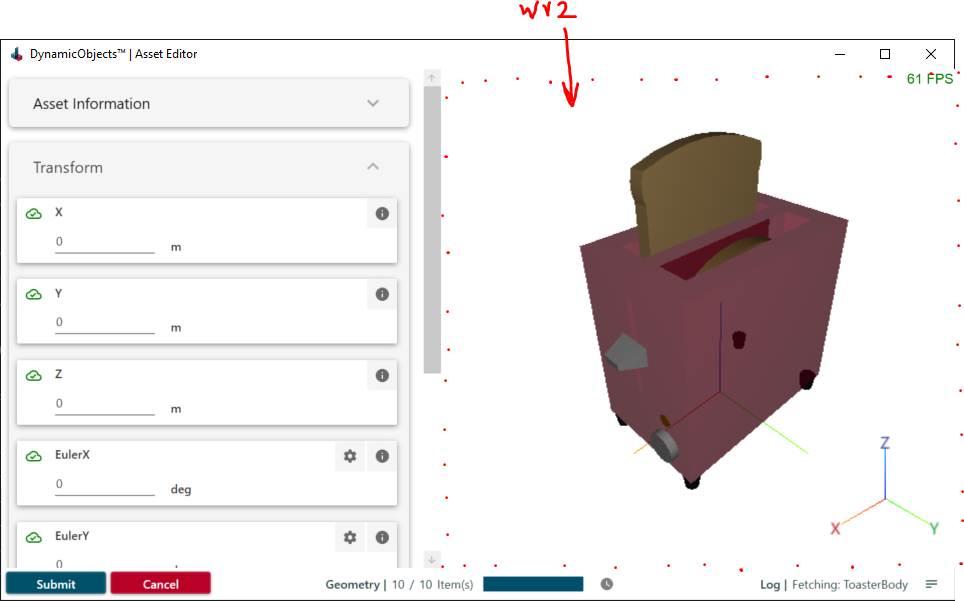
Here is our app showing the webView2 form:
Contributor guide
No contributing guide indexed for this repository
First steps
- Read the whole issue, then the project's contributing guide.
- Comment on the issue to say you are picking it up — it saves two people doing the same work.
- Fork the repository and make your change on a branch.
- Open a pull request that references the issue number.
Research direction
No repository files, tests, or entry points are identified. Start by reproducing the reported freeze using the listed Windows 10, WPF, WebView2, display-disconnect, and focus-change steps, then review the linked AB#37651703 work item; done requires a confirmed cause and validated resolution.
Written by the indexing model from the issue text.
Assessment
- Domain
- desktop, operating-systems
- Issue type
- Bug
- Difficulty
- 5/5
- Estimated time
- Over a week
- Activity status
- Stale
- Clarity
- Needs clarification
- Newbie friendliness
- 18/100