MicrosoftEdge / MicrosoftEdge/WebView2Feedback
PDF Toolbar disappears when window is resized below a certain width
Nobody has claimed this yet.
- Dominant language
- PowerShell
- Stars
- 526
- Forks
- 67
- PR merge metrics
- No merged PRs in 30d
Description
Description
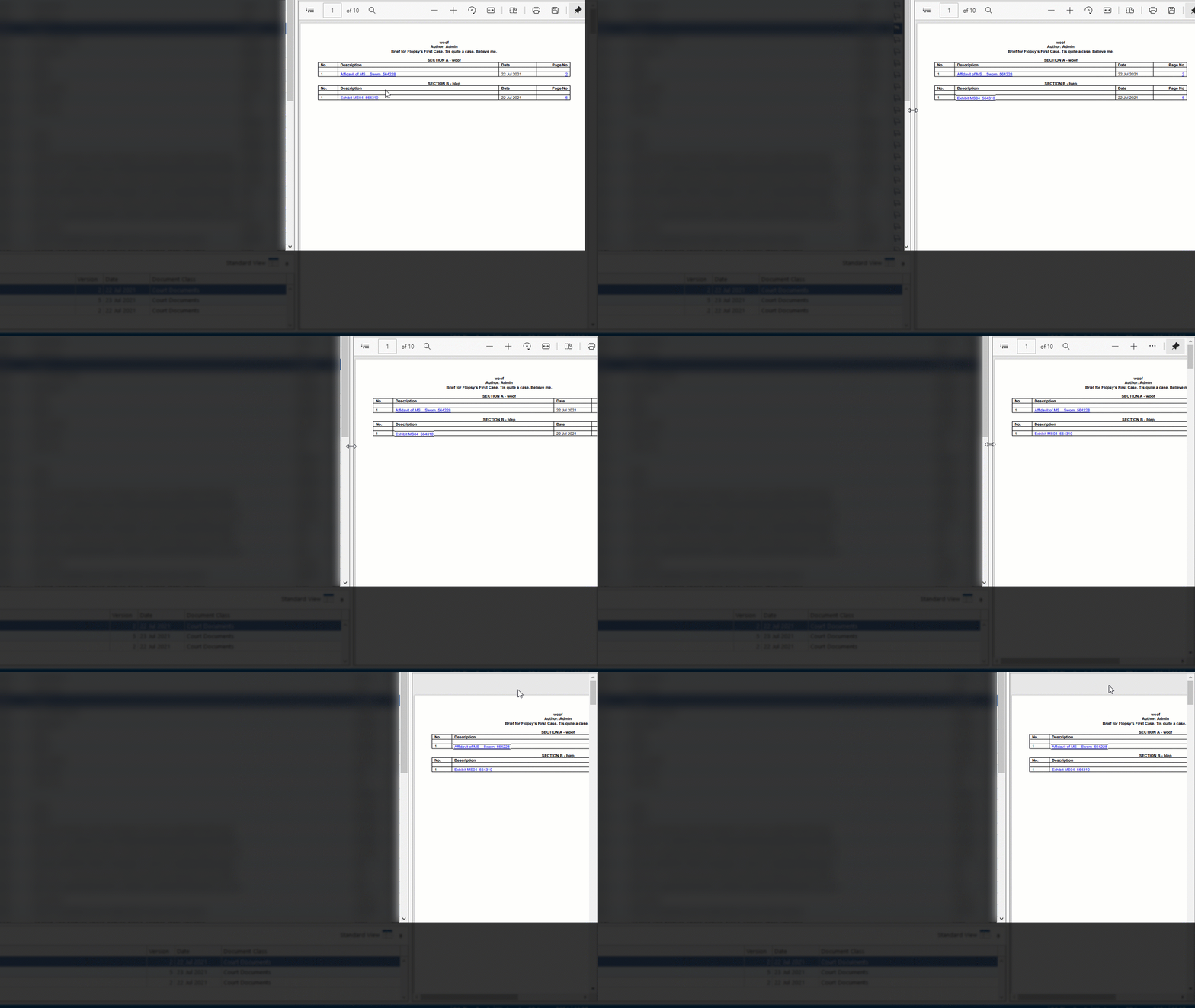
When a WebView2 control is hosted on a WPF window and the part of the window hosting the WebView2 is reduced below a certain width, the Toolbar for PDF documents disappears.
Version
SDK: 10.0.902.49
Runtime: n/a
Framework: WPF
OS: n/a or unknown (Windows 10 on developer machine)
Repro Steps
Create a resizable WPF window and host a WebView2 control in a grid column with width "*" so that it resizes with the window.
Host a PDF document in the WebView2. As far as we can tell it doesn't matter whether you set its source or navigate to a HTML page containing an object tag referencing the PDF.
Start with a large enough width and start resizing the width down.
Expected behaviour:
The toolbar should remain visible for much longer. Perhaps start reducing its size when the WebView2 goes below a certain width. If the width becomes so small that the Toolbar can no longer reasonably be displayed have some way of alerting the user why this is. Perhaps a warning triangle where the toolbar should be with a tooltip on it?
Actual behaviour:
Toolbar simply disappears
Contributor guide
No contributing guide indexed for this repository
First steps
- Read the whole issue, then the project's contributing guide.
- Comment on the issue to say you are picking it up — it saves two people doing the same work.
- Fork the repository and make your change on a branch.
- Open a pull request that references the issue number.
Research direction
Start by reproducing the issue in a resizable WPF window with a WebView2 control hosted in a star-sized grid column and a PDF document loaded. Compare toolbar behavior as the control narrows; done means the PDF toolbar remains visible at practical widths or clearly communicates why it cannot be displayed.
Written by the indexing model from the issue text.
Assessment
- Domain
- desktop
- Issue type
- Bug
- Difficulty
- 4/5
- Estimated time
- 3-5 days
- Activity status
- Stale
- Clarity
- Mostly clear
- Newbie friendliness
- 25/100