MetaMask / MetaMask/metamask-extension
Define and implement an easier to read format for showing big numbers to users
@georgewrmarshall is already working on this.
Since Jan 4, 2022.
- Dominant language
- TypeScript
- Stars
- 13.2k
- Forks
- 5.6k
- Avg merge
- 2d 5h
- Merged PRs (30d)
- 451
Description
User Story
As a user, I want the amount of tokens I'm being requested to approve to be in an easy to read format so I don't get confused and can understand it.
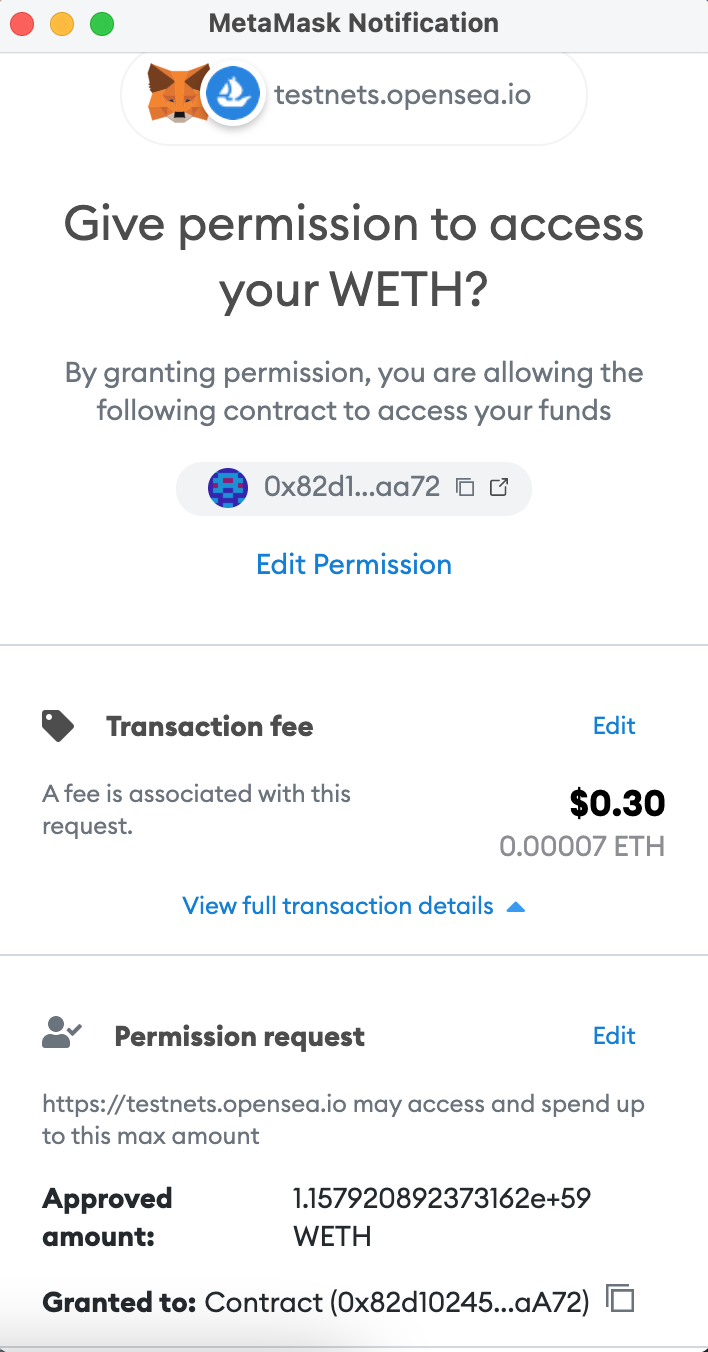
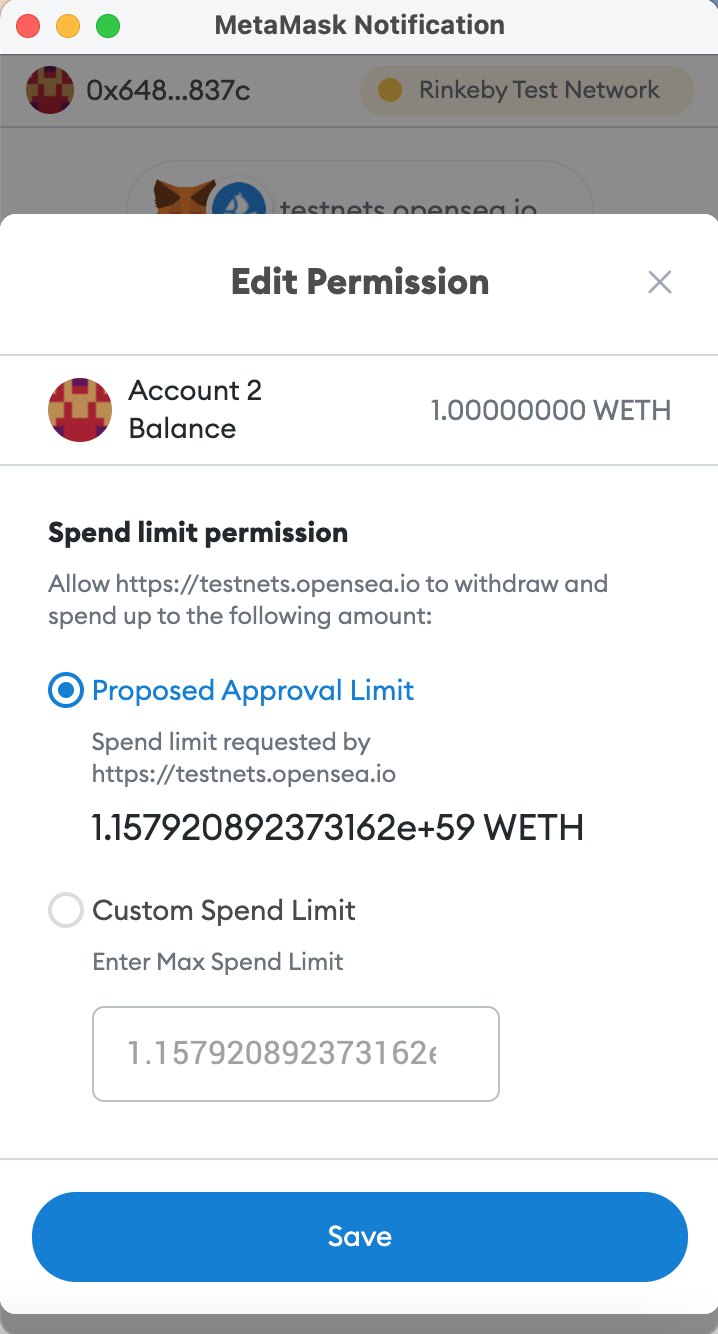
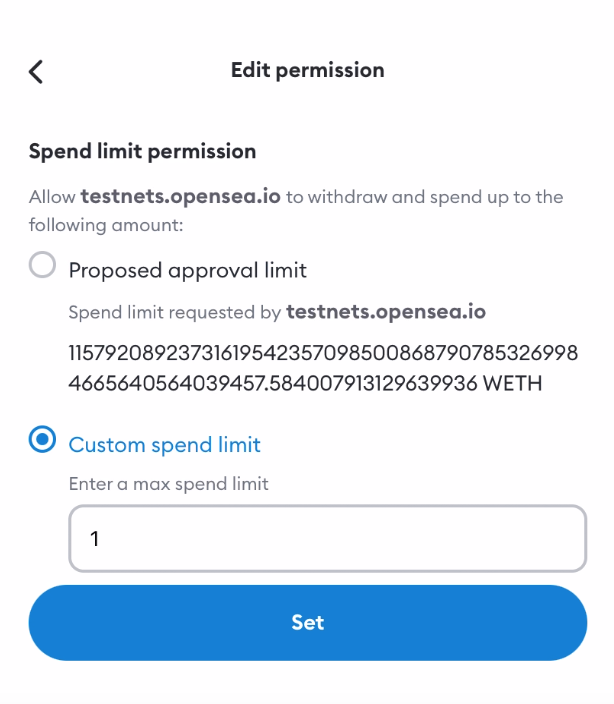
Currently when clicking in "View full transaction details" and "Edit Permission" on the approve transaction notification screen on extension, the proposed approval limit is presented in scientific notation as '1.15792089...e+59' which confuses users and might lead to them believing they are approving significant smaller amounts ('1.15' ETH) than they are in reality ('115792089...' ETH).
Related to #12703
Steps to reproduce
- Open confirmation screen for a token approval from a dapp that asks for a large approval amount (e.g. making a offer for a NFT on Opensea)
- Click "View full transaction details" or "Edit Permission" and see the big number represented in scientific notation
Screenshots
How it currently looks like on Extension (scientific notation):
How it currently looks like on Mobile (decimal notation):
Task
Defining and implementing an easy to read format for showing big numbers to users. It might require some research on what is the most informative way to show big numbers (decimal notation, scientific notation or some other format).
Success criteria
Showing large approval amounts in an easy to read format to users.
Contributor guide
First steps
- Read the whole issue, then the project's contributing guide.
- Comment on the issue to say you are picking it up — it saves two people doing the same work.
- Fork the repository and make your change on a branch.
- Open a pull request that references the issue number.
Assessment
This issue has not been assessed yet.