MetaMask / MetaMask/metamask-extension
Login window does not indicate which Chrome/Brave user profile it belongs to
- Dominant language
- TypeScript
- Stars
- 13.2k
- Forks
- 5.6k
- Avg merge
- 2d 5h
- Merged PRs (30d)
- 451
Description
**Describe the bug**
I use Brave/Chrome user profiles to separate my MM usage along with different MM passwords for each.
When I restart Brave/Chrome, I get a whole bunch of MM login windows popping up.
I can't tell which profile the login window belongs to in order to tell which password to use.
**Steps to reproduce (REQUIRED)**
Steps to reproduce the behavior, libraries used with version number, and/or any setup information to easily reproduce:
1. Create multiple profiles in Brave/Chrome.
2. Install MM into each profile.
3. Connect to various dapps in each profile.
4. Restart Brave/Chrome.
5. Try to figure out which MM login window is which.
**Expected behavior**
Be able to see which profile the MM is connected to.
**Screenshots**
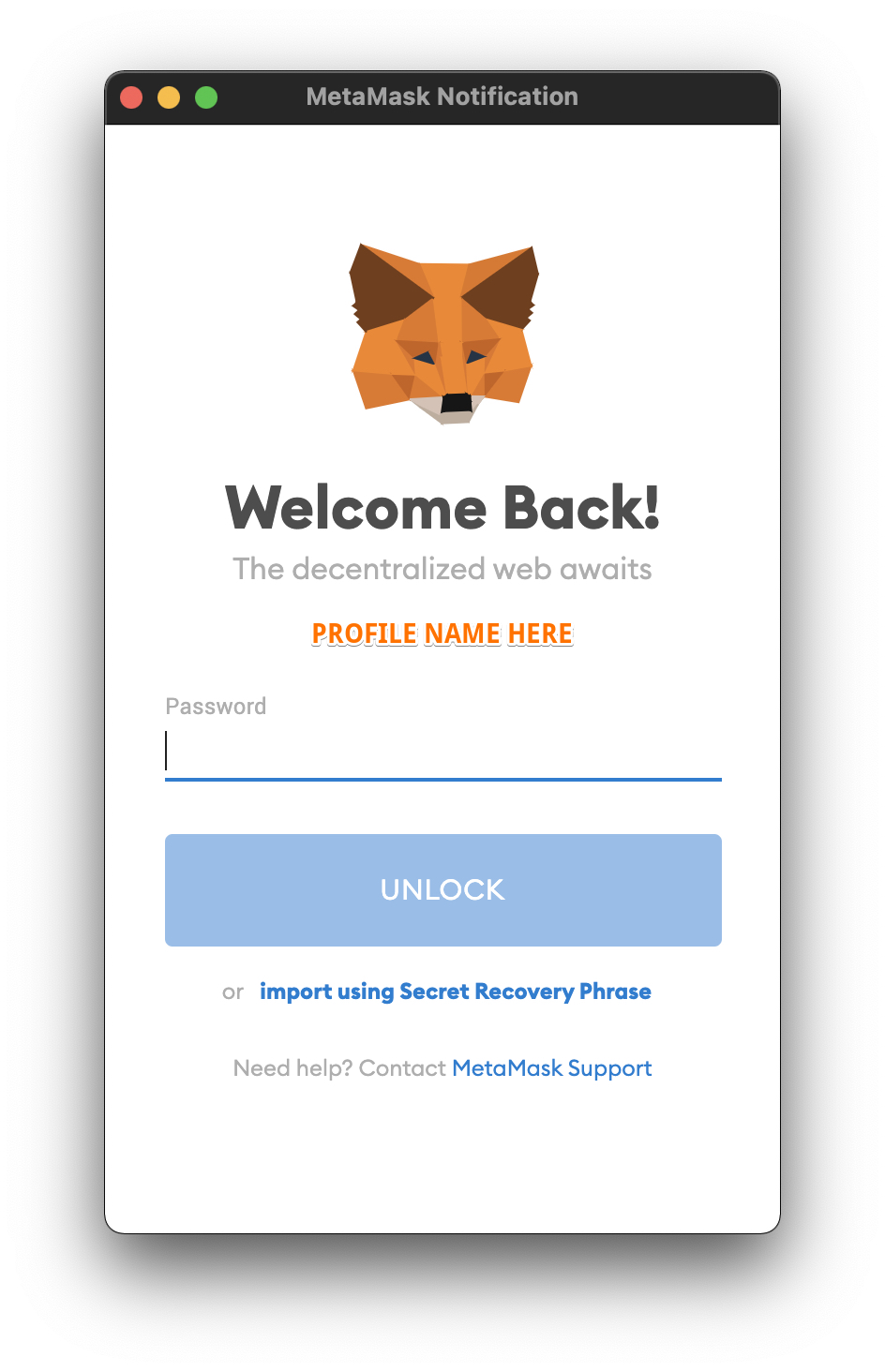
**Browser details (please complete the following information):**
- OS: OS X
- Browser: Chrome / Brave
- MetaMask Version: Latest
**Additional context**
It appears at first glance that this information is not available via brower api's, so it would be adequate and likely even more cross platform to just allow one to name their MM installation and save that preference within MM options itself.
This will also likely add a bit of extra security. Similar to how on login, banks will show you a picture that you choose. This would prevent the sort of attack where a website pops up a MM login dialog that looks just like the official one.
Contributor guide
Research direction
No files or tests are named. Start by reproducing the behavior with multiple Chrome or Brave profiles and review the browser API limitation described in the issue; done means each MetaMask login window clearly identifies its profile or installation, with the chosen identifier persisted in MetaMask options.
Written by the indexing model from the issue text.
Assessment
- Tech stack
- typescript
- Domain
- frontend, security
- Issue type
- Feature
- Difficulty
- 5/5
- Estimated time
- Over a week
- Activity status
- Stale
- Clarity
- Mostly clear
- Newbie friendliness
- 30/100