MetaMask / MetaMask/metamask-extension
(Ext) Improve hardware wallet connect loading screen
- Dominant language
- TypeScript
- Stars
- 13.2k
- Forks
- 5.6k
- Avg merge
- 2d 5h
- Merged PRs (30d)
- 451
Description
Currently the hardware wallet connect loading screen doesn't provide any guidance for the user on what they are expected to do next. We do have some instructions during the connect flow, but these are insufficient, and only shown on the first page of the flow. They are obscured by the loading screen once the user presses "Connect".
We should give them instructions during the loading step on how to proceed with connecting the wallet, rather than just saying "Loading". We should also provide more specific instructions in general; either link to the Trezor and Ledger pages instructing users how to connect their wallets (e.g. unlock the device, enter passphrase, open Ethereum application, whatever steps are required) or write our own steps.
Screenshots:
**Hardware connect screen:**
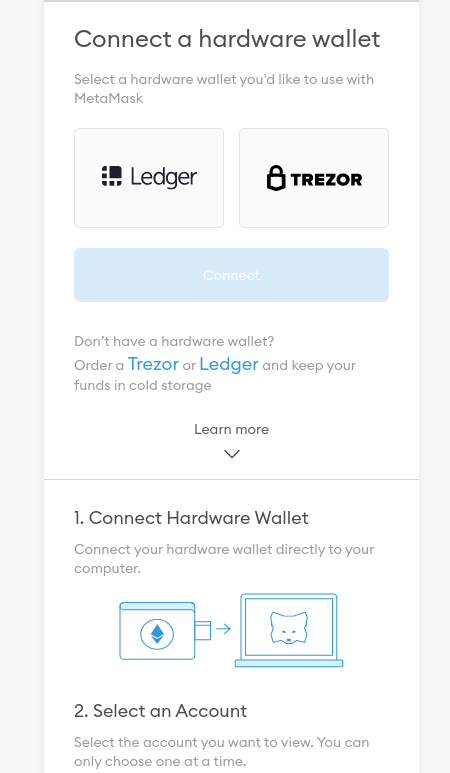
As you can see it does instruct the user to connect the hardware wallet to their computer. But no further guidance is given beyond that.
**Loading screen:**
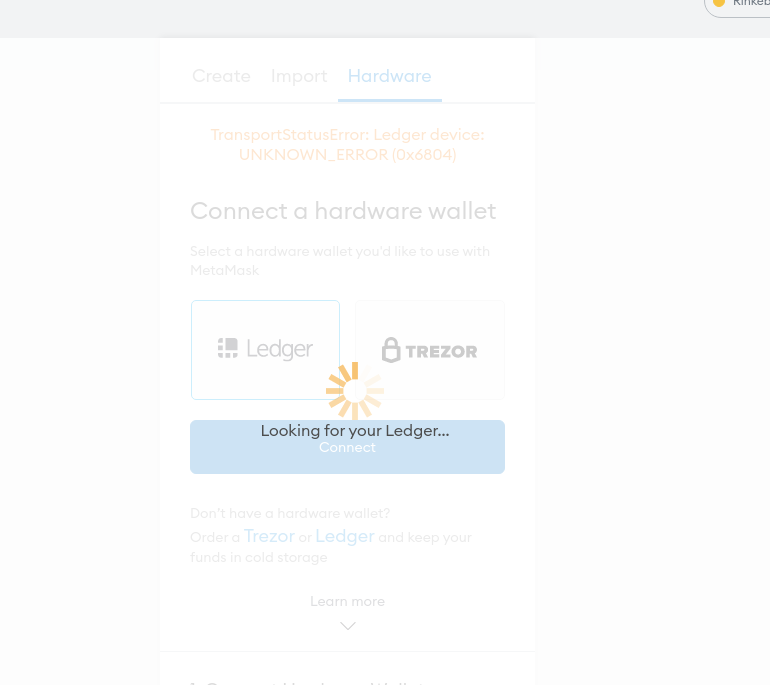
As you can see, this obscures the instructions shown previously, making them unscrollable and difficult to read.
These issues involved user confusion that may have been avoided by these instructions:
* #10249
* #7548
* #6732
This issue is a request to add similar instructions for each confirmation:
* #10133
Contributor guide
Research direction
Start by locating the hardware wallet connect flow and its loading screen, then review the existing instructions and the related issues #10249, #7548, #6732, and #10133. Done means users receive actionable guidance during loading and for each confirmation, including either links to or written steps for the required Trezor and Ledger actions.
Written by the indexing model from the issue text.
Assessment
- Tech stack
- typescript
- Domain
- frontend
- Issue type
- Feature
- Difficulty
- 3/5
- Estimated time
- 1-2 days
- Activity status
- Stale
- Clarity
- Mostly clear
- Newbie friendliness
- 35/100