MerginMaps / MerginMaps/mobile
Snapping and other issues for long lines
Open
Nobody has claimed this yet.
bug
recording
- Dominant language
- C++
- Stars
- 388
- Forks
- 87
- Avg merge
- 2d 7h
- Merged PRs (30d)
- 20
Description
There are multiple problems with long lines recorded in input
- when I select it, not whole feature is displayed on map canvas. Expected behavior is, that whole feature can be see, when selected from "Browse features"
- the marked (selected) line doesn't not align with actual feature. They are not the same
- Snapping is not align on the feature
Scenario:
- record long line (from Europe to Australia)
- select the line and zoom in to for example few km.. you will see that selected mask line doesn't follow actual feature
- when snapping is enabled, the cursor is snapped to the mask line and not to the feature itself
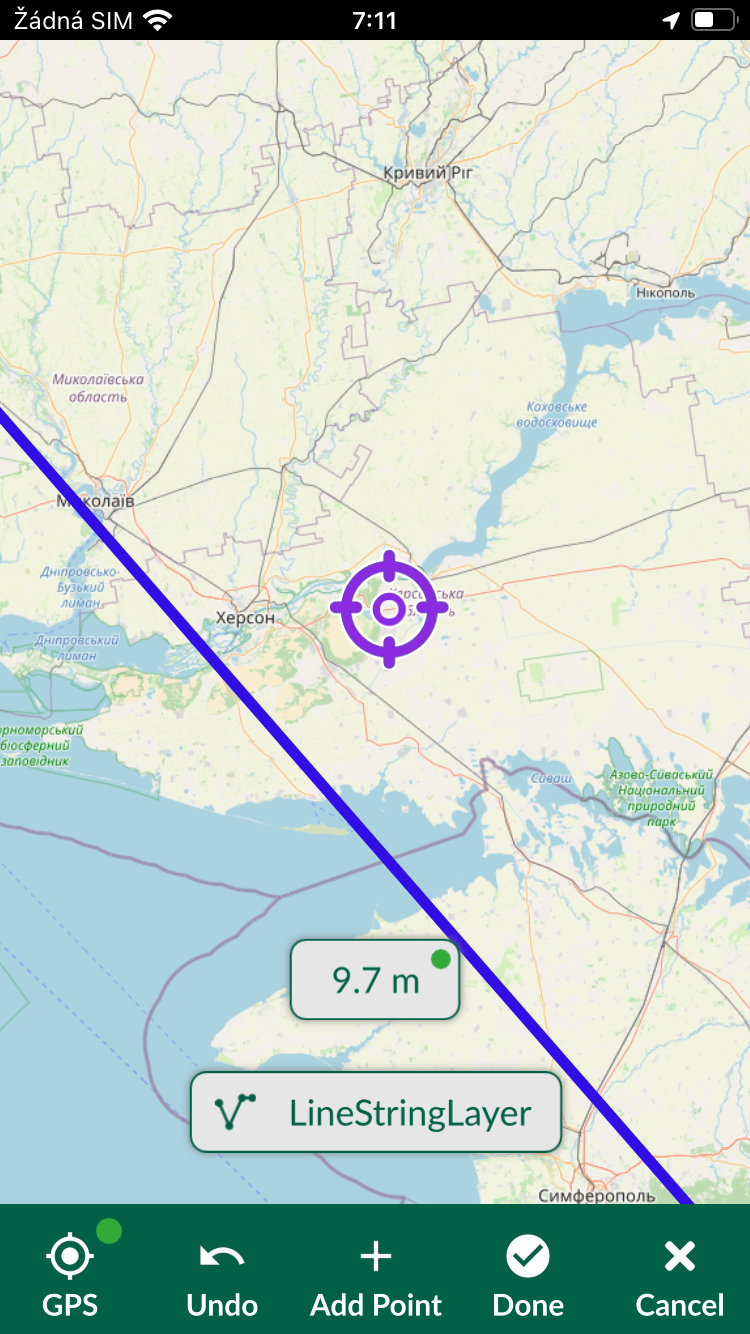
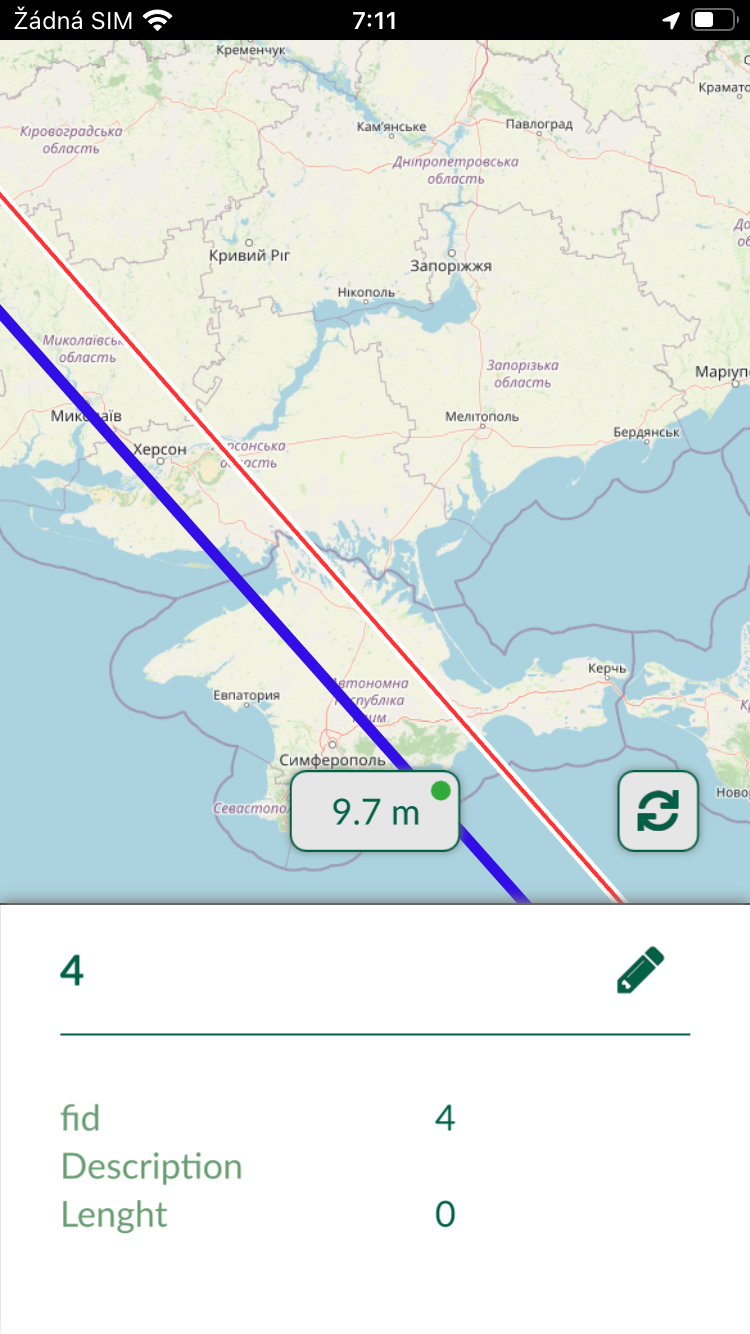
You can find recorded scenario here:
https://drive.google.com/file/d/1n5XMIiUfZrTNzleWA5y8mbvgwTvUKxF3/view?usp=sharing
Contributor guide
First steps
- Read the whole issue, then the project's contributing guide.
- Comment on the issue to say you are picking it up — it saves two people doing the same work.
- Fork the repository and make your change on a branch.
- Open a pull request that references the issue number.
Research direction
Start by reproducing the recorded long-line scenario in the mobile app, using the provided Google Drive recording and the steps in the issue. Inspect how the selected mask is displayed and how snapping uses it at different zoom levels; done means the whole feature displays and both the selection overlay and snapping align with the actual line.
Written by the indexing model from the issue text.
Assessment
- Domain
- computer-graphics, mobile
- Issue type
- Bug
- Difficulty
- 4/5
- Estimated time
- 3-5 days
- Activity status
- Stale
- Clarity
- Mostly clear
- Newbie friendliness
- 35/100