MaterialDesignInXAML / MaterialDesignInXAML/MaterialDesignInXamlToolkit
MaterialDesignMultiFloatingActionPopupBox in Multi Monitor Systems
Nobody has claimed this yet.
- Dominant language
- C#
- Stars
- 16.3k
- Forks
- 3.5k
- Avg merge
- 1d 22h
- Merged PRs (30d)
- 8
Description
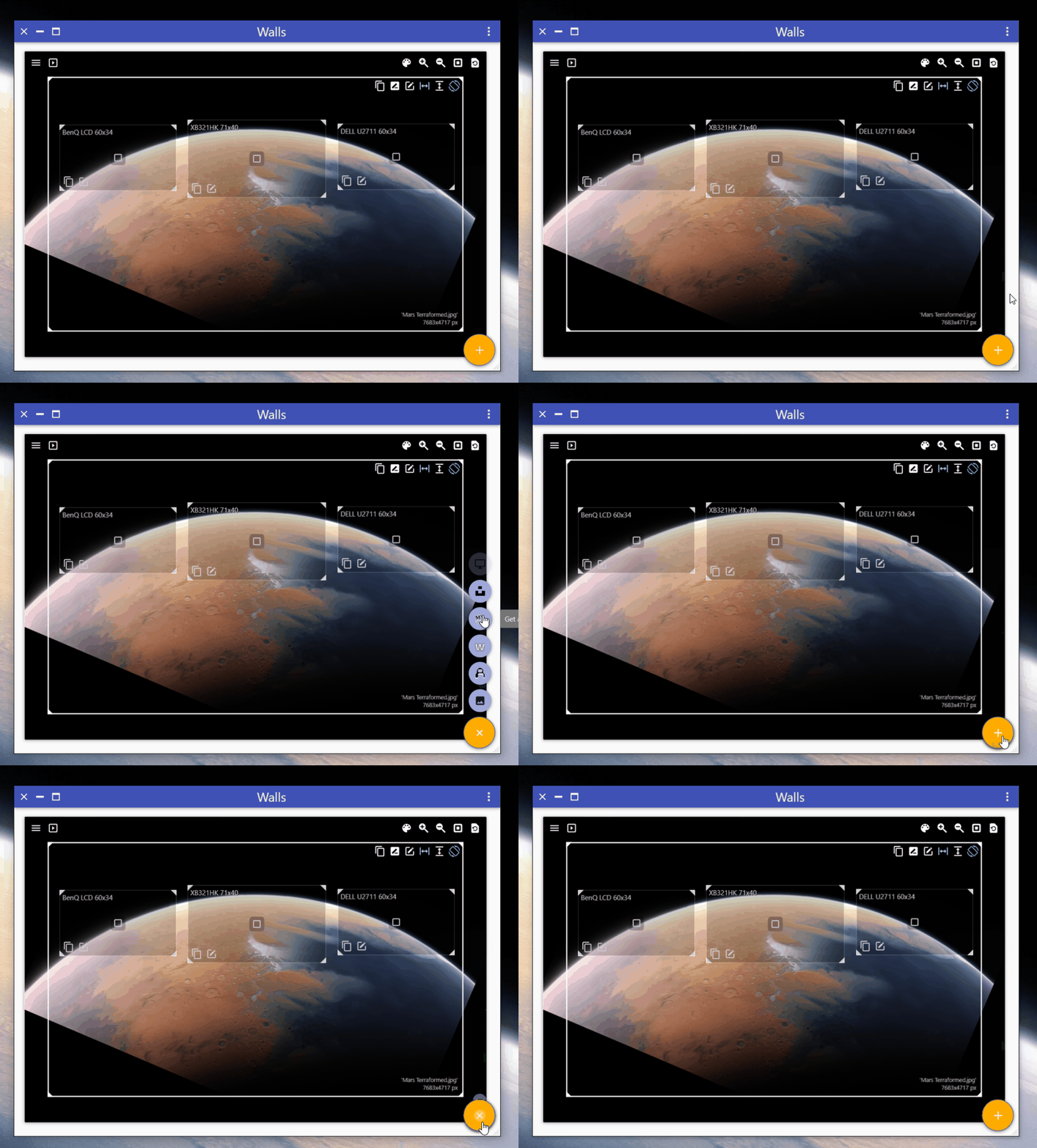
If you have multiple Monitors with different Scaling Factors (125%, 150%) the popup only works on the monitor with the highest scaling.
On the other monitors (if they have different scaling factors) the popup **most of the time** instantly closes the moment the mouse leaves the round action button.
Please note that my app is compiled as a default System aware DPI (not monitor aware v1 or v2, because this introduces a lot of other issues unrelated to material).
Contributor guide
First steps
- Read the whole issue, then the project's contributing guide.
- Comment on the issue to say you are picking it up — it saves two people doing the same work.
- Fork the repository and make your change on a branch.
- Open a pull request that references the issue number.
Research direction
Start by reproducing MaterialDesignMultiFloatingActionPopupBox with two monitors using different scaling factors, including the reported system-aware DPI setting. Trace the popup's open and close behavior as the pointer leaves the round action button; done means it remains open and usable on every monitor configuration described in the report.
Written by the indexing model from the issue text.
Assessment
- Tech stack
- csharp
- Domain
- desktop
- Issue type
- Bug
- Difficulty
- 4/5
- Estimated time
- 3-5 days
- Activity status
- Stale
- Clarity
- Mostly clear
- Newbie friendliness
- 38/100