MarketSquare / MarketSquare/robotframework-SikuliLibrary
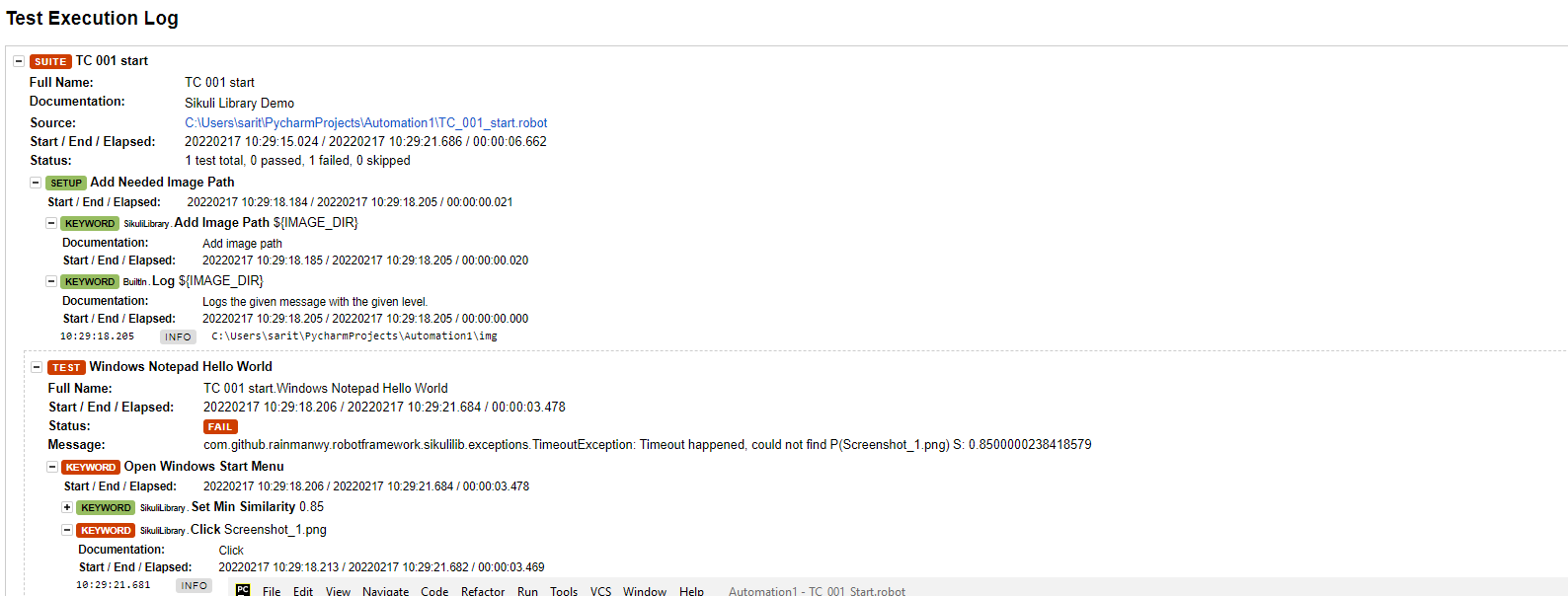
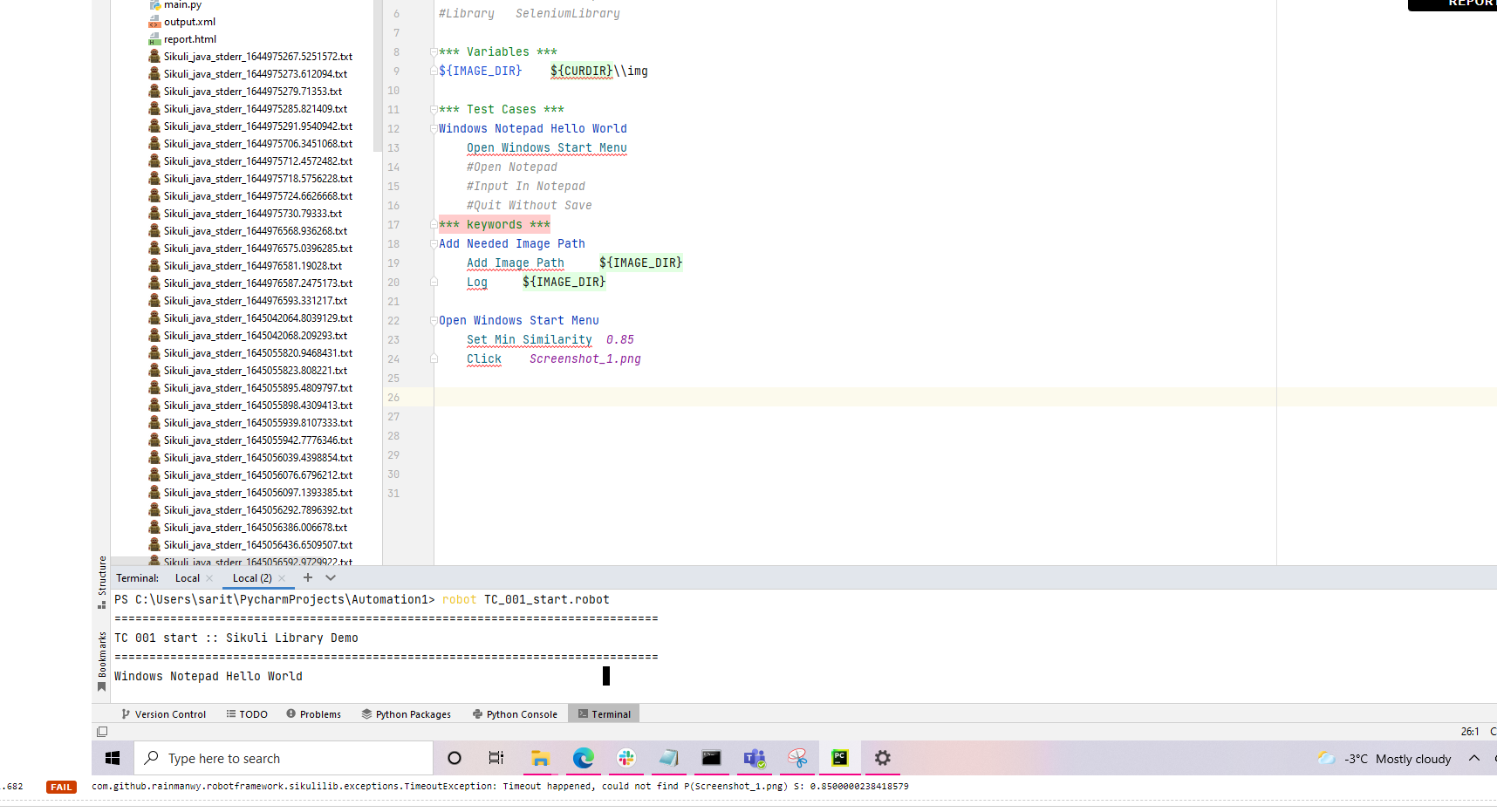
Receiving: com.github.rainmanwy.robotframework.sikulilib.exceptions.TimeoutException: Timeout happened, could not find P(Screenshot_1.png) S: 0.8500000238418579
Nobody has claimed this yet.
- Dominant language
- Java
- Stars
- 163
- Forks
- 60
- PR merge metrics
- No merged PRs in 30d
Description
I am trying to click the object using skiuli library in python3 but continuously receiving sikuli expections.
I have installed sikuli library using : pip install robotframework-sikulilibrary
current java version: java 11.0.14 2022-01-18 LTS
robot framework: (4.1.3)
current python version: Python 3.10.2
sikuli version: '2.0.3'
Before the running the code, I started java server using this:

C:\Python310\Lib\site-packages\SikuliLibrary\lib>java -jar SikuliLibrary.jar 10000
WARNING: sun.reflect.Reflection.getCallerClass is not supported. This will impact performance.
10:28:47.346 [main] INFO org.eclipse.jetty.util.log - Logging initialized @522ms to org.robotframework.remoteserver.logging.Jetty2Log4J
10:28:47.416 [main] INFO org.eclipse.jetty.server.Server - jetty-9.4.31.v20200723; built: 2020-07-23T17:57:36.812Z; git: 450ba27947e13e66baa8cd1ce7e85a4461cacc1d; jvm 11.0.14+8-LTS-263
10:28:47.470 [main] INFO org.eclipse.jetty.server.handler.ContextHandler - Started o.e.j.s.ServletContextHandler@ca30bc1{/,null,AVAILABLE}
10:28:47.653 [main] INFO org.eclipse.jetty.server.AbstractConnector - Started ServerConnector@50029372{HTTP/1.1, (http/1.1)}{0.0.0.0:10000}
10:28:47.654 [main] INFO org.eclipse.jetty.server.Server - Started @832ms
code:
*** Settings ***
Documentation Sikuli Library Demo
Library SikuliLibrary
Suite Setup Add Needed Image Path
*** Variables ***
${IMAGE_DIR} ${CURDIR}\img
*** Test Cases ***
Windows Notepad Hello World
Open Windows Start Menu
*** keywords ***
Add Needed Image Path
Add Image Path ${IMAGE_DIR}
Log ${IMAGE_DIR}
Open Windows Start Menu
Set Min Similarity 0.85
Click Screenshot_1.png**
log output:
Contributor guide
No contributing guide indexed for this repository
First steps
- Read the whole issue, then the project's contributing guide.
- Comment on the issue to say you are picking it up — it saves two people doing the same work.
- Fork the repository and make your change on a branch.
- Open a pull request that references the issue number.
Research direction
Start with the provided Robot Framework example, especially the Add Image Path and Click keywords, and reproduce it against the Java server command and versions listed. Check the resulting logs and image-matching behavior; done means the example can locate Screenshot_1.png and complete the click without a TimeoutException.
Written by the indexing model from the issue text.
Assessment
- Tech stack
- java, python
- Domain
- desktop, testing-qa
- Issue type
- Bug
- Difficulty
- 4/5
- Estimated time
- 3-5 days
- Activity status
- Stale
- Clarity
- Needs clarification
- Newbie friendliness
- 25/100