MarketSquare / MarketSquare/SSHLibrary
How to open gui of remote server
- Dominant language
- Python
- Stars
- 167
- Forks
- 145
- PR merge metrics
- No merged PRs in 30d
Description
I written script to connect remote server through which I am providing username password and to perform some activites .
I am looking in cmd it is validating my script if I have provided the correct script it is passed whereas if it's wrong it's failed but I want to perform on also GUI I am using **mobatek application** to connect my server ..How to perform GUI activites .Any help It would be great.Or for GUI activites I have to use _VISUALUIVERIFY NATIVE_. [https://docs.microsoft.com/en-us/windows/win32/winauto/visual-ui-automation-verify](https://docs.microsoft.com/en-us/windows/win32/winauto/visual-ui-automation-verify)
```
Library SSHLibrary
Suite Setup Open Connection And Log In
Suite Teardown Close All Connections
*** Variables ***
${host} 13.90.117.111
${username} kalpataru
${password} kalpataru@765
${alias} remote_host_1
*** Test Cases ***
Test SSH Connection
Open Connection ${host} alias=${alias}
Login ${username} ${password} delay=1
Start Command sudo -i
Close All Connections
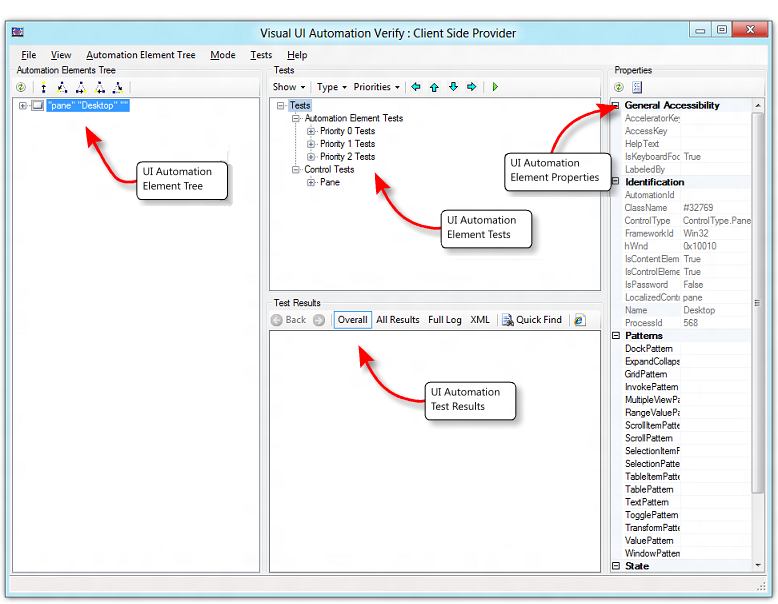
``
Contributor guide
No contributing guide indexed for this repository
Research direction
No repository file, test, or entry point is named. Start by reviewing the SSHLibrary scope and the linked Visual UI Automation Verify reference, then clarify whether remote GUI automation is supported or should be documented as out of scope. Done cannot be defined until the requested GUI workflow and expected library behavior are specified.
Written by the indexing model from the issue text.
Assessment
- Tech stack
- python
- Domain
- testing-qa
- Issue type
- Feature
- Difficulty
- 5/5
- Estimated time
- Over a week
- Activity status
- Stale
- Clarity
- Needs clarification
- Newbie friendliness
- 20/100