MacPass permission to record screen not working with Pulse Secure
Nobody has claimed this yet.
- Dominant language
- Objective-C
- Stars
- 6.9k
- Forks
- 469
- Avg merge
- 4d 12h
- Merged PRs (30d)
- 2
Description
I just installed the newest iteration of this wonderful piece of software, hoping that Autotype would work again on Catalina. For the most part, it does work, however when I want to Perform Autotype in Pulse Secure (a VPN software), MacPass says that the right permissions are not set.
Is this expected behaviour? On websites the autotype does work.
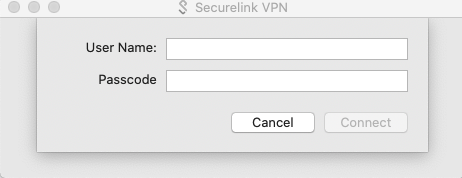
- macOS: 10.15.0
- Version 0.7.10
Contributor guide
No contributing guide indexed for this repository
First steps
- Read the whole issue, then the project's contributing guide.
- Comment on the issue to say you are picking it up — it saves two people doing the same work.
- Fork the repository and make your change on a branch.
- Open a pull request that references the issue number.
Research direction
Begin by reproducing Perform Autotype with MacPass 0.7.10 on macOS 10.15 using Pulse Secure, and compare it with autotype on a website. The issue provides no source file or test entry point; done would require determining whether the permission warning is expected and resolving the documented behavior if it is not.
Written by the indexing model from the issue text.
Assessment
- Tech stack
- macos, objective-c
- Domain
- desktop, operating-systems, security
- Issue type
- Bug
- Difficulty
- 4/5
- Estimated time
- 3-5 days
- Activity status
- Stale
- Clarity
- Needs clarification
- Newbie friendliness
- 25/100