MacDownApp / MacDownApp/macdown
Editor prefs don't stick when opening a .md file
Nobody has claimed this yet.
- Dominant language
- Rich Text Format
- Stars
- 9.8k
- Forks
- 1.2k
- PR merge metrics
- No merged PRs in 30d
Description
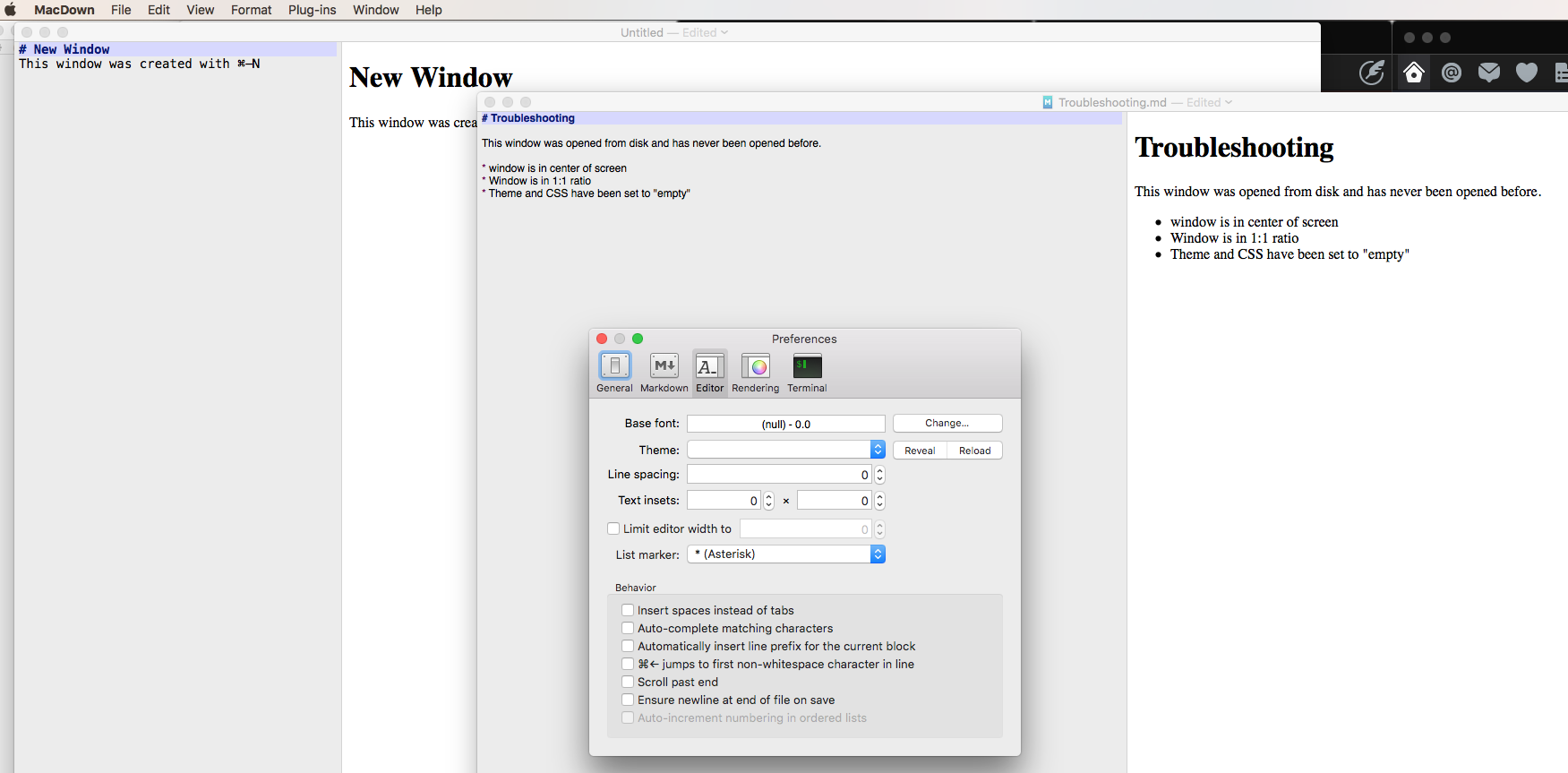
When creating a new document in MacDown (0.7.2d49 (919) the editor preferences (such as 1:3 and window size and placement) are respected.
When opening a markdown file from the disc that has not been opened before, the window size is different (or placement is different) than a new window and the 1:3 setting is ignored, the document opens in 1:1 mode. Also, the CSS and Theme settings are reset to null values.
Contributor guide
First steps
- Read the whole issue, then the project's contributing guide.
- Comment on the issue to say you are picking it up — it saves two people doing the same work.
- Fork the repository and make your change on a branch.
- Open a pull request that references the issue number.
Research direction
No files, tests, or entry points are identified in the report. Reproduce the problem by opening a previously unopened .md file and compare its window size, placement, editor ratio, CSS, and theme with a newly created document. Done means those preferences are preserved when the file is opened.
Written by the indexing model from the issue text.
Assessment
- Tech stack
- macos, objective-c
- Domain
- desktop
- Issue type
- Bug
- Difficulty
- 4/5
- Estimated time
- 3-5 days
- Activity status
- Stale
- Clarity
- Mostly clear
- Newbie friendliness
- 30/100