LuxCoreRender / LuxCoreRender/BlendLuxCore
Feature request: Switch node
Nobody has claimed this yet.
- Dominant language
- Python
- Stars
- 877
- Forks
- 108
- PR merge metrics
- No merged PRs in 30d
Description
Here ‘s some background: As a product designer, I always do a lot of variations based on the same model (basically different coatings, finishings, colors etc.) while keeping several shading properties in common. Several years ago, I switched to Blender. I missed the “Switch node” and “layer RGB node”.
I’ve already implemented sort of “switch node” inside blender using node group. See the picture below.
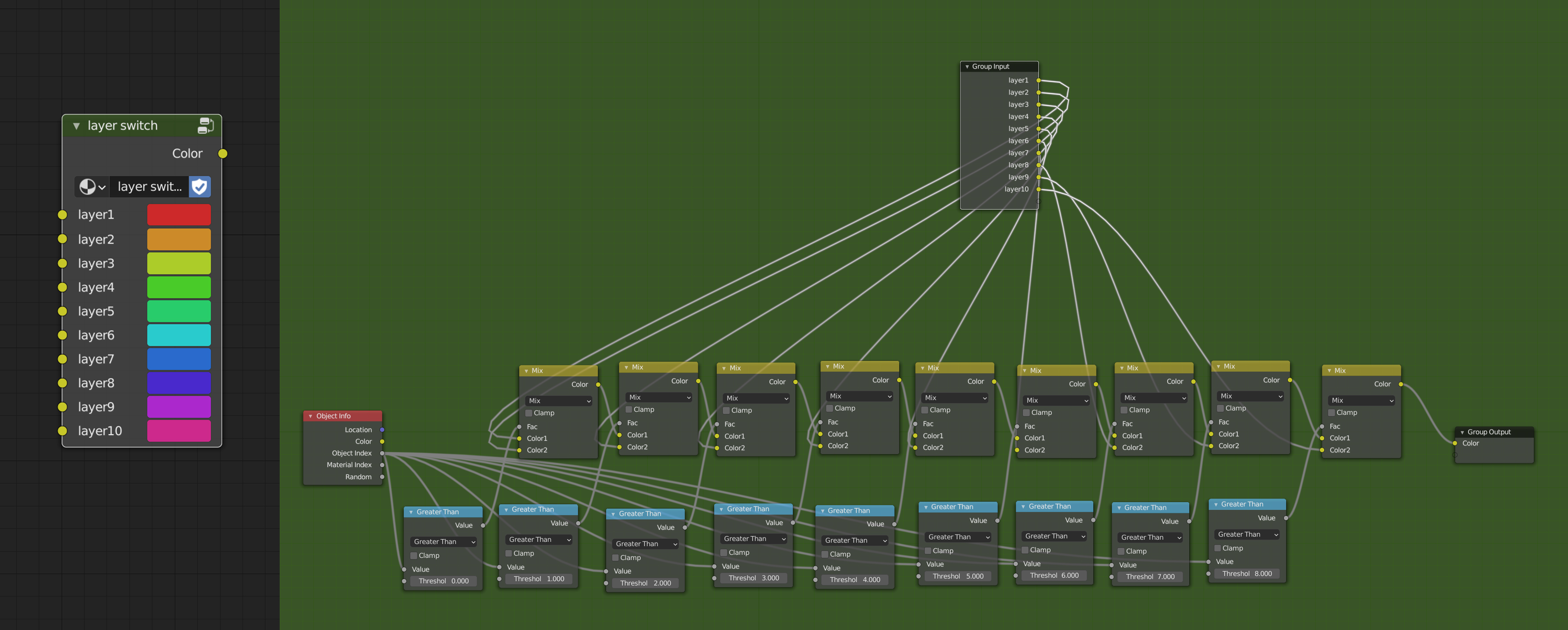
Basically it’s can be used for only making one material assigned to different objects with user defined object id and making variation on these objects.
Here’s a example:
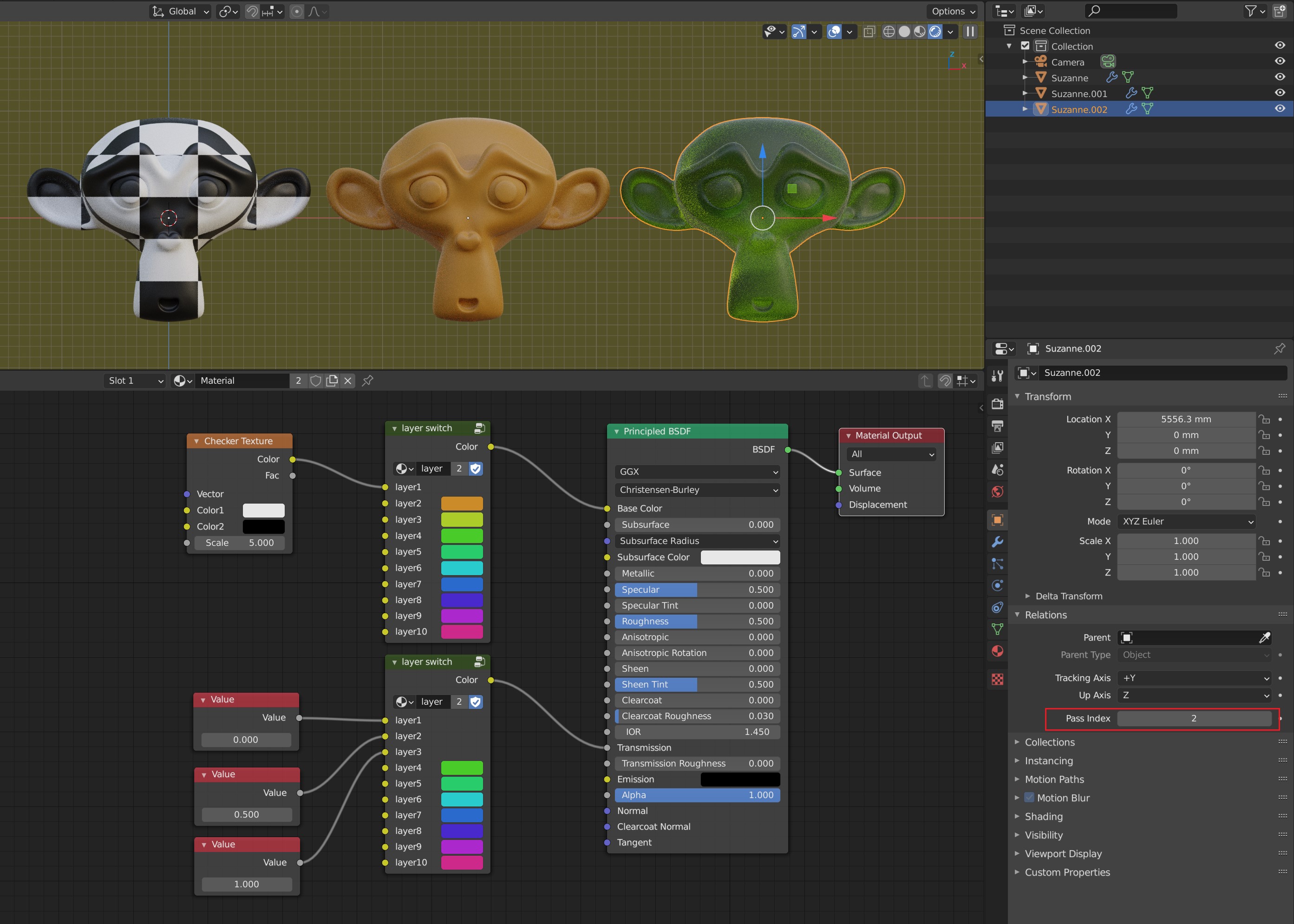
The middle and right monkeys are duplicated(instanced) using ALT+D from the left one(product model tend to have heavy polys, instance could cut down the file size a lot). From left to right, the monkeys have been assigned Object id from 0 to 2. The function and effect can be clearly understand by looking the picture. It’s just a kind of hack.
Now let me describe details about the “Switch node” and “layer RGB node” one by one.
“Switch node”
Input socket 1: index (type: int)
Input socket 2: case1 (type: shader or float or int, it depends)
Input socket 3: case2 (type: shader or float or int, it depends)
Button: Add input
Output socket: output (type: shader or float or int, it depends)
Restriction: user can only plug same type in case input
Function: Like the keyword “switch case” in programming language, it output the certain “case” determined by the “index” input socket. In case that user want to plug in more cases, the “Add input” bottom performs as its literal meaning. Just like the example I made above; User can plug in “Object id” node, “Random Per Island” node or other user data in to the “index” socket, and use the index to switch shaders, images, colors or factors.
Reference: https://docs.arnoldrenderer.com/display/A5AFCUG/Switch
Want to back this issue? Post a bounty on it! We accept bounties via Bountysource.
Contributor guide
No contributing guide indexed for this repository
First steps
- Read the whole issue, then the project's contributing guide.
- Comment on the issue to say you are picking it up — it saves two people doing the same work.
- Fork the repository and make your change on a branch.
- Open a pull request that references the issue number.
Research direction
The issue names no files, tests, or entry points; begin by locating the Blender material-node integration and the existing node-group handling. Compare the requested switch behavior with the linked Arnold reference and determine the supported socket types, dynamic inputs, and validation needed before defining completion.
Written by the indexing model from the issue text.
Assessment
- Tech stack
- blender, python
- Domain
- computer-graphics
- Issue type
- Feature
- Difficulty
- 5/5
- Estimated time
- Over a week
- Activity status
- Stale
- Clarity
- Needs clarification
- Newbie friendliness
- 25/100