LuckSiege / LuckSiege/PictureSelector
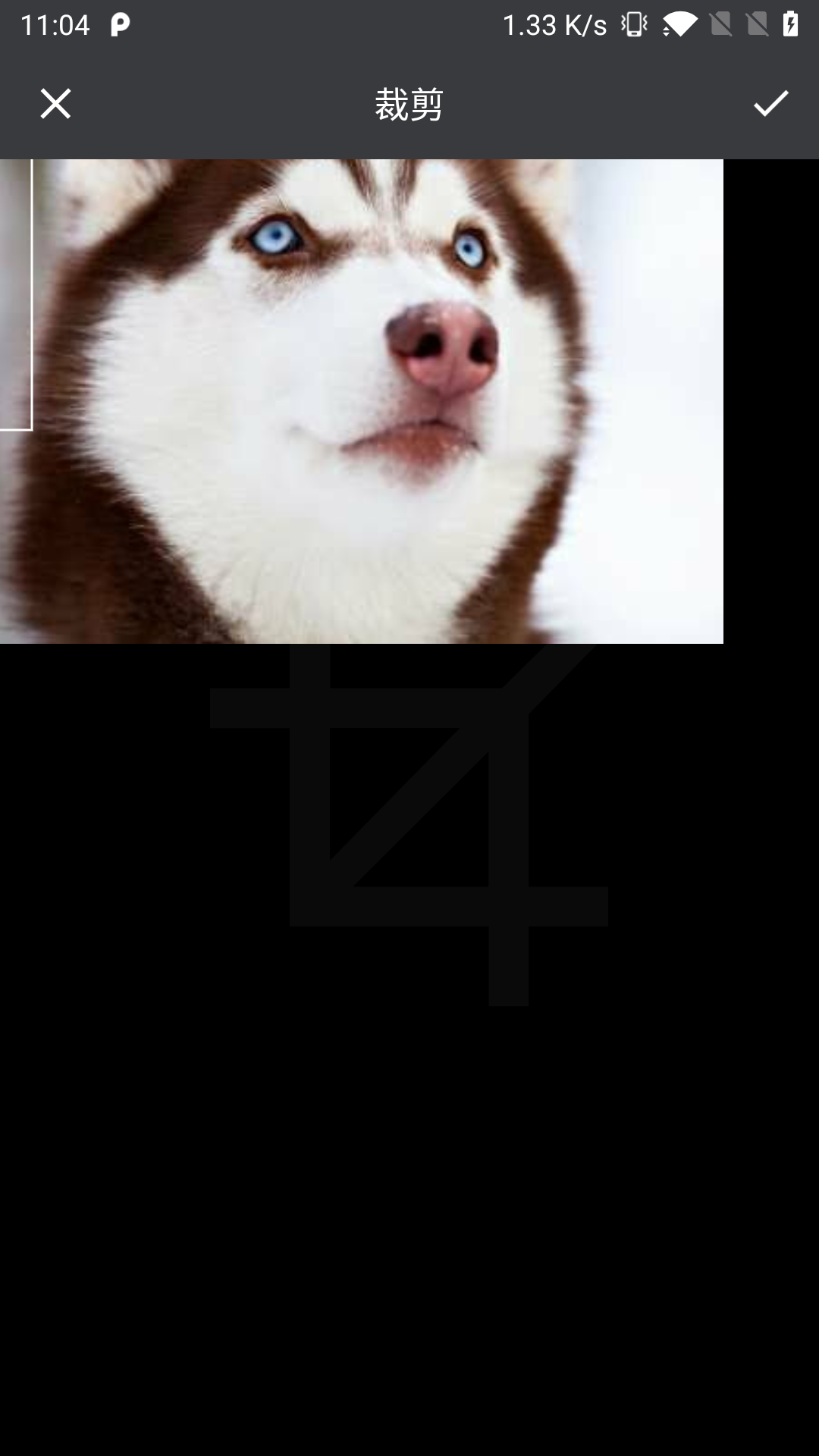
设置了裁剪宽高和比例,如果选择一个宽高比设置的裁剪小的图,还是会跳裁剪页,并且会界面会异常。
Nobody has claimed this yet.
- Dominant language
- Java
- Stars
- 13.6k
- Forks
- 3.1k
- PR merge metrics
- No merged PRs in 30d
Description
接入版本:
`io.github.lucksiege:pictureselector:v2.7.3-rc06`
demo apk效果一样,勾选 ‘是否裁剪图片’, 选一个小图,就可以看到异常的裁剪页。
在裁剪页,点确认的话,会出页toast提示: `width must be >0`
截图是DEMO里面的效果:
Contributor guide
No contributing guide indexed for this repository
First steps
- Read the whole issue, then the project's contributing guide.
- Comment on the issue to say you are picking it up — it saves two people doing the same work.
- Fork the repository and make your change on a branch.
- Open a pull request that references the issue number.
Research direction
Reproduce the issue with PictureSelector v2.7.3-rc06 using the demo APK: enable image cropping, choose an image smaller than the configured crop dimensions or aspect ratio, and open the crop page. Inspect the crop-related entry points reached by this flow and verify that confirming no longer produces the `width must be >0` toast or an abnormal crop screen.
Written by the indexing model from the issue text.
Assessment
- Tech stack
- java
- Domain
- mobile
- Issue type
- Bug
- Difficulty
- 3/5
- Estimated time
- 1-2 days
- Activity status
- Stale
- Clarity
- Mostly clear
- Newbie friendliness
- 35/100