LivelyKernel / LivelyKernel/lively.next
Tooling to display all available icons
- Dominant language
- JavaScript
- Stars
- 90
- Forks
- 20
- PR merge metrics
- No merged PRs in 30d
Description
**Describe the Feature**
It would be nice to have a grid-style display of all icons that we support in lively.next. It would be sufficient if that replaces the simple list view we currently have that allows to insert icons into text. A nice addition would be if one could browser the icons without an editable text at hand.
**Graphics**
See an older version of lively.next:
https://user-images.githubusercontent.com/14252419/230365856-48d18af1-f59d-49bb-a347-ca015e5b3c64.mp4
**Implementation Details**
This should be replaced:
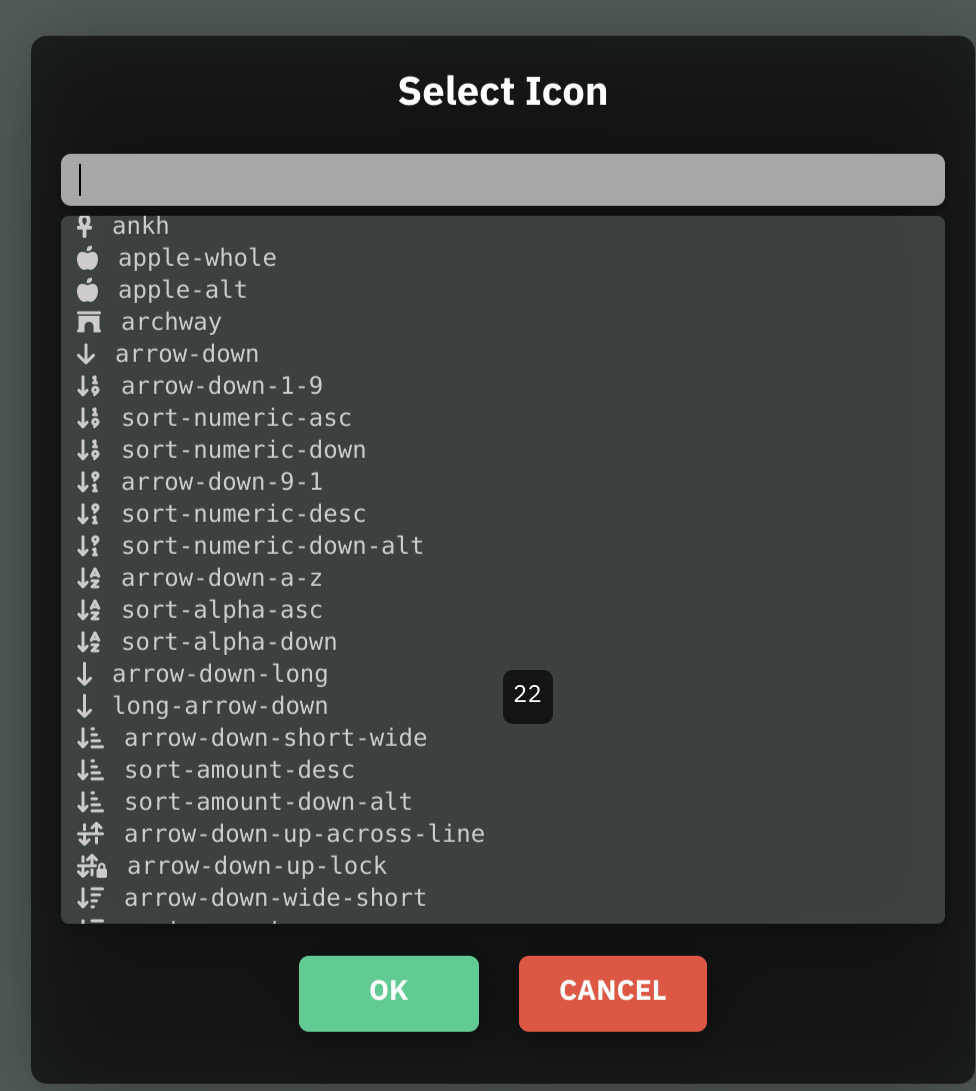
Contributor guide
Research direction
Start at the current simple list view used to insert icons into text and compare it with the linked older lively.next example. Replace the list with a grid showing all supported icons, and make browsing possible without an editable text available.
Written by the indexing model from the issue text.
Assessment
- Tech stack
- javascript
- Domain
- frontend
- Issue type
- Feature
- Difficulty
- 3/5
- Estimated time
- 1-2 days
- Activity status
- Stale
- Clarity
- Mostly clear
- Newbie friendliness
- 42/100