Visual preview styling broken
- Dominant language
- TypeScript
- Stars
- 40k
- Forks
- 2.4k
- Avg merge
- 2d 13h
- Merged PRs (30d)
- 61
Description
### Expected Behavior
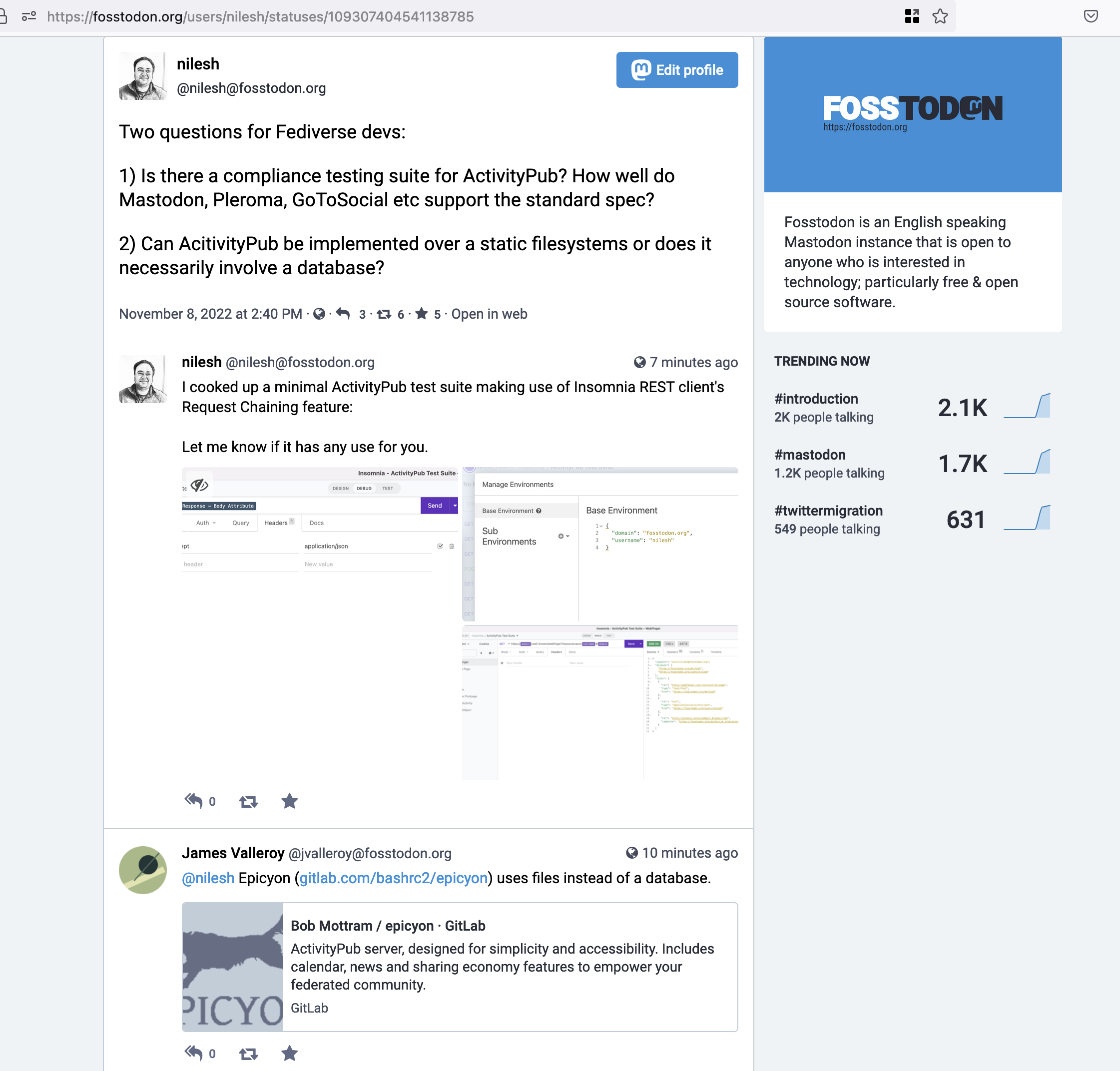
For HTML responses, visual preview should display the page similar to how it would appear in the browser. This means applying all the CSS styling.
### Actual Behavior
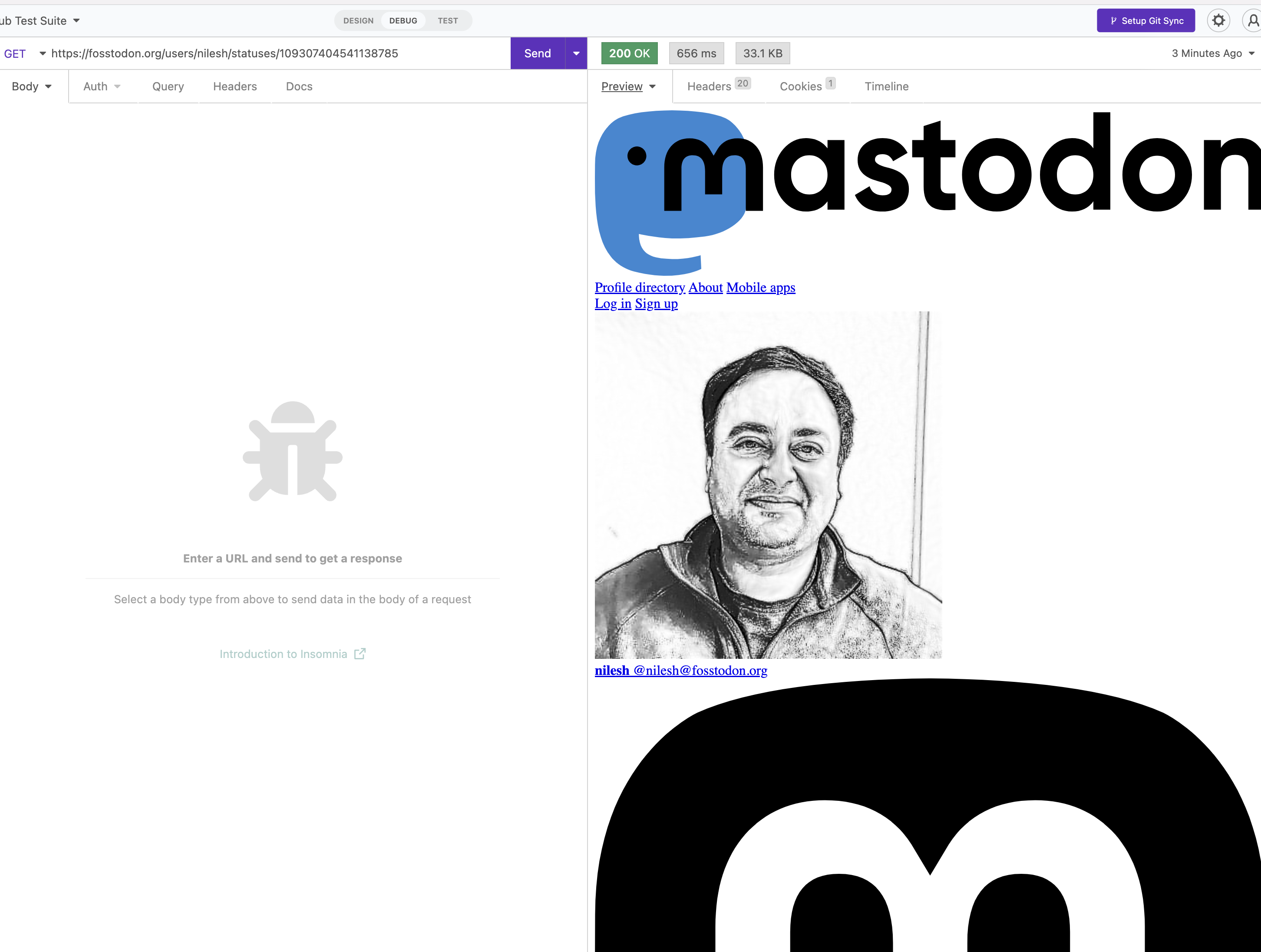
In some cases, Visual preview does not seem to load all CSS or styling.
### Reproduction Steps
1. Make a GET request to https://fosstodon.org/users/nilesh/statuses/109307404541138785
2. Turn on Visual Preview in the response page
3. Compare the preview to how the same page looks in the browser.
Here is what I'm seeing:
In Insomnia:
In a Web browser (Firefox on Mac OS):
### Is there an existing issue for this?
- [X] I have searched the [issue tracker](https://www.github.com/Kong/insomnia/issues) for this problem.
### Additional Information
_No response_
### Insomnia Version
2022.6.0
### What operating system are you using?
macOS
### Operating System Version
Ventura
### Installation method
official DMG
### Last Known Working Insomnia version
_No response_
Contributor guide
Research direction
Reproduce the issue by requesting the provided Fosstodon URL and enabling Visual Preview in Insomnia, then compare it with the browser rendering. Trace how the preview loads the response's HTML and CSS and identify which styling is missing; done means the preview applies the relevant CSS and matches the browser more closely.
Written by the indexing model from the issue text.
Assessment
- Tech stack
- css, html, typescript
- Domain
- frontend
- Issue type
- Bug
- Difficulty
- 3/5
- Estimated time
- 1-2 days
- Activity status
- Stale
- Clarity
- Mostly clear
- Newbie friendliness
- 35/100