KitwareMedical / KitwareMedical/SlicerSkeletalRepresentation
Add tutorial with sample data
- Dominant language
- Python
- Stars
- 6
- Forks
- 11
- PR merge metrics
- No merged PRs in 30d
Description
I saw the twitter post and [blog post](https://www.kitware.com/the-next-generation-of-skeletal-representations-in-3d-slicer/) and wanted to try the extension, but I've failed achieve anything.
- I created a segmentation, a simple Y shape.
- I switched to `Skeletal Representation Initializer` module. I already had some doubts. The blog post mentions `SRepCreator module` but there is no such thing:
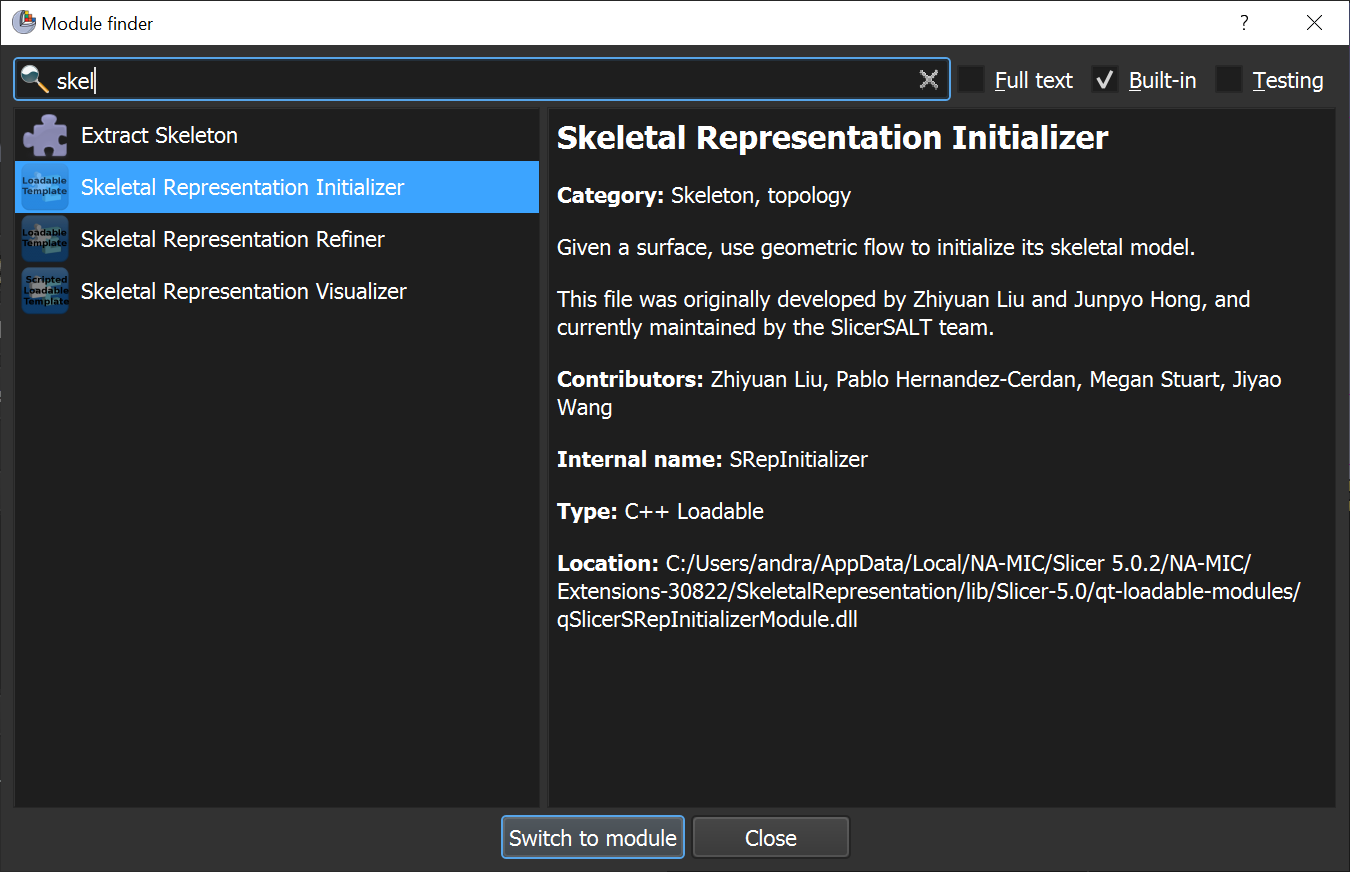
- `Skeletal Representation Initializer` sounded the closest, so I switched to that. Was it the right choice? How should I have figured it out where to start?
- In the module GUI, there was no model selector. It was somewhat annoying that I had to export my segmentation to a model, then save the model into a VTK file, then I had to select the that VTK file in the module GUI. When the module was loaded, it was flipped along R and A axes (most likely the reader ignores the coordinate system information, so it just reads and shows the model in LPS coordinate system, but in Slicer models are always in RAS).
- I did not know what to do. I expected that parameters that I normally should not modify were tucked away in an "Advanced" section, but there was no such sections but instead there were 9 sliders/checkboxes all exposed. There were no tooltips or documentation of these sliders in the readme.md file, so all I could do is not to touch anything and hope that the defaults are sensible and work for my data.
- To move on, I clicked on the next button - `Flow to the end` (again, no tooltip, so I have no idea what the button does).
- Then the application hung. I was really patient, waited for about 5 minutes and a spiky model came up, so at least the module did something. It was the first good feeling during my whole testing session - the first sliver of hope that the module works and can do something with my data. However, most users will close the application after 1-2 minutes of waiting. If a computation takes longer than a few ten seconds then we must display a progress bar or a message that processing will take approximately X minutes.
- The generated shape was just an ellipsoid around my shape. I was not sure if this `Flow to end` step failed and I had to modify parameters. But since computation took 5 minutes, I did not feel like wanting to experiment with randomly changing some parameters and wait another 5 minutes. So, I went on clicking the next button.
- I skipped the `Flip the skeletal sheet` button, because orientation was already messed up in the loaded model, so I did not want to waste time with this.
- I skipped the `Browse` button for the `Output path`, hoping the module just loads the output the same way as it did for the `Flow to end` button result.
- I clicked `Generate S-rep for object` button. The wait cursor came up, and the module is still in that state. I wrote this entire issue while waiting, but it is still just hangs. Should I wait 30 minutes, a day, several days? It would be important to see a progress bar or an estimation of how long normally I should wait.
It was all just the initializer module. I did not even dare to look at the other two modules.
As you can see, seeing the twitter post, following to the blog post, and trying to achieve something was not a very good experience for me. People who are not experts in Slicer probably give up much earlier.
I took the time to describe all these because this project is important for me and I would like help with making this extension a tool that people outside the development team can successfully use on their own data.
You have completed the hardest part - developing these sophisticated algorithms. It just requires a little more effort to explain people how to use it. You don't need very good documentation or software usability, just good enough to convince people that they should invest time into understanding how the tool works and learn how to use it on their own data.
**Could you upload a sample data set (maybe a simple one that works fast, and one with realistically complex) and a few bullet-points in the [README](https://github.com/KitwareMedical/SlicerSkeletalRepresentation/blob/master/README.md) that describes what to do exactly (open a module, choose input file, click this button, wait approximately 5 minutes, click that button, wait approximately 30 minutes, etc.).**
Contributor guide
No contributing guide indexed for this repository
Research direction
Start with README.md and the Skeletal Representation Initializer entry point described in the report. Reproduce the workflow with a simple and a realistically complex sample dataset, documenting module selection, inputs, button sequence, and approximate wait times. Done means a newcomer can follow the README from segmentation through S-rep generation without guessing what each control does.
Written by the indexing model from the issue text.
Assessment
- Tech stack
- python
- Domain
- desktop, documentation
- Issue type
- Documentation
- Difficulty
- 4/5
- Estimated time
- 3-5 days
- Activity status
- Stale
- Clarity
- Mostly clear
- Newbie friendliness
- 35/100