JedWatson / JedWatson/react-select
Accessibility bug: screenreaders should announce disabled options as "dimmed" or "disabled"
Nobody has claimed this yet.
- Dominant language
- TypeScript
- Stars
- 28k
- Forks
- 4.1k
- PR merge metrics
- No merged PRs in 30d
Description
How to reproduce the bug:
-
Go to https://react-select.com/homehttps://react-select.com/home
-
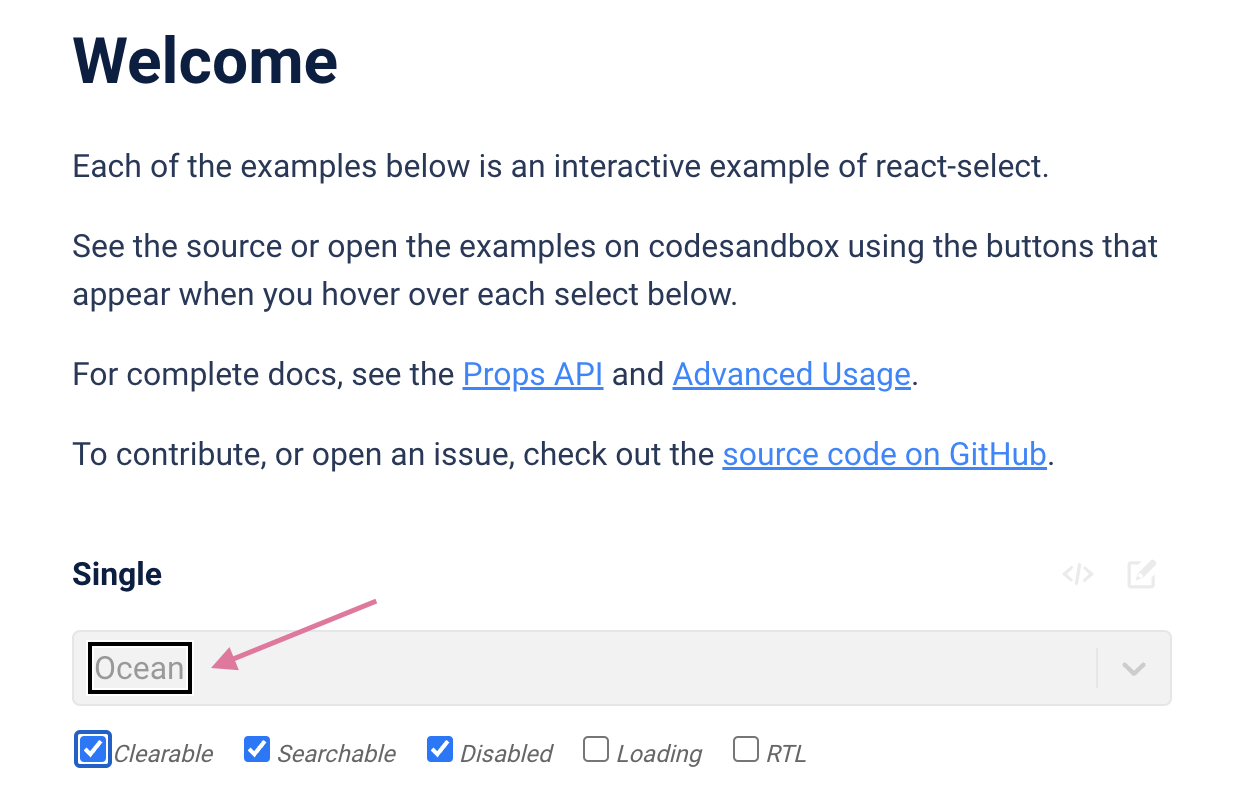
Check "disabled" for the first example, "Single"
-
Run the screenreader (I used Mac VoiceOver). The selected item is announced, but the "dimmed" or "disabled" description is missing. This can be seen using arrow key navigation (VO + arrow keys) or with auto read (VO + A).
Screenshot:
Contributor guide
First steps
- Read the whole issue, then the project's contributing guide.
- Comment on the issue to say you are picking it up — it saves two people doing the same work.
- Fork the repository and make your change on a branch.
- Open a pull request that references the issue number.
Research direction
Start with the disabled Single example at https://react-select.com/home and reproduce the behavior with Mac VoiceOver using arrow-key navigation or auto read. Trace the select's accessibility output and verify that disabled options are announced as "dimmed" or "disabled".
Written by the indexing model from the issue text.
Assessment
- Tech stack
- react, typescript
- Domain
- accessibility, frontend
- Issue type
- Bug
- Difficulty
- 3/5
- Estimated time
- 1-2 days
- Activity status
- Stale
- Clarity
- Mostly clear
- Newbie friendliness
- 38/100