Clarify "Add Data" flow from a Dataverse collection page
Nobody has claimed this yet.
- Dominant language
- Java
- Stars
- 1.1k
- Forks
- 564
- Avg merge
- 2d 2h
- Merged PRs (30d)
- 29
Description
A user is on a given Dataverse collection (ex Boston College Dataverse) and they log in and still remain on that collection, but when they use the "Add Data" option at the TOP of the page toolbar (not the one to the right of the page), they are redirected off the desired Dataverse collection and forced to see they need to change the "Host Dataverse" back to their Dataverse collection of choice. This is not obvious to users.
See ticket:https://help.hmdc.harvard.edu/Ticket/Display.html?id=299812 and if you follow this instruction you can duplicate the (unclear) workflow
Not sure this was done intentionally but if it was, it needs more clarity on what to do with the "Host Dataverse" field since it says Harvard Dataverse and users don't know what to do from this point.
I am on the Dataverse collection I want and I sign in.
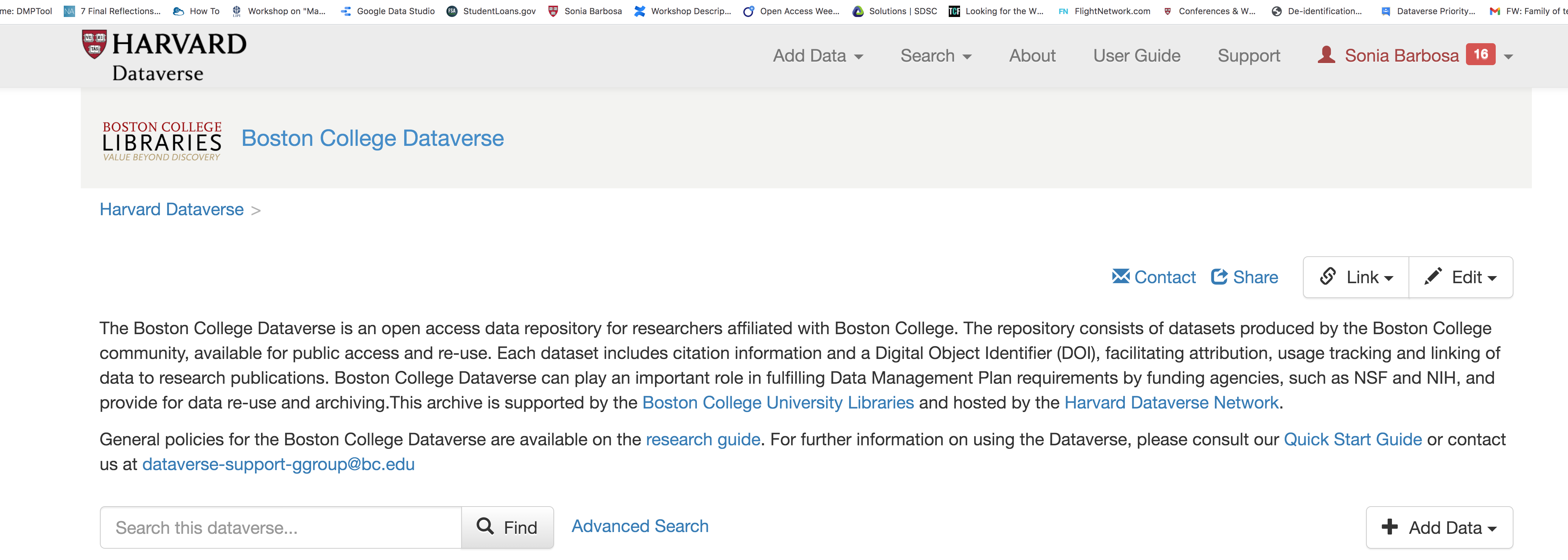
I then click the "Add Data" option at the top of the page, versus the one on the side to the right:
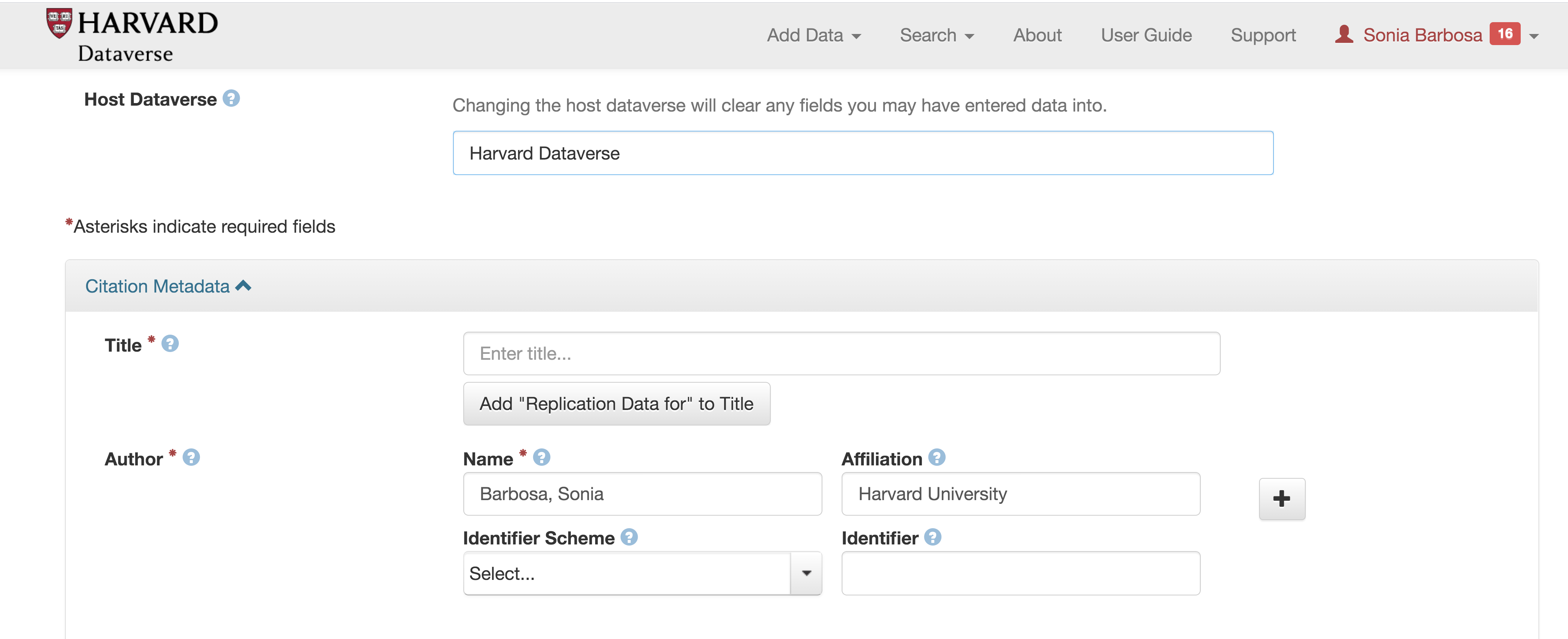
Host Dataverse is then changed to "Harvard Dataverse" and user is unclear what to do from here to get back to their desired Dataverse
Contributor guide
First steps
- Read the whole issue, then the project's contributing guide.
- Comment on the issue to say you are picking it up — it saves two people doing the same work.
- Fork the repository and make your change on a branch.
- Open a pull request that references the issue number.
Research direction
Start by reproducing the flow from a Dataverse collection page, comparing the top-toolbar "Add Data" action with the side action described in the ticket. Trace when the Host Dataverse changes to Harvard Dataverse and clarify the flow so users can remain in or return to their chosen collection.
Written by the indexing model from the issue text.
Assessment
- Tech stack
- java
- Domain
- frontend
- Issue type
- Bug
- Difficulty
- 3/5
- Estimated time
- 1-2 days
- Activity status
- Stale
- Clarity
- Mostly clear
- Newbie friendliness
- 35/100