HumanSignal / HumanSignal/label-studio
Allow task properties to be used as filename prefixes when exporting task annotations to Cloud Storage
- Dominant language
- TypeScript
- Stars
- 28.3k
- Forks
- 3.7k
- Avg merge
- 14h
- Merged PRs (30d)
- 15
Description
**Is your feature request related to a problem? Please describe.**
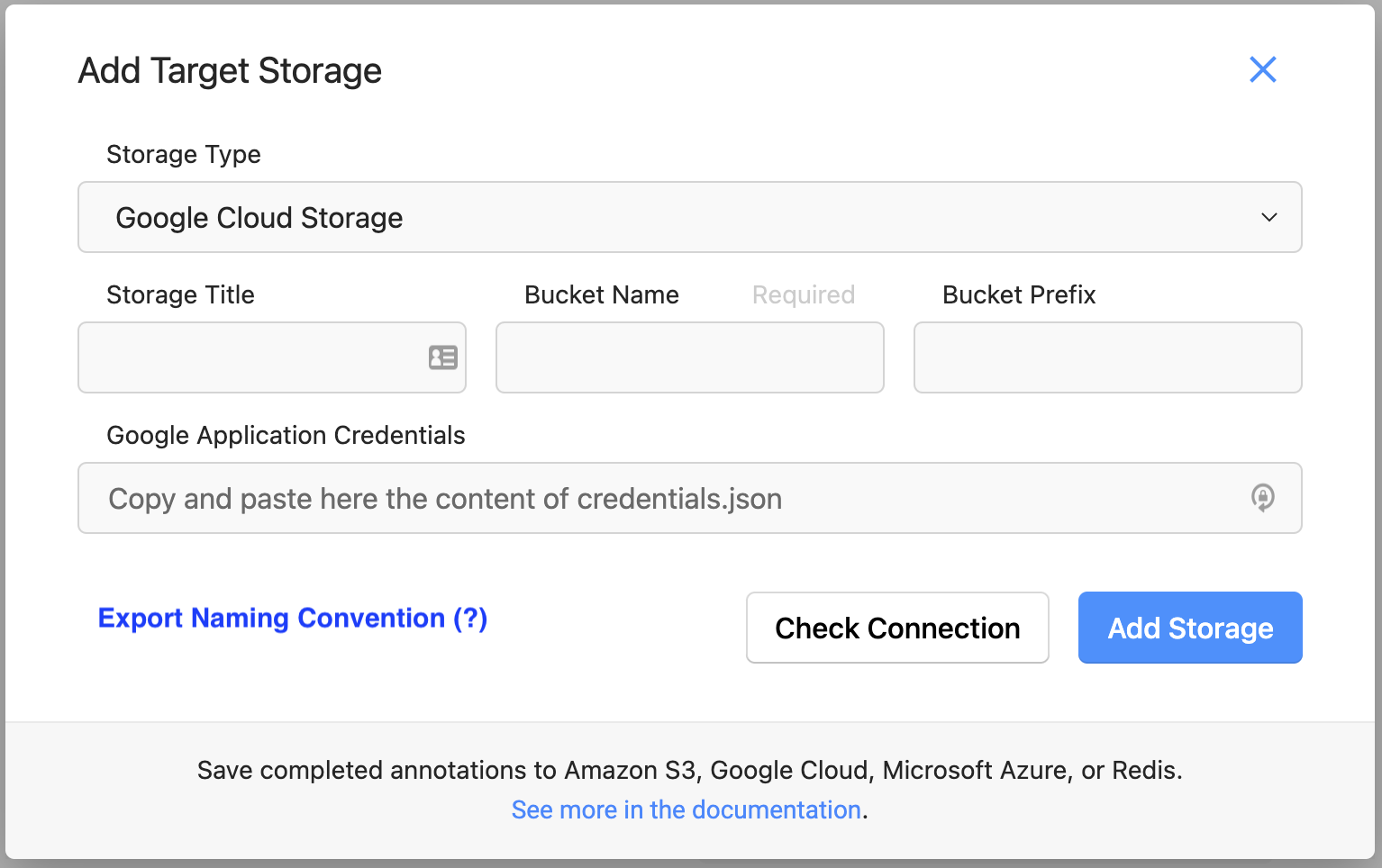
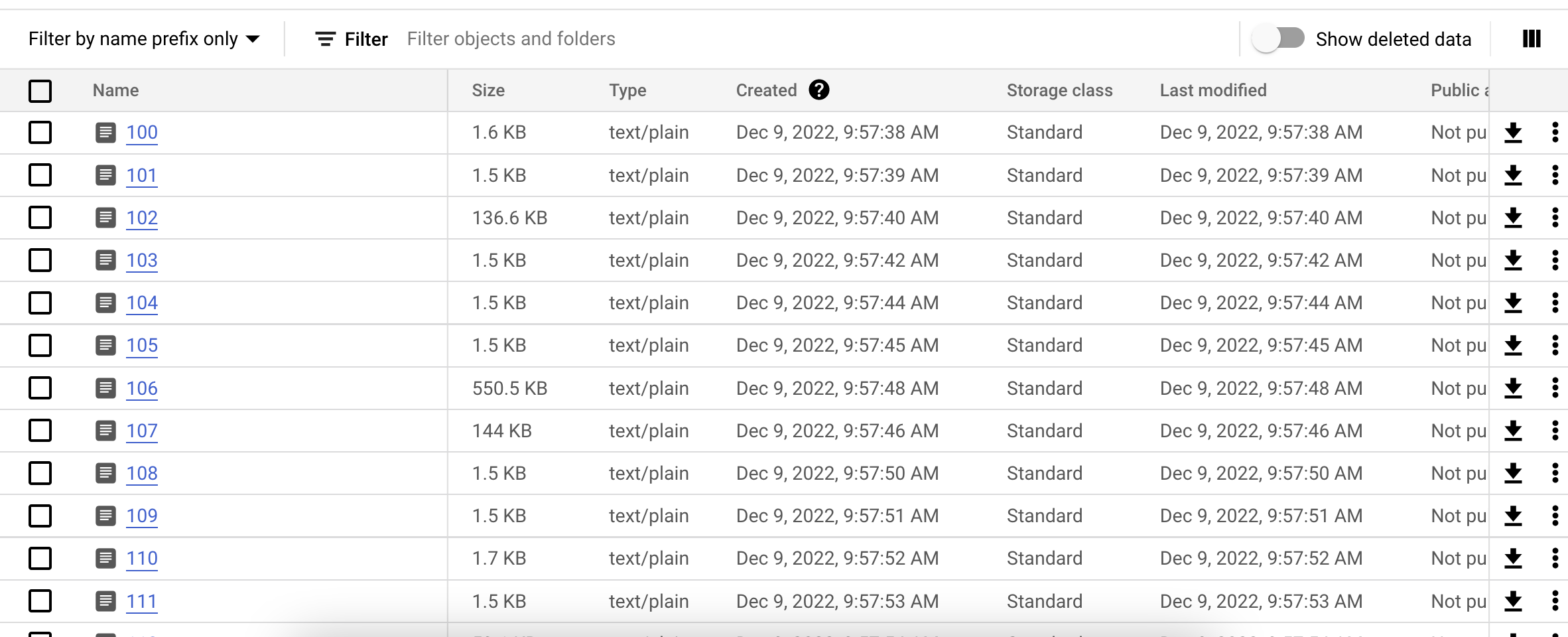
When using [target storage sync](https://labelstud.io/guide/storage.html#Target-storage) to export labels to a cloud storage bucket, the files that are synced have a very rudimentary name based on the “Inner ID”, and without a file extension (e.g. 134, 135, 136, etc). While other properties that are specific to my project can be found within the exported json file, there is currently no option to configure more meaningful filenames. The result is that I have to create some post-processing step to correlate the contents of the files with the unique task ID that I've already added to the task json file.
**Describe the solution you'd like**
There should be a way to select or customize a naming convention for the task files when exported to Cloud Storage, or exported locally, as well as the file type so the exported files have an explicit type (e.g. `.jpg`, `.png`, `.json`).
One simple possibility is to have a target property in the task file (e.g. `export_file_id` or something similar) that is defined in Label Studio's documentation and is automatically used to name exported files when present.
This feature would require that users add it explicitly in there pre-processing, but otherwise the interface is pretty minimal/simple. The cloud storage export can draw on the property to name the exported files. If it is not present, the current behavior to use the Inner ID can remain the default.
**Describe alternatives you've considered**
Another option is to allow some dropdown when adding Target Storage that allows for custom selection of a column/property to be used for task export naming.
An option could be added, similar to the the "Filter Regex" option when adding Source Storage.
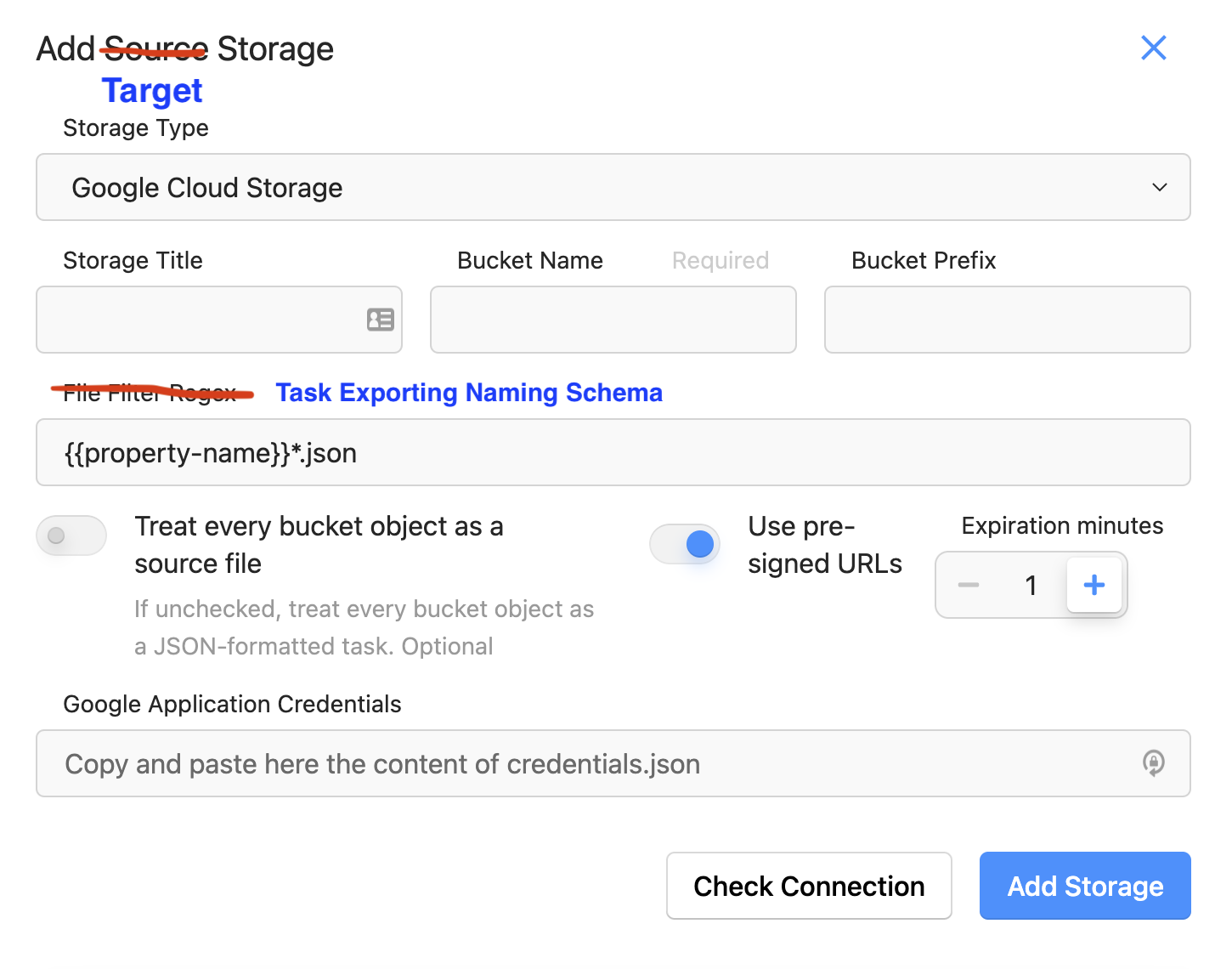
This would allow for more customization but would probably be more difficult to implement, as the Project's columns would have to be accessible to the Cloud Storage page, and I'm not sure how difficult that is.
**Additional context**
This is what the output and filenames currently look like in my bucket when exporting completed tasks to Google Cloud Storage.
Thanks!
Contributor guide
Assessment
This issue has not been assessed yet.