Hubs-Foundation / Hubs-Foundation/Spoke
Consider adding a dynamic dimension display when translating objects
- Dominant language
- JavaScript
- Stars
- 679
- Forks
- 260
- PR merge metrics
- No merged PRs in 30d
Description
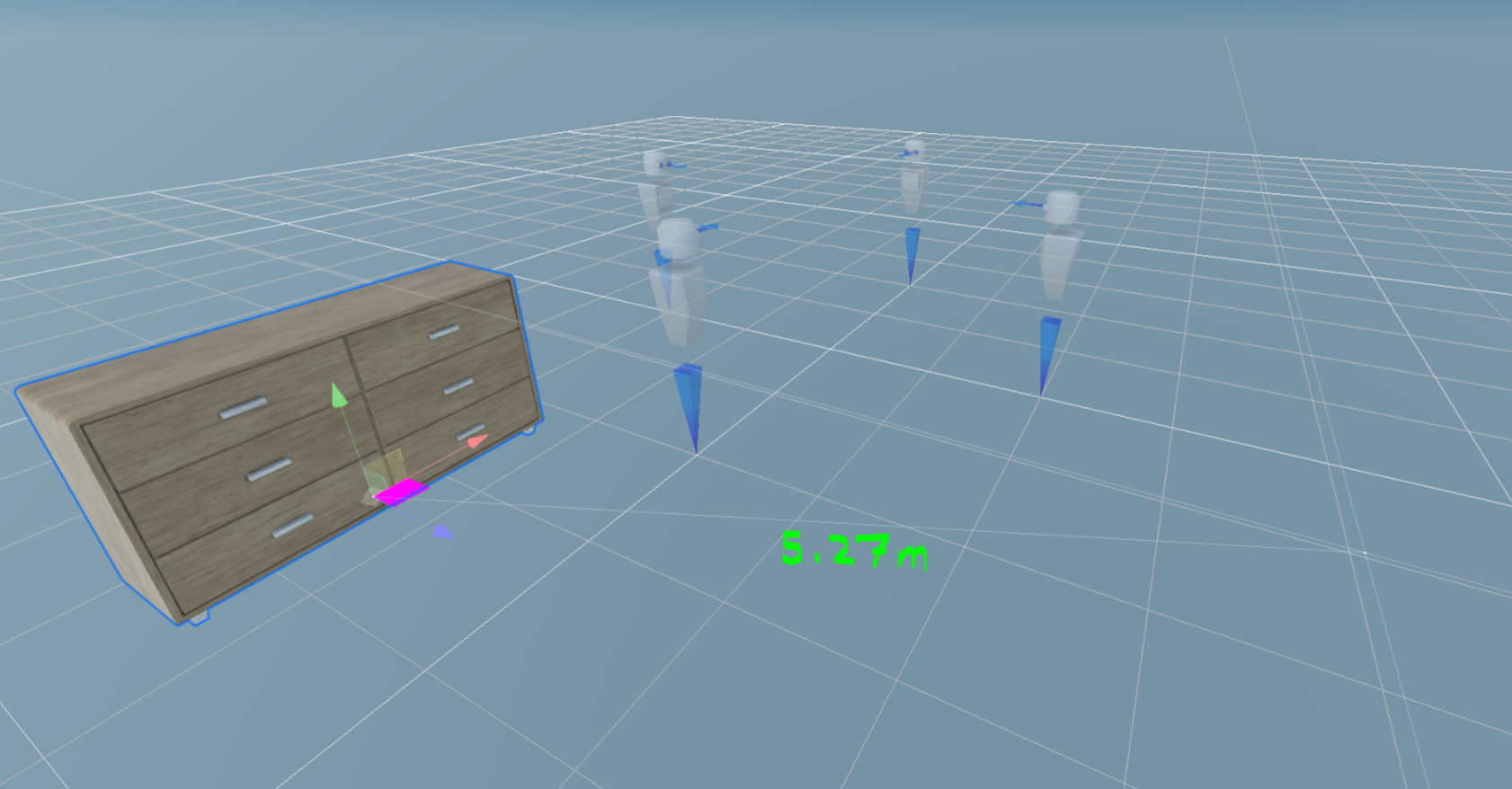
In the 3d viewport, when translating an object, it already shows a line connecting the old and new locations while dragging.
It could be helpful to display the distance dimension (in meters) along that line. This could help users better understand the scale of their scene.
For example, if I'm dragging an object across the floor and notice that the distance dimension is showing something like 40m, I might quickly realize that the object is way bigger than I previously thought.
It might make sense to make the current line a little more obvious as well. This image shows the current line which is a bit subtle.
Contributor guide
Research direction
Start by locating the 3D viewport translation interaction and the existing line drawn while an object is dragged. Review how the line is rendered and determine what is needed to show its distance in meters and make it more visible. Done means the distance is displayed along the line during translation and the line is easier to see.
Written by the indexing model from the issue text.
Assessment
- Tech stack
- javascript, three.js
- Domain
- computer-graphics
- Issue type
- Feature
- Difficulty
- 4/5
- Estimated time
- 3-5 days
- Activity status
- Stale
- Clarity
- Mostly clear
- Newbie friendliness
- 35/100