HandyOrg / HandyOrg/HandyControl
SplitToggleButton控件
Open
Nobody has claimed this yet.
:factory: enhancement
- Dominant language
- C#
- Stars
- 7.2k
- Forks
- 1.2k
- PR merge metrics
- No merged PRs in 30d
Description
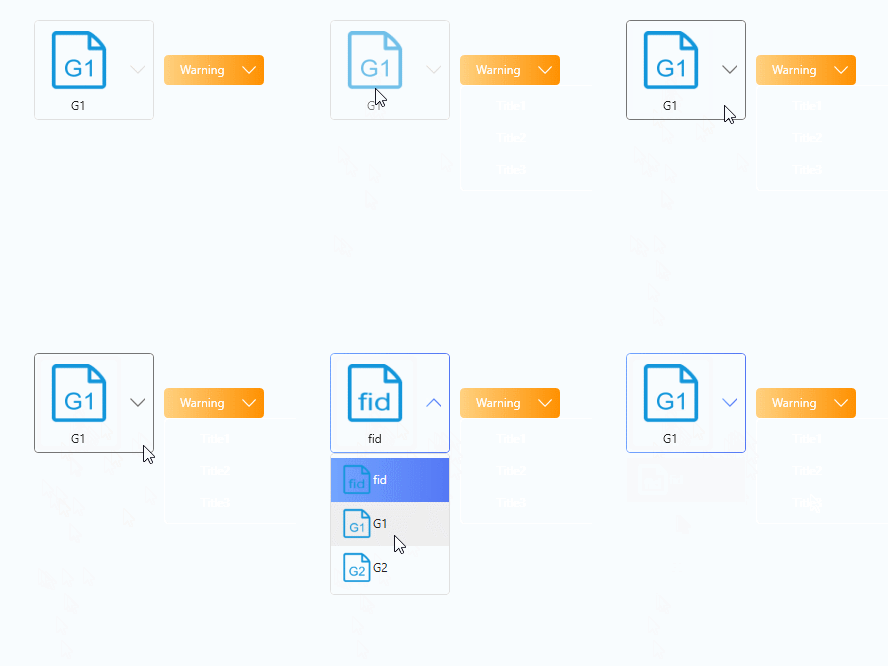
两个效果:1. 可切换选中状态;2. 显示选中项的内容(图标+文字);
效果图如下:
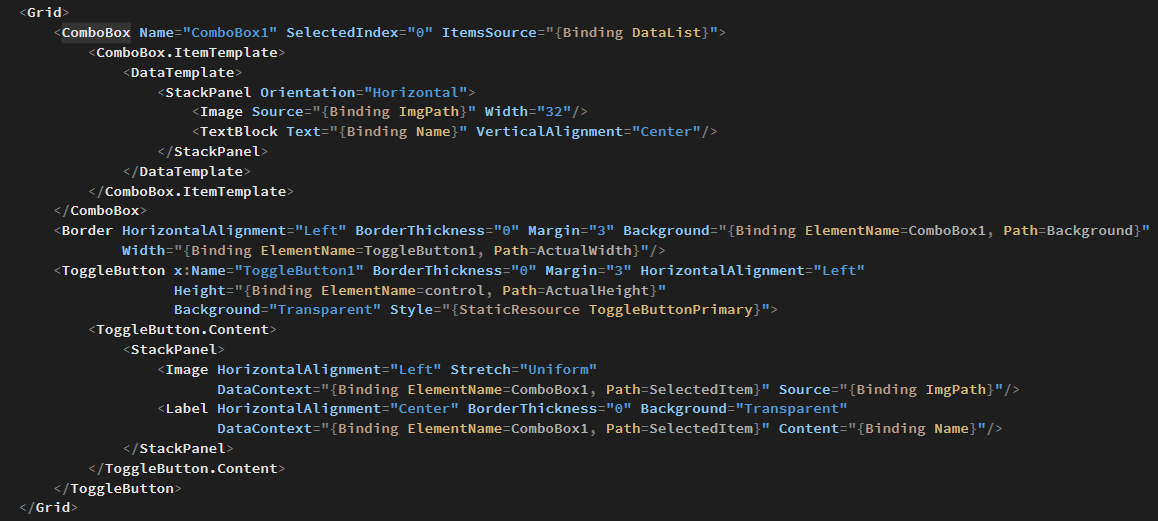
我是这么做的,太麻烦了,可能在SplitButton的基础上做修改更简单。
Contributor guide
No contributing guide indexed for this repository
First steps
- Read the whole issue, then the project's contributing guide.
- Comment on the issue to say you are picking it up — it saves two people doing the same work.
- Fork the repository and make your change on a branch.
- Open a pull request that references the issue number.
Research direction
Start by reviewing the existing SplitButton, which the issue suggests as a basis, and compare its behavior with the supplied GIF and image. Done means a SplitToggleButton control can toggle the selected state and display the selected item's icon and text.
Written by the indexing model from the issue text.
Assessment
- Tech stack
- csharp
- Domain
- desktop
- Issue type
- Feature
- Difficulty
- 4/5
- Estimated time
- 3-5 days
- Activity status
- Stale
- Clarity
- Needs clarification
- Newbie friendliness
- 30/100