Right click menu inside terminal doesn't show up can't copy
- Dominant language
- Python
- Stars
- 4.7k
- Forks
- 604
- PR merge metrics
- No merged PRs in 30d
Description
**Describe the bug**
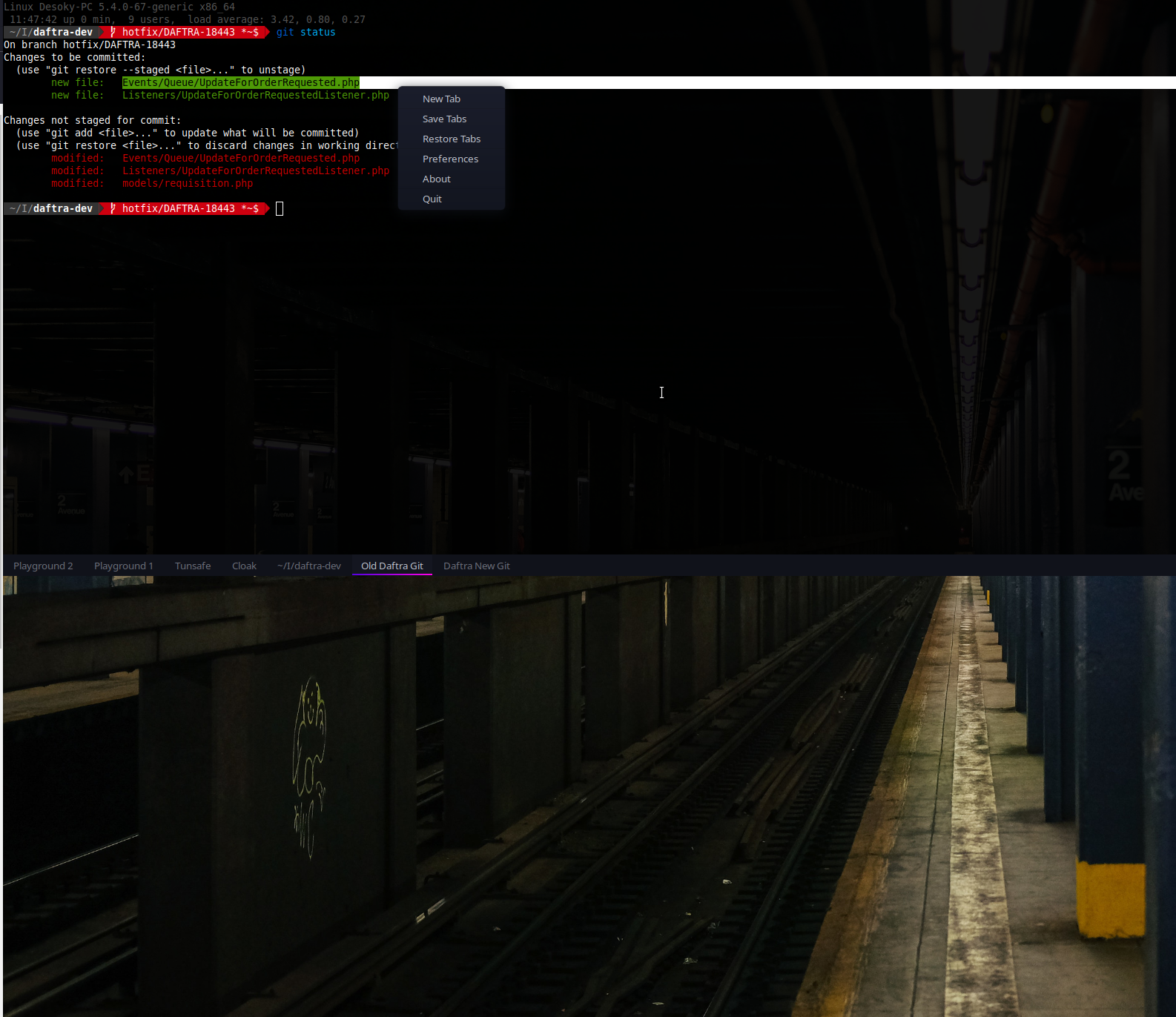
I'm trying to highlight some text on the terminal window and then attempt to right-click to copy and proceed on however the menu that shows up in the right-click menu as if I did it on the Terminal Tabs, not the terminal itself therefore I'm unable to copy text.
**Expected behavior**
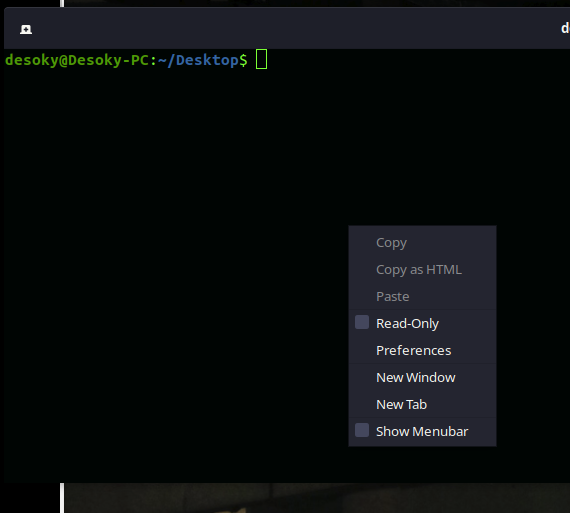
It should show the normal terminal right-click menu that you can see from the normal terminal app like this one
**Actual behavior**
Here is the menu that shows up when I right-click inside the guake terminal window
**To Reproduce**
Provide the steps to reproduce the behavior
1. Output some text in the terminal window of guake.
2. Highlight some text.
3. Attempt to right-click inside the "terminal window".
-------------------------------------------------------------------------------
Please run `$ guake --support`, and paste the results here. Don't put backticks (`` ` ``) around it! The output already contains Markdown formatting. And make sure you run the command **OUTSIDE** the Guake.
$ guake --support
Guake Version: 3.6.3
Vte Version: 0.60.3
Vte Runtime Version: 0.60.3
--------------------------------------------------
GTK+ Version: 3.24.20
GDK Backend: GdkX11.X11Display
--------------------------------------------------
Desktop Session: ubuntu
--------------------------------------------------
Display: :0
RGBA visual: True
Composited: True
* Monitor: 0 - AOC DP-2
* Geometry: 2560 x 1440 at 0, 0
* Size: 597 x 336 mm²
* Primary: True
* Refresh rate: 143.91 Hz
* Subpixel layout: unknown
* Monitor: 1 - AOC DP-4
* Geometry: 2560 x 1440 at 2560, 0
* Size: 597 x 336 mm²
* Primary: False
* Refresh rate: 143.91 Hz
* Subpixel layout: unknown
Contributor guide
No contributing guide indexed for this repository
Assessment
This issue has not been assessed yet.