Graylog2 / Graylog2/graylog2-server
Display a warning when Data Adapter or Cache plugin is not installed
- Dominant language
- Java
- Stars
- 8.1k
- Forks
- 1.1k
- Avg merge
- 1d 20h
- Merged PRs (30d)
- 217
Description
When Data Adapter and Cache types coming from a plugin are not available, e.g. the plugin is not installed, there is no indication of that in the Data Adapter list, Cache list or edit forms for both entities. We only display an error when seeing the Data Adapter/Cache details.
This is the error message when seeing the Data Adapter/Cache details:

This is how editing a Data Adapter looks like. Form inputs coming from the plugin are not rendered, but there is no warning that this is the case.
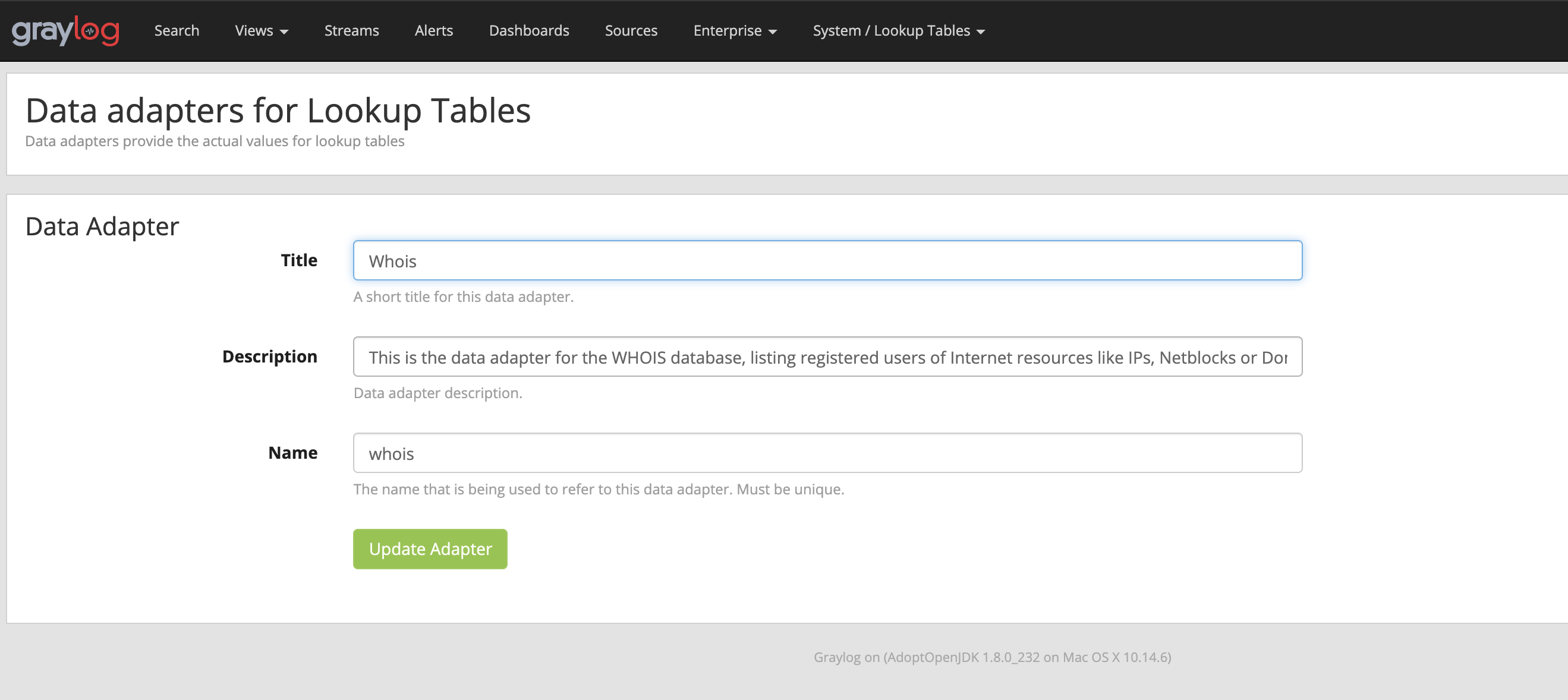
## Expected Behavior
The user should see a warning when a Data Adater and/or Cache type from a plugin is not available in a somewhat prominent place.
## Current Behavior
The indication for a missing plugin is hidden and hard to see, which will cause some frustration if this happens.
## Possible Solution
## Steps to Reproduce (for bugs)
1. Install the "whois" Content Pack from the Threat Intelligence plugin
2. Stop the server, remove the plugin from the plugin folder and start the server
3. Go to the Data Adapter page and see that there's no indication of this on the list or edit pages
## Your Environment
* Graylog Version: Graylog 3.2.0-SNAPSHOT (b943c71871b08da995748ce517ab500db401908f)
Contributor guide
Assessment
This issue has not been assessed yet.