Graylog2 / Graylog2/graylog2-server
Add day, week, month, year relative time spans to Events
- Dominant language
- Java
- Stars
- 8.1k
- Forks
- 1.1k
- Avg merge
- 1d 21h
- Merged PRs (30d)
- 218
Description
Following on from https://github.com/Graylog2/graylog2-server/issues/11525
At present from the events page it is only possible to use relative time spans of minutes, hours or days.
This is not ideal as, for example, it is not currently possible to create an alert that triggers when liscence usage for the day is exceeded.
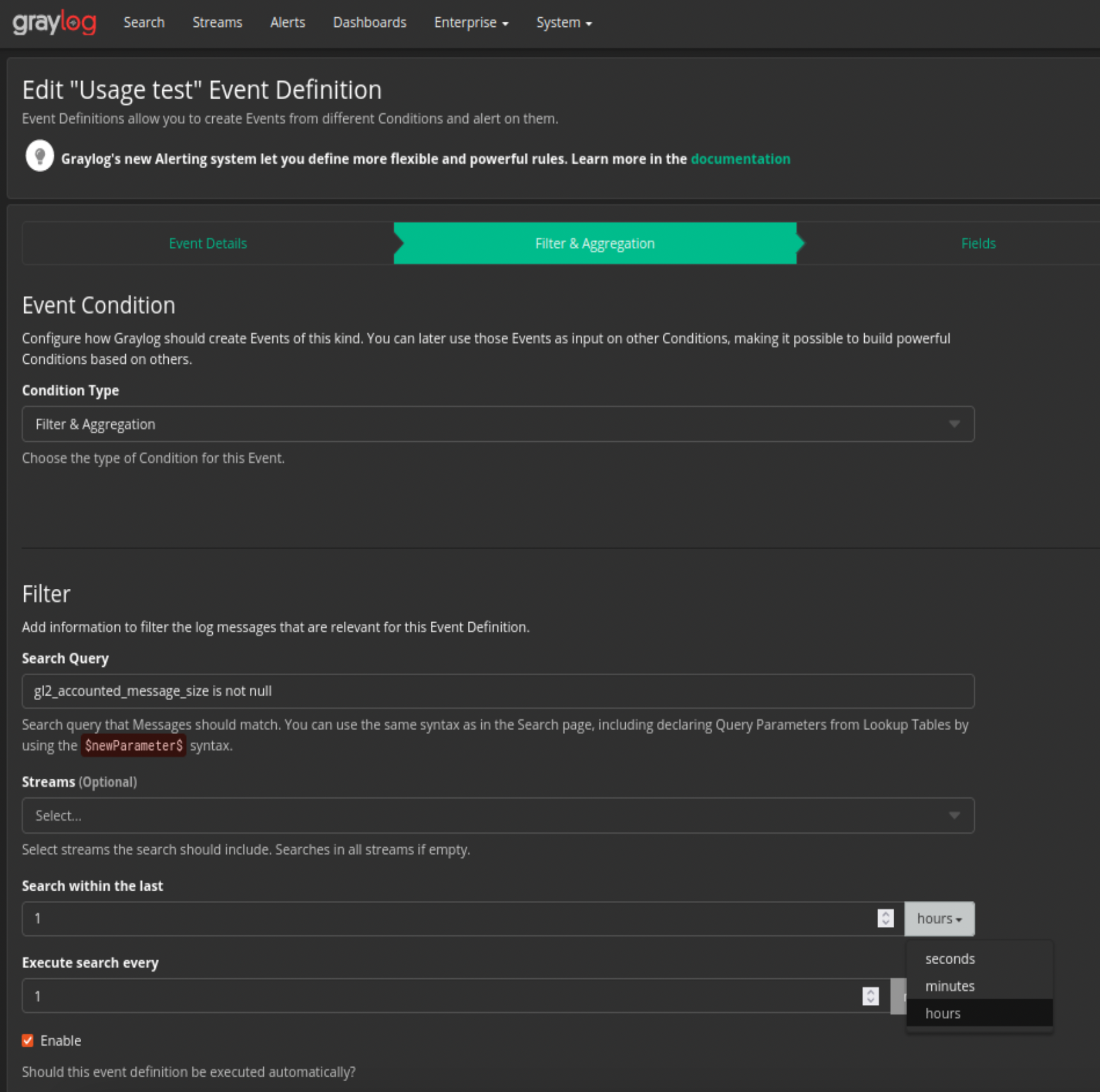
## Expected Behavior
On the drop down pictured above, where the relative time span for an event query to run is selected, include the following options:
Today (00:00 to 24:00 present date), Yesterday, This week (Monday 00:00 to Sunday 00:00), Last week, This year (Jan 01 00:00 to December 31 24:00), Last year.
This will be consistent with the addition of these options to the search query window, as referenced in above github ticket
## Current Behavior
Events can only use relative time spans of minutes, hours or days.
Contributor guide
Research direction
Start at the Events page's relative time span dropdown and compare its available ranges with the search query window described in issue 11525. Implement Today, Yesterday, This week, Last week, This year, and Last year with the stated boundaries, then verify that event queries use each range correctly.
Written by the indexing model from the issue text.
Assessment
- Tech stack
- java
- Domain
- search
- Issue type
- Feature
- Difficulty
- 4/5
- Estimated time
- 3-5 days
- Activity status
- Stale
- Clarity
- Mostly clear
- Newbie friendliness
- 42/100