GoogleChromeLabs / GoogleChromeLabs/squoosh
AVIF consistantly shifts colors
- Dominant language
- TypeScript
- Stars
- 25.9k
- Forks
- 2.2k
- PR merge metrics
- No merged PRs in 30d
Description
**Describe the bug**
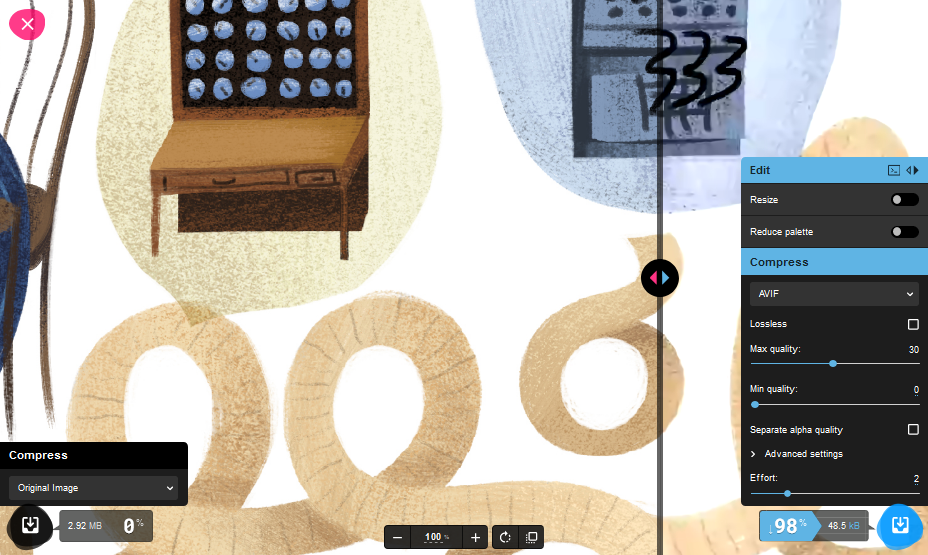
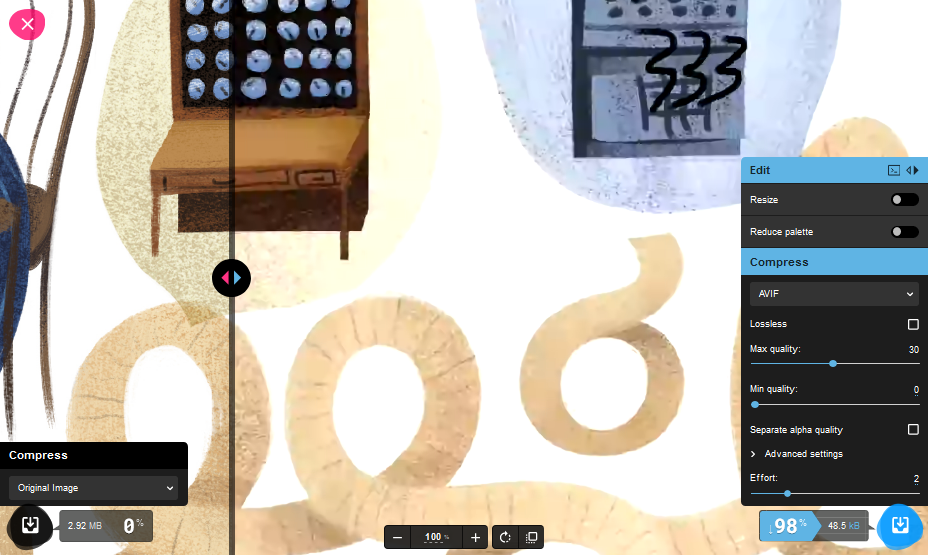
The default demo images (& others I've seen) always lighten colors when compressed to AVIF, at least with defaults.
**To Reproduce**
Load image
leave original on 1 side to A/B
encode other side to AVIF with defaults (I haven't tried other options)
Slide the handy A/B slider to see color shift.
**Expected behavior**
No mass color shifts for entire image
**Version:**
Firefox Dev, Chrome Canary, Vivitti, etc
**Is your issue related to the quality of image compression?**
(both are shown, note slider position & the round blue & tan background circles)
- More original image
- More AVIF
**Additional context, screenshots, screencasts**
Might have to do something with 'getting choma from luma'; I have not tested the upstream lib or other libs yet to prove this.
https://youtu.be/VHm5Ql33JYw?list=PLakykuPxo3cjjfDJTiQ6Ew2FsorWuq5ih&t=702
Not sure what the corrective action would be; I'm just now researching this format, so perhaps there is an optimization to turn off. But perhaps blogs & README should warn color shifts are possible.
Thanks for your great tool(s). I'm bummered, AVIF compression is very good, but perhaps too aggressive?
Contributor guide
Research direction
No source file, test, or entry point is named. Start by reproducing the reported A/B comparison with the default demo images and AVIF settings, then investigate whether the color shift comes from the encoder or Squoosh's AVIF path; done means identifying the cause and preventing the reported shift or documenting the confirmed limitation.
Written by the indexing model from the issue text.
Assessment
- Domain
- computer-graphics
- Issue type
- Bug
- Difficulty
- 4/5
- Estimated time
- 3-5 days
- Activity status
- Stale
- Clarity
- Needs clarification
- Newbie friendliness
- 30/100