GoogleChrome / GoogleChrome/lighthouse
Touch Support in chrome is not emulated correctly after running Audit
- Dominant language
- JavaScript
- Stars
- 30.8k
- Forks
- 9.8k
- Avg merge
- 1d 14h
- Merged PRs (30d)
- 20
Description
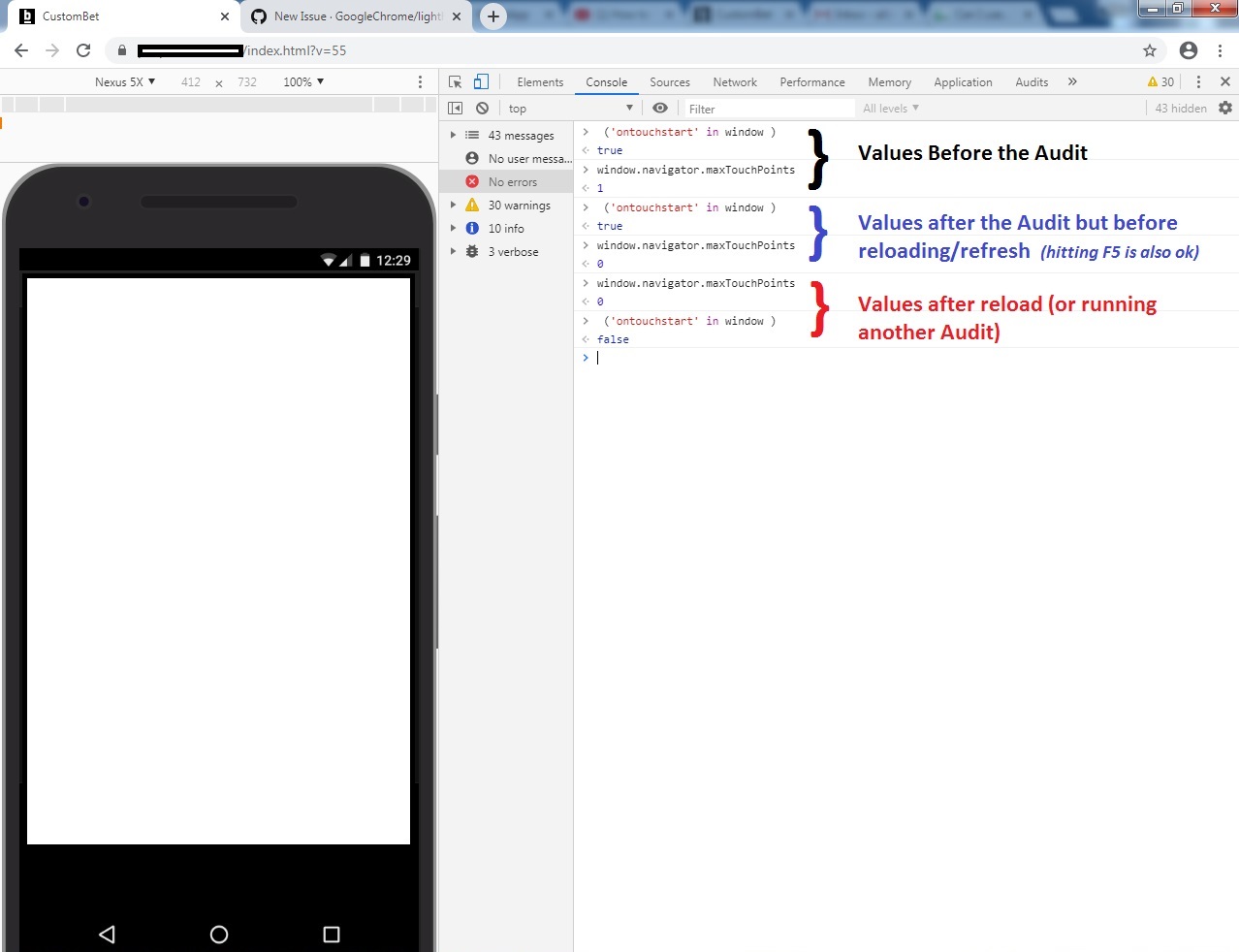
I don't know if this is a Chrome's problem or Lighthouse's Problem but after running the test the Nexus 5X emulation is not correct anymore. The touch support breakes in the emulation and navigator.maxTouchPoints becomes 0 and ("ontouchstart" in window) also becames false. I have included a screenshot wich shows in the same console the value of the touch detection before and after running the Audit using the audits Tab in the Chrome Dev.tools. The steps for reproducing this issue are :
Step 1> Go To Audits tab and select
Device : Mobile,
Audits : Performance only
Throtling : Any Value
Clear Storage : Any Value
Step 2>
Run Test and wait for results
Step 3>
Reload page (press f5 or reload using the chrome reload icon).
Step 4>
Now touch emulation is broken;
Even if you dont refresh in step3 but you run another test (that's the case i run into this issue) you get broken touch support and cannot audit a mobile site anymore because without touch support my site redirects to the desktop site. I have included a screenshot showing the console values of "navigator.maxTouchPoints" and ('ontouchstart' in window) in each step of case; Hope this info is enough.
P.s:
If you go Back in the history using the browser back icon until before the test, you fix this issue.
Contributor guide
Assessment
This issue has not been assessed yet.