GeekyAnts / GeekyAnts/react-native-easy-grid
iOS : Button size shrink when total rows size is greater than screen size?
- Dominant language
- JavaScript
- Stars
- 2.2k
- Forks
- 165
- PR merge metrics
- No merged PRs in 30d
Description
## I have gone through these following points
- [x] Check latest documentation: https://docs.nativebase.io/
- [x] Check for existing open/closed issues for a possible duplicate before creating a new issue: https://github.com/GeekyAnts/react-native-easy-grid/issues
- [x] Use the latest React Native Easy Grid release
- [x] Check examples from NativeBase KitchenSink https://github.com/GeekyAnts/NativeBase-KitchenSink
- [x] For discussion purpose make use of NativeBase Slack: http://slack.nativebase.io/
- [x] For queries related to theme, check [Theme Variables](https://docs.nativebase.io/docs/ThemeVariables.html) from Docs and live NativeBase Theme Editor http://nativebase.io/customizer/
## Issue Description
I have a button that is incorrectly rendered, height is shrunk, text is disappearing.
### node, npm, package.json, xcode version
- Xcode Version 11.3 beta
- "react-native": "0.59.10"
### Expected behaviour
Correct behaviour on both platforms.
### Actual behaviour
Button height is reduced on iOS
### Steps to reproduce
Render the following:
```
{}}>
Start
{undefined}
```
### Is the bug present in both iOS and Android or in any one of them?
This issue is iOS only. Reduce the fixed size of the last row to make the button rendered properly.
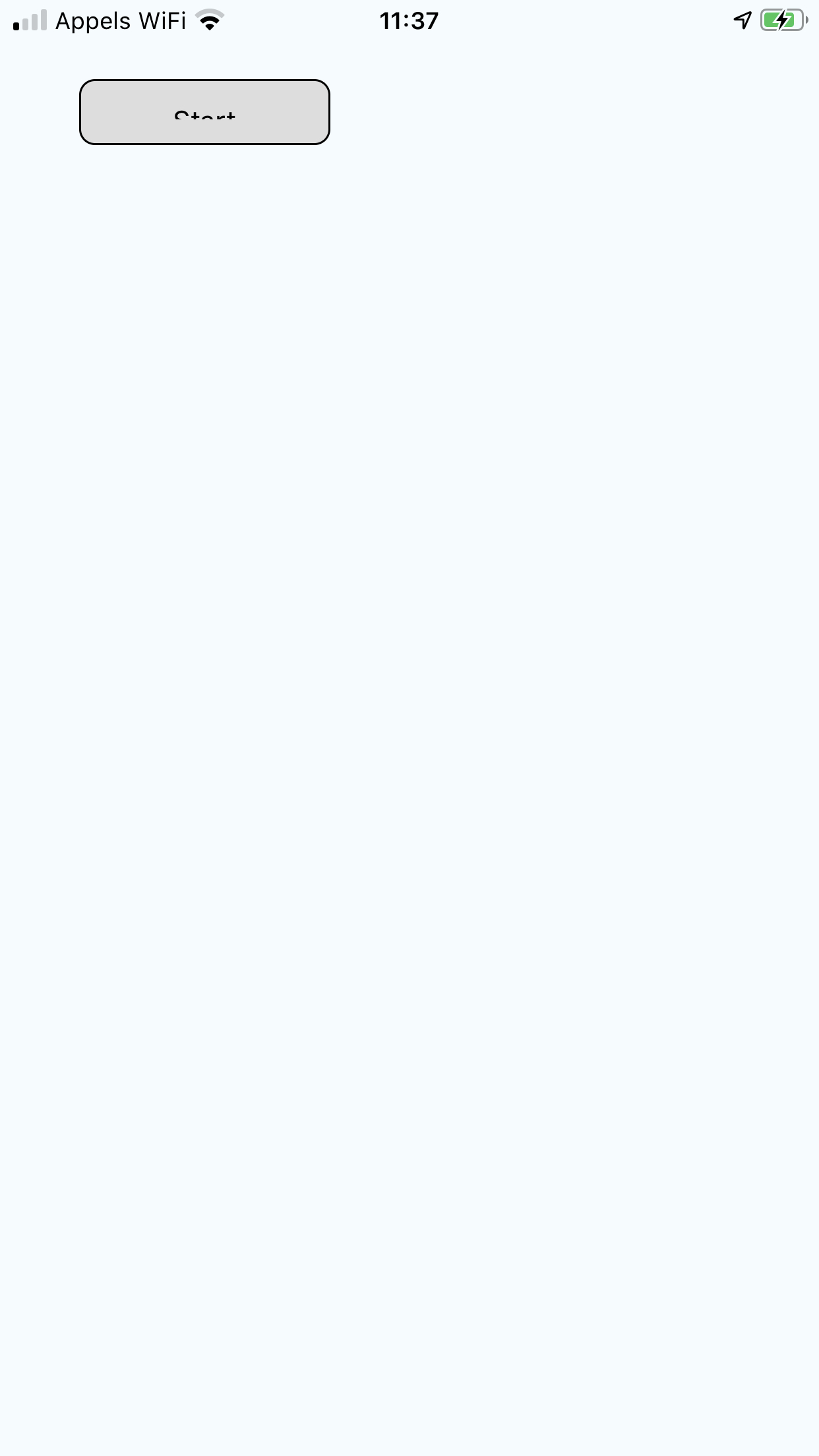
Android is fine.

### Any other additional info which would help us debug the issue quicker.
Contributor guide
No contributing guide indexed for this repository
Assessment
This issue has not been assessed yet.