GeekyAnts / GeekyAnts/NativeBase
[Android] Icons don't load correctly when using new architecture
- Dominant language
- TypeScript
- Stars
- 20.4k
- Forks
- 2.4k
- PR merge metrics
- No merged PRs in 30d
Description
### Description
When running a bare react-native app using new architecture on android instead of icons there is an "'R" on a red background. Turning new architecture off brings back the correct icons.
### CodeSandbox/Snack link
Can't use new architecture to show
### Steps to reproduce
1. Set up new React Native app and enable new architecture.
2. Install native-base and use an icon like the or the
3. Run the app on an android emulator or device and notice instead of a trash icon or + icon, there is a 'R on a red background.
4. If you turn new architecture off and rebuild the app you will see the correct icons.
### NativeBase Version
3.4.25
### Platform
- [X] Android
- [ ] CRA
- [ ] Expo
- [ ] iOS
- [ ] Next
### Other Platform
_No response_
### Additional Information
Note: The issue does not occur on iOS
With new architecture enabled: 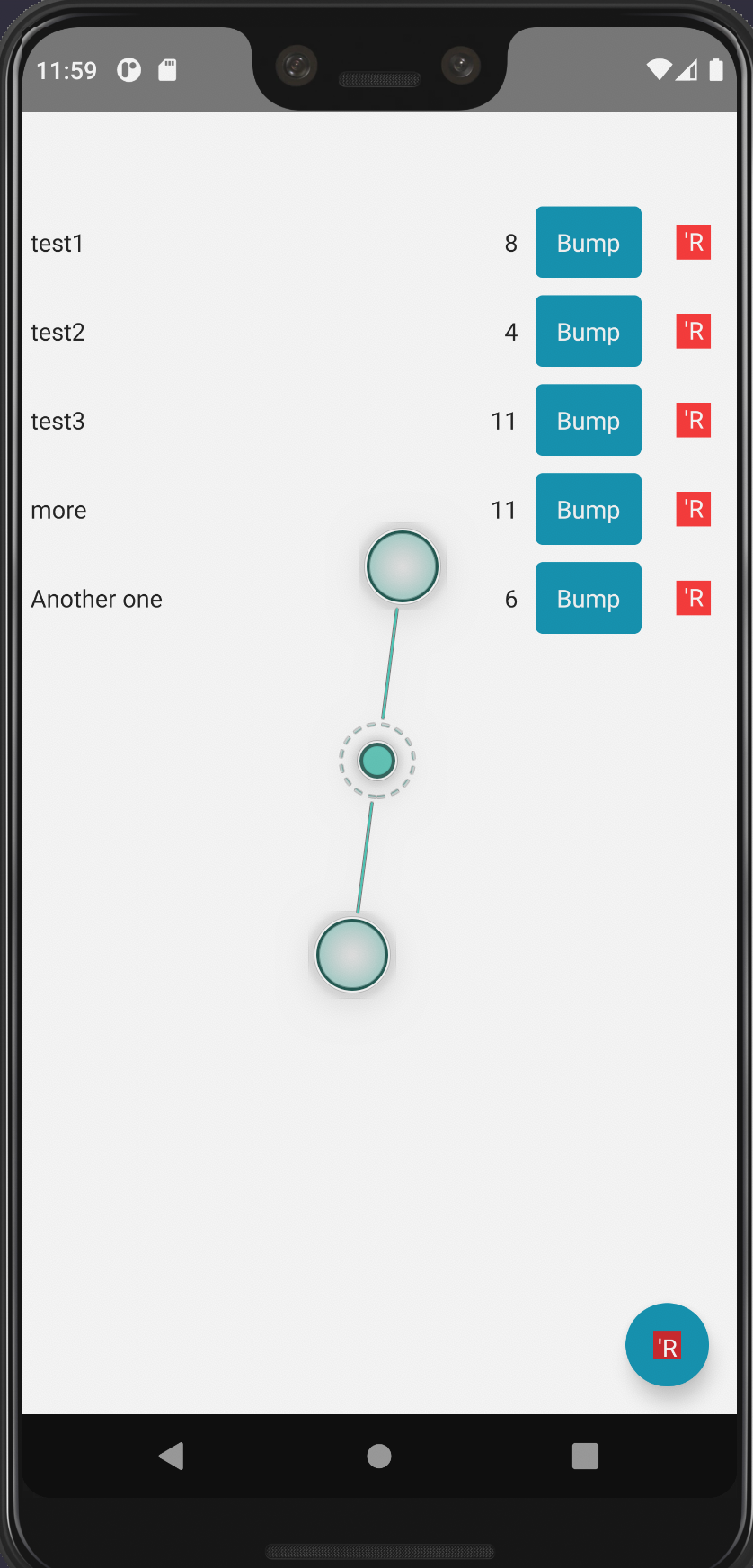
With new architecture disabled: 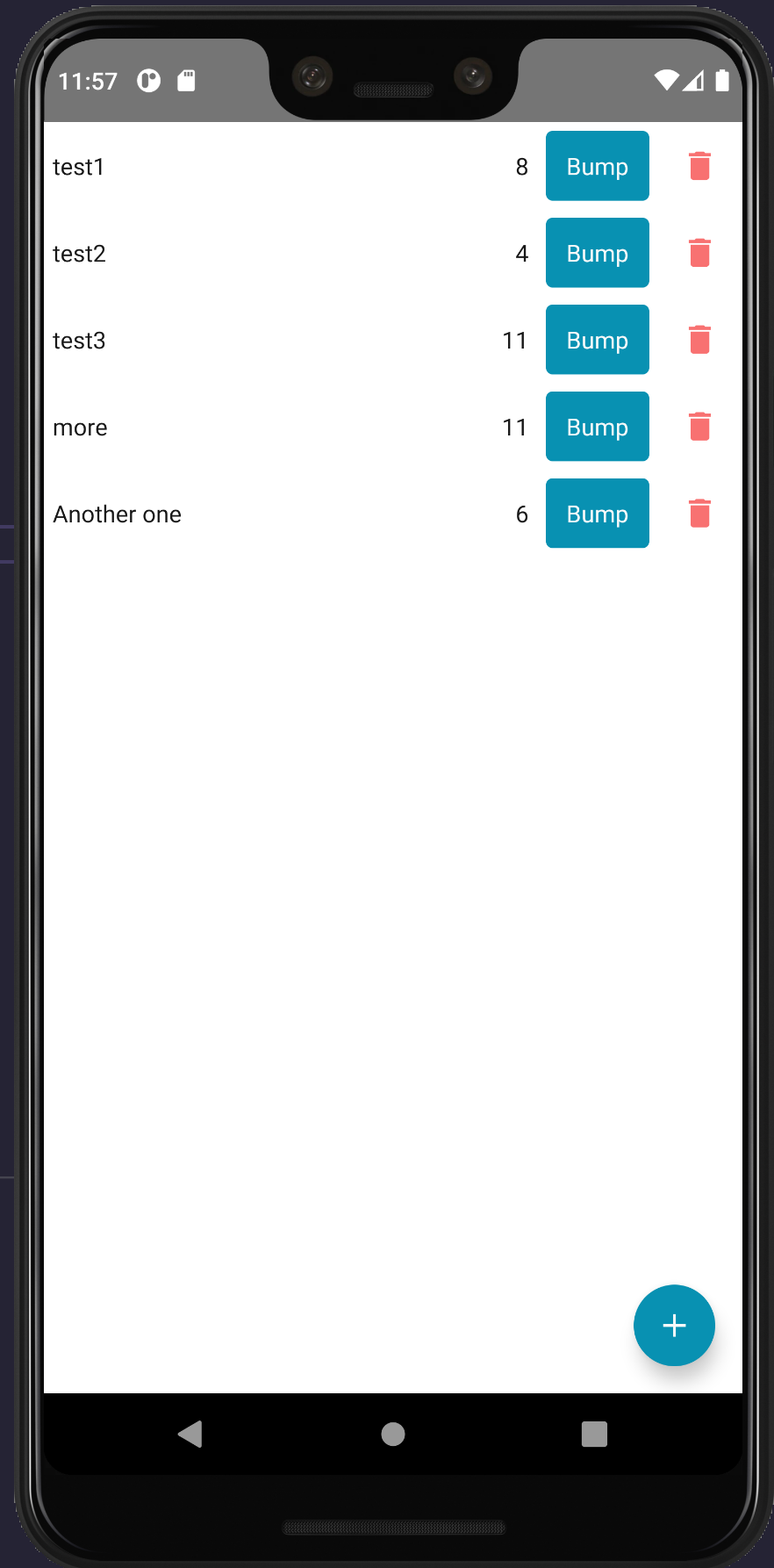
Contributor guide
Assessment
This issue has not been assessed yet.