Add menu entries to control the VM
- Dominant language
- Shell
- Stars
- 10.3k
- Forks
- 452
- PR merge metrics
- No merged PRs in 30d
Description
It would be cool if you could add menu entries to control the VM without opening a terminal. I was able to add this by editing the `windows.desktop` file:
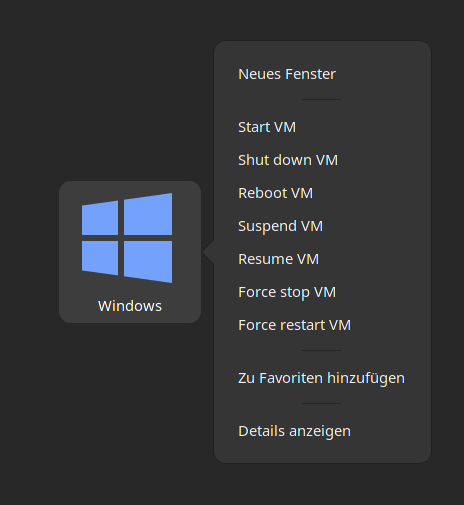
To do this, add the following to the `[Desktop Entry]` section in the `windows.desktop`:
```
Actions=start-vm;shutdown-vm;reboot-vm;suspend-vm;resume-vm;stop-vm;reset-vm;
```
And add these new sections:
```
[Desktop Action start-vm]
Name=Start VM
Exec=virsh start RDPWindows
[Desktop Action shutdown-vm]
Name=Shut down VM
Exec=virsh shutdown RDPWindows
[Desktop Action reboot-vm]
Name=Reboot VM
Exec=virsh reboot RDPWindows
[Desktop Action suspend-vm]
Name=Suspend VM
Exec=virsh suspend RDPWindows
[Desktop Action resume-vm]
Name=Resume VM
Exec=virsh resume RDPWindows
[Desktop Action stop-vm]
Name=Force stop VM
Exec=virsh destroy RDPWindows
[Desktop Action reset-vm]
Name=Force restart VM
Exec=virsh reset RDPWindows
```
Contributor guide
No contributing guide indexed for this repository
Assessment
This issue has not been assessed yet.