Patching textures for PBR use
- Dominant language
- Lua
- Stars
- 264
- Forks
- 260
- Avg merge
- 3d 2h
- Merged PRs (30d)
- 21
Description
Description
-------------
This issue is an extension of [this forum post](https://forum.faforever.com/topic/5061/looking-for-help-to-edit-textures-for-pbr-shaders). The aim is to prepare the assets for PBR rendering. A lot of units are fine, but there are a few dozen that have missing or textures (channels) that are not entirely representative of the shape of the unit.
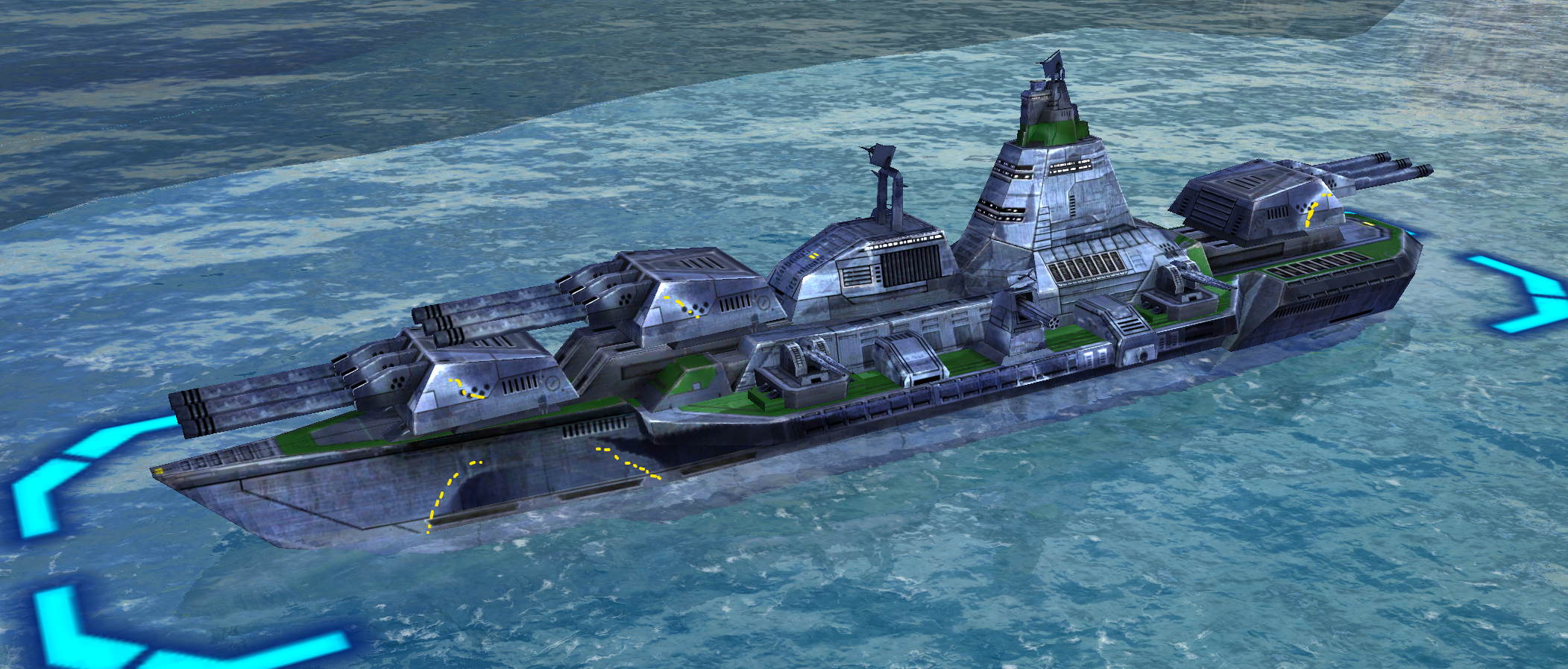
As an example, take the summit. This is what it looks like in Steam FA, we marked the issues in yellow:
And this is what it looks like in FAF:
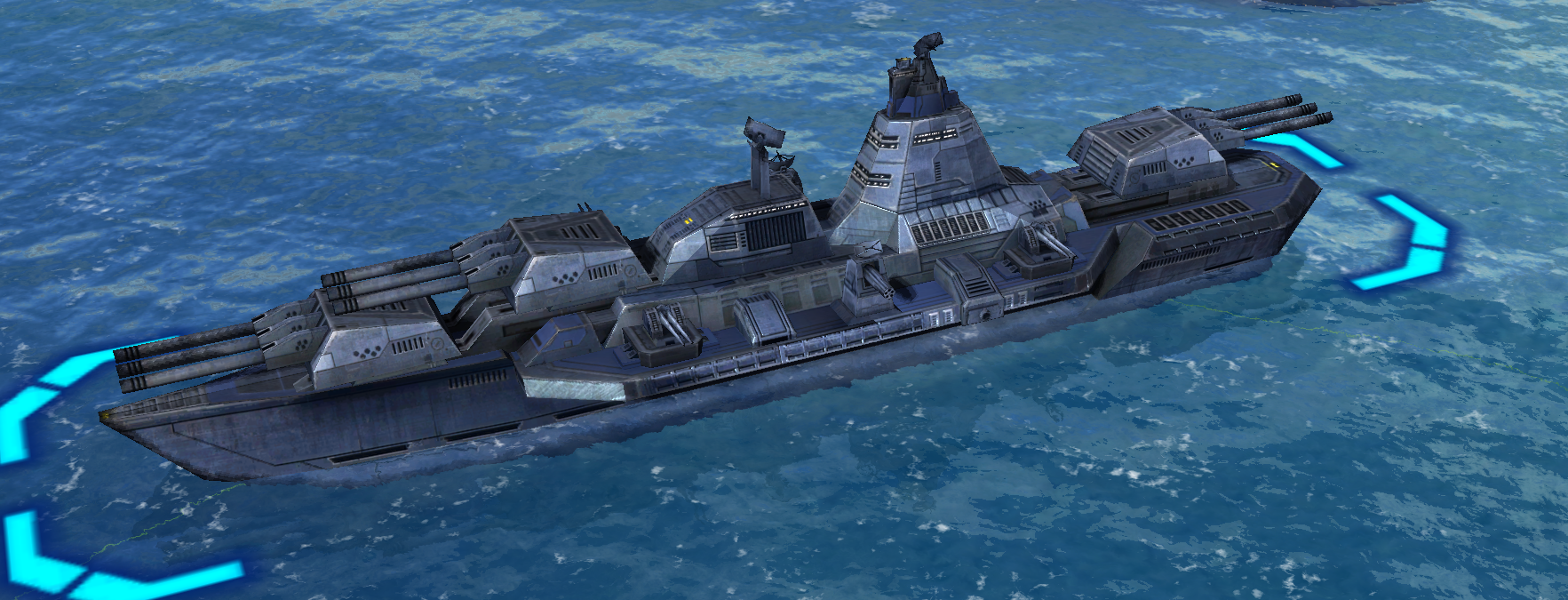
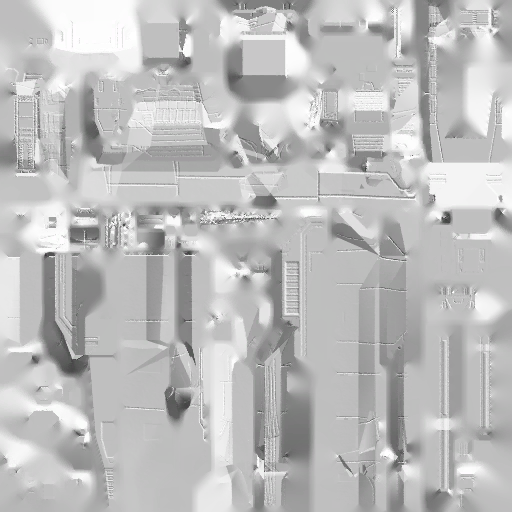
The difference is in the normal maps. This is what got shipped with the game in 2006:
And this is what it looks like in FAF since 2022:
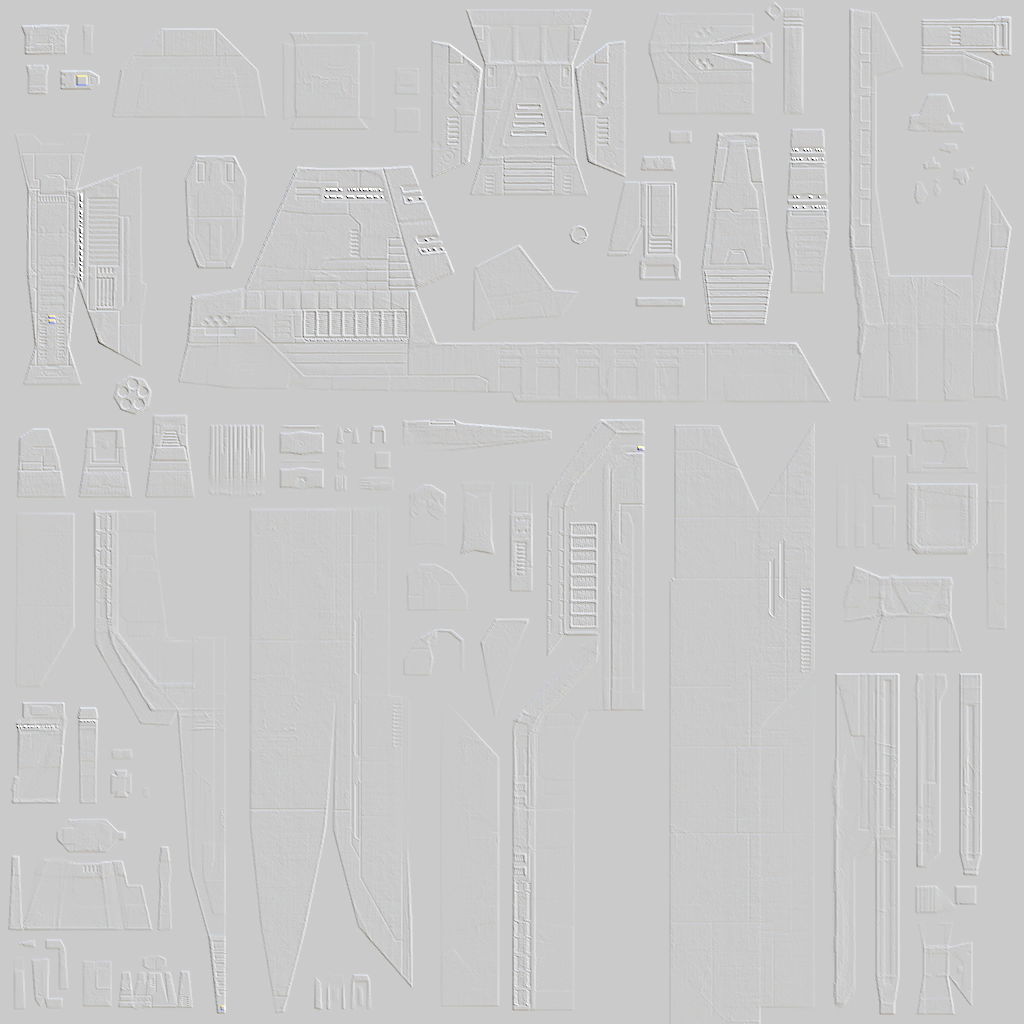
There are _a lot_ of textures that look, or partially look, like the first image. And that is where a lot of the issues of shading of units originate from. As a few clear examples, look closely at the UEF Land Factories, The Atlantis and if you want a challenge: at the Mongoose. If the lighting feels off, it is because one of these textures being off.
Next to the normal maps being off occasionally units can also miss entire channels. We use those channels in the PBR calculations. As a result, the units look bland using PBR shaders.
Prerequisites
--------------
The following software / tooling / websites is recommended:
- (1) [Unit database](https://faforever.github.io/spooky-db/#/ ), you'll use this to find the internal identifier of the unit. As an example, the identifier of the Mongoose is `del0204` and the identifier of the UEF ACU is `uel0001`. Usually, the identifier consists of a prefix (`x`, `d`, or `u`), the faction (`e`, `a`, `r`, `s`), the type (`l`, `s`, `a` and `b`) and then four numbers that represent the tech level and an identifier to make it unique between tech levels.
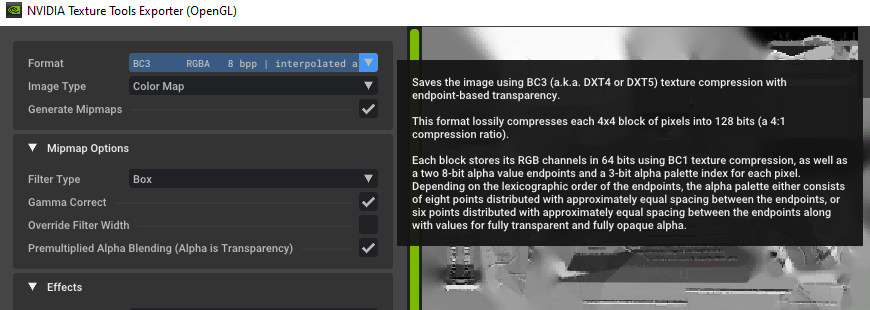
- (2) [Nvidia DDS Converter](https://developer.nvidia.com/nvidia-texture-tools-exporter ): you'll use this to convert to and from the `dds` (Direct Draw Surface) format. All game textures are in the `dds` format, but not all software supports this type. Note that when you save to `dds` it needs to be `BC3` or `DXT5`:
- (3) [Modified Cubemap Gen](https://code.google.com/archive/p/cubemapgen/downloads): you'll use this to adjust the sky / cube maps. Note that you don't need this if you intend to only work on units. We agree that the link looks a bit sketchy.
- (4) [Development environment for FAF](https://github.com/FAForever/fa/blob/deploy/fafdevelop/setup/setup-english.md): you'll use this to quickly test units and shaders changes in-game. When setup the game reloads textures and shaders on the fly, as you change them on disk. You can also use this video on [Youtube](https://www.youtube.com/watch?v=KoewR3193_U).
- (5) Editing software: you'll use this to edit the textures. This can include [Photoshop](https://www.adobe.com/nl/products/photoshop), [Gimp](https://www.gimp.org/), or if you're an advanced user tools like [Substance Painter](https://substance3d.adobe.com/documentation/spdoc/substance-painter-20316164.html), [Mudbox](https://www.autodesk.com/products/mudbox/).
And above all, a lot of patience. There are a lot of units to work through. A single unit can easily take an hour or more to process, and then there are still bits and pieces that you can improve.
Course of action
------------------
We'll use a [spreadsheet](https://docs.google.com/spreadsheets/d/1fN183a5AOHUyrKFobKA_HJRv1Yu5Tb5kfdSbVBLxYHk/edit#gid=0) to organize what units need attention.
Texture layers
------------------------------
UEF | R | G | B | A
------------|---|---|---|---
Albedo | R | G | B | Unused
Normals | Unused | Y | Unused | X
Spec | Roughness | Roughness | Emission | Team color / Metallic + roughness reduction
Cybran | R | G | B | A
------------|---|---|---|---
Albedo | R | G | B | Unused
Normals | Unused | Y | Unused | X
Spec | Metallic | Roughness | Emission | Team color / Metallic + roughness reduction
Aeon | R | G | B | A
------------|---|---|---|---
Albedo | R | G | B | Unused
Normals | Unused | Y | Unused | X
Spec | Metallic | Roughness | Emission | Team color / Metallic + Roughness reduction
Seraphim | R | G | B | A
------------|---|---|---|---
Albedo | R | G | B | Team color / emission / Roughness reduction
Normals | Unused | Y | Unused | X
Spec | Unused | Roughness | Emission | Unused
Test plan
----------
We can not see `dds` textures in Github. To simplify the review procedure we ask you:
- (1) Add screenshots of the unit, before you started working on it
- (2) Add the textures of the unit, before you started working on it
- (3) Add screenshots of the unit, after you finished working on it
- (4) Add the textures of the unit, after you finished working on it
That creates a healthy track record for everyone to see on how the unit was adjusted.
Contributor guide
Assessment
This issue has not been assessed yet.