ExtendRealityLtd / ExtendRealityLtd/Tilia.Mutators.ObjectFollower.Unity
Limiting Rotation following to single axis results in incorrect following behavior
- Dominant language
- C#
- Stars
- 2
- Forks
- 1
- PR merge metrics
- No merged PRs in 30d
Description
### Environment
* Platform version: Unity 2020.3.40f1
* 3rd party dependencies: N/A
### Steps to reproduce
1. Create new Unity project
2. Import _VRTK v4 Tilia Package Importer_ using Unity's Package Manager, allowing project upgrade for installation of asset dependencies
3. Open Tilia Package Importer
4. Use UI button to add scoped registry
5. Add the Mutators ObjectFollower package using the UI 'Add' button
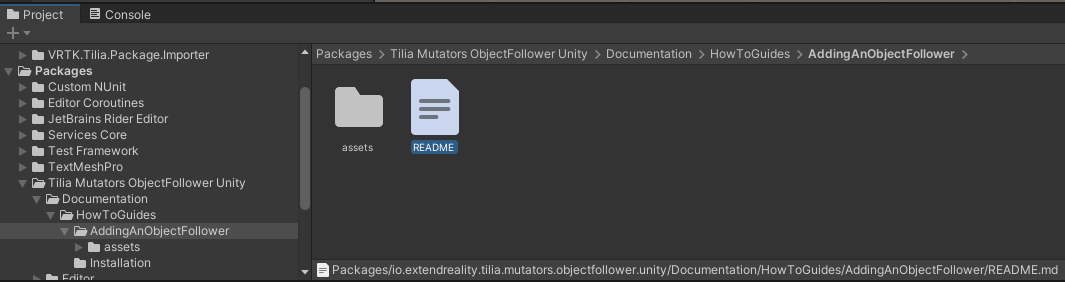
6. Follow the guide in "Packages/Tilia Mutators ObjectFollower Unity/Documentation/HowToGuides/AddingAnObjectFollower/README.md" (see image) to set up object follower in sample scene
7. As of this moment, the sphere should mimic the cube without problems; Let's break it
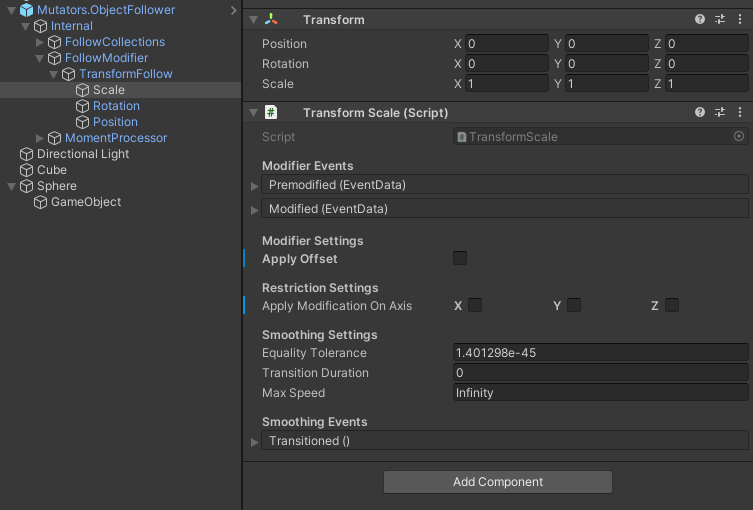
8. Uncheck all modifier settings for scale
9. Limit the modifer settings for Rotation to the X axis
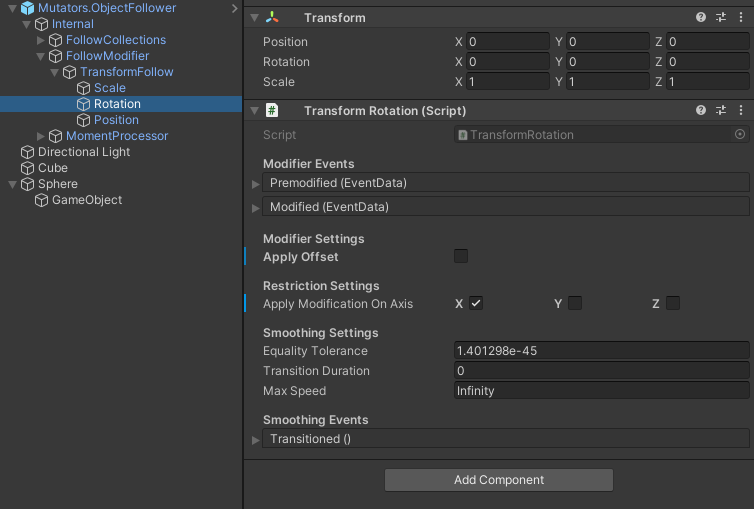
10. Play the scene and observe that rotating the cube about the X axis results in the sphere obeying the transform until the cube's x rotation is at 180 or -180. The sphere will then orbit opposite of the rotation direction; It will never orbit above the cube.
11. Stop play and add a transition duration to the rotation modifier. The exact value is not important so long as it is greater than 0.1 (I've used 0.25 here)
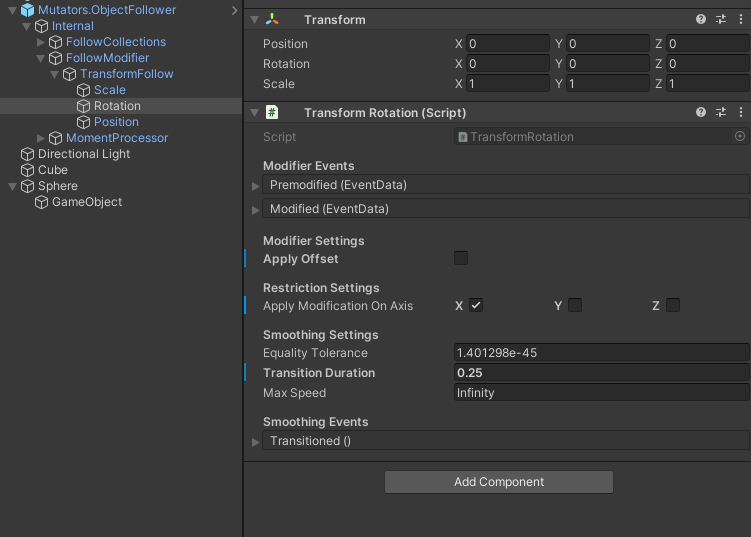
12. Play the scene again. Now, when rotating the cube about the X axis, you will see that the sphere will "Hitch" when the cube's rotation is at 0. The sphere will stop following for a moment and then resume its lerp.
## A brief explanation of what I was trying to do
I was attempting to present a screen message to the player in VR that would always be in front of the player, but would not rotate up or down with their view. A good analog for this would be to change the sphere's offset to Position: `X = 0`, `Y = -0.25`, `Z = -1` and then limit the Rotation modifier to the Y axis (see picture)
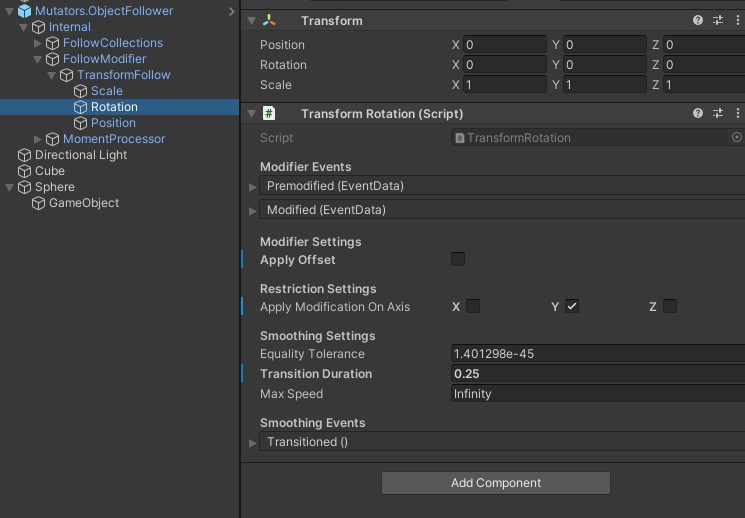
### Expected behavior
I wanted my screen message to always stay in front of the player and smoothly follow their gaze (about the Y axis) with a slight delay
### Current behavior
The screen message will "hitch" when the player's Y rotation is at 0; just like it will here in the demo when the cube's x rotation is at 0.
Contributor guide
Assessment
This issue has not been assessed yet.