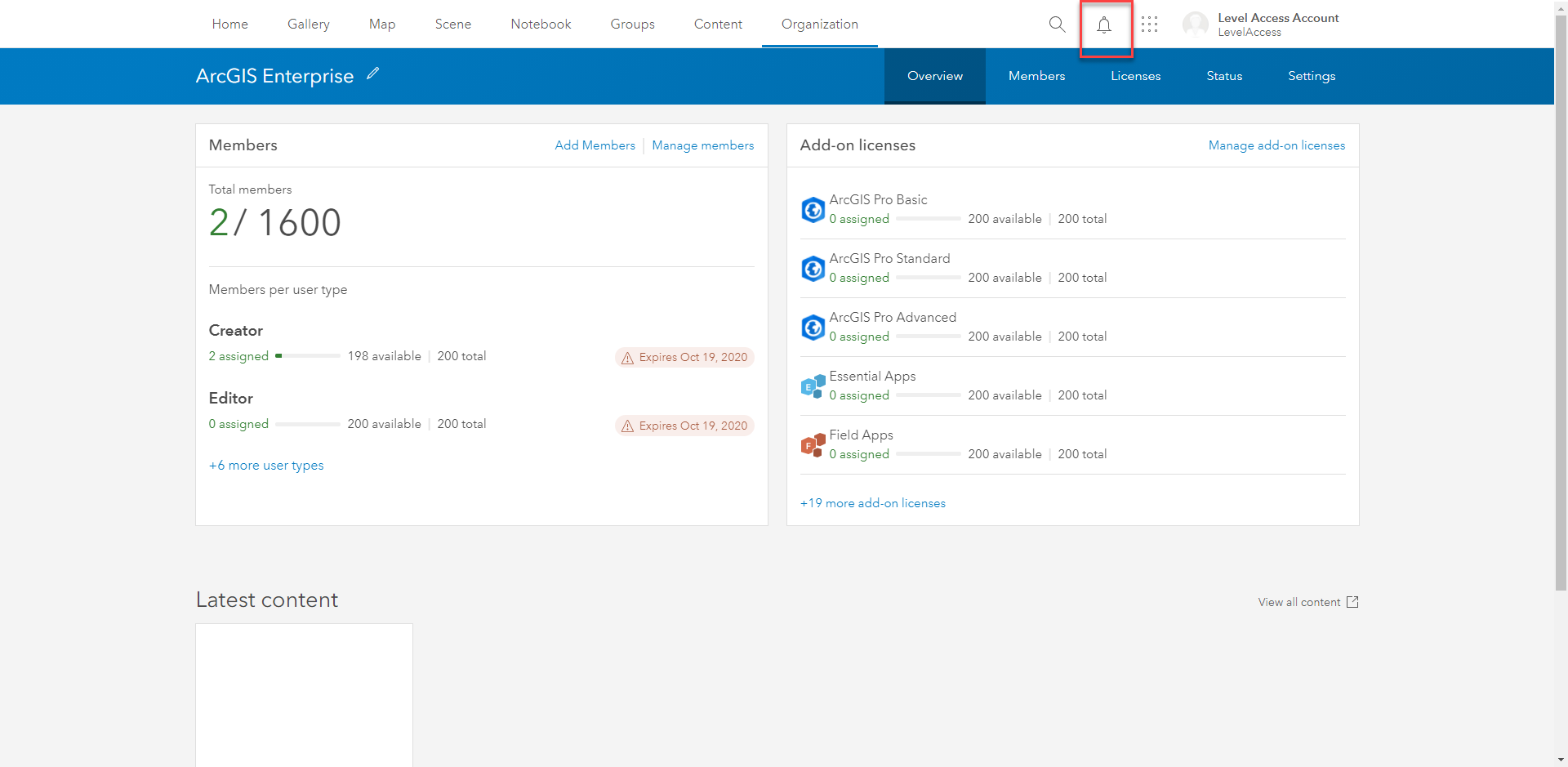
A11Y | The "Notification" icon button does not have a valid accessible label.
- Dominant language
- JavaScript
- Stars
- 10
- Forks
- 2
- PR merge metrics
- No merged PRs in 30d
Description
**ID**
1843920471
**Violation**
Provide a valid label for form fields
**Module Name**
03a Header Menu - Top Row
**Description**
[Issue]
The "Notification" icon button does not have a valid accessible label.
[User Impact]
When buttons do not explicitly include a label, assistive technologies may incorrectly render the label or provide no label at all to users. When labels are not present or are incorrect, users of assistive technologies may not be able to complete an action.
[Code Reference]
``
**Note**
[Recommendation]
Developer should provide an accessible label to the actionable icon buttons. Developer can use an aria-label to provide a label to the "notification" icon.
[Compliant Code Example]
`
`
Contributor guide
Research direction
Locate the notification button using the esri-header-notifications-control class or esri-header-notifications-control id in the source. Add a valid accessible label as described in the issue, then verify that assistive technologies expose the button as Notification and that the existing notification menu behavior remains intact.
Written by the indexing model from the issue text.
Assessment
- Tech stack
- javascript
- Domain
- accessibility, frontend
- Issue type
- Bug
- Difficulty
- 2/5
- Estimated time
- 1-3 hours
- Activity status
- Stale
- Clarity
- Clearly specified
- Newbie friendliness
- 55/100