DiscipleTools / DiscipleTools/disciple-tools-mobile-app
Cancel option doesn't work when trying to Add new meeting
Open
- Dominant language
- JavaScript
- Stars
- 16
- Forks
- 18
- PR merge metrics
- No merged PRs in 30d
Description
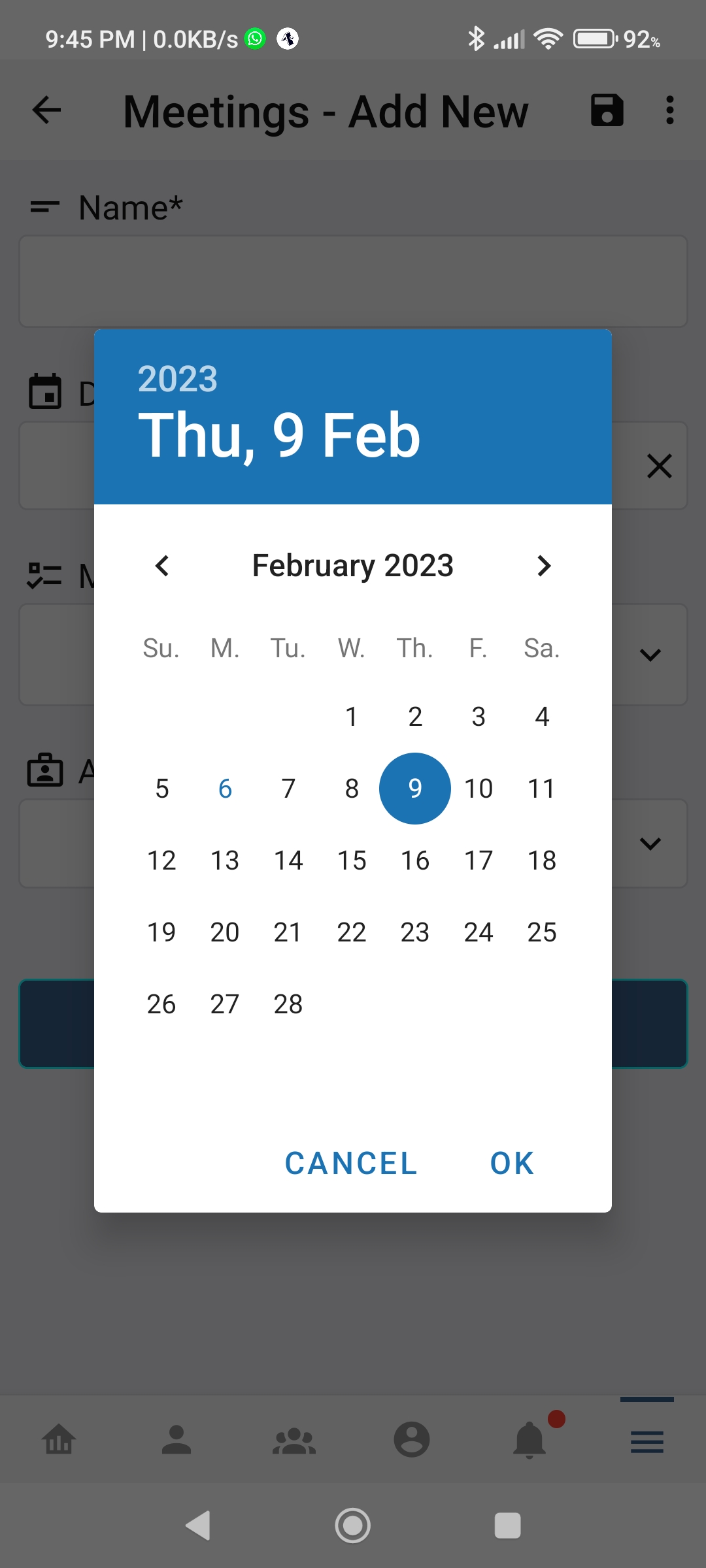
This image shows what appears on the screen when the user trys to add a new meeting. The calendar appears and pressing cancel keeps the calendar in front.
Contributor guide
Research direction
Reproduce the Add new meeting flow shown in the attached screenshot and confirm that pressing Cancel leaves the calendar in front. Locate the screen and cancel action responsible for that flow, then verify that Cancel dismisses the calendar and returns to the expected meeting screen.
Written by the indexing model from the issue text.
Assessment
- Tech stack
- javascript, react-native
- Domain
- mobile
- Issue type
- Bug
- Difficulty
- 3/5
- Estimated time
- 1-2 days
- Activity status
- Stale
- Clarity
- Needs clarification
- Newbie friendliness
- 25/100