Compare two execution side by side
- Dominant language
- Java
- Stars
- 80
- Forks
- 17
- PR merge metrics
- No merged PRs in 30d
Description
# Compare two execution side by side
## Context
When you have a project with a lot of scenarios failing, or a heavy refactoring, it's difficult to see if the errors are new or already there. Comparing executions side by side would allow to see at a glance the errors that are identical in both executions, which are solved and which are new...
## Expected
At the bottom of the left filter bar in the Execution screen, add a new button: `COMPARE WITH...`:
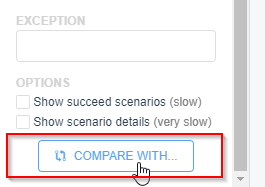
A possible icon for this button is `md-git-compare` (or it could be `md-contrast`).
When clicked, this popup appears (the same popup as `APPEND TO EXISTING PROBLEM`):
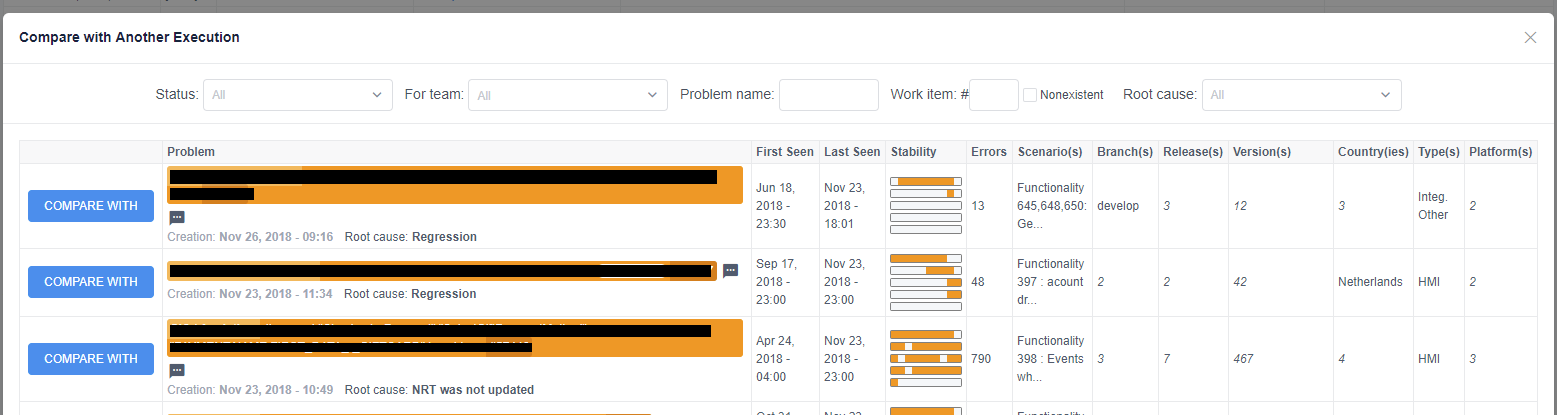
Then, when another execution is choosen, the screen is split like this:
Equivalent scenarios are placed side by side, so we can compare them effectively.
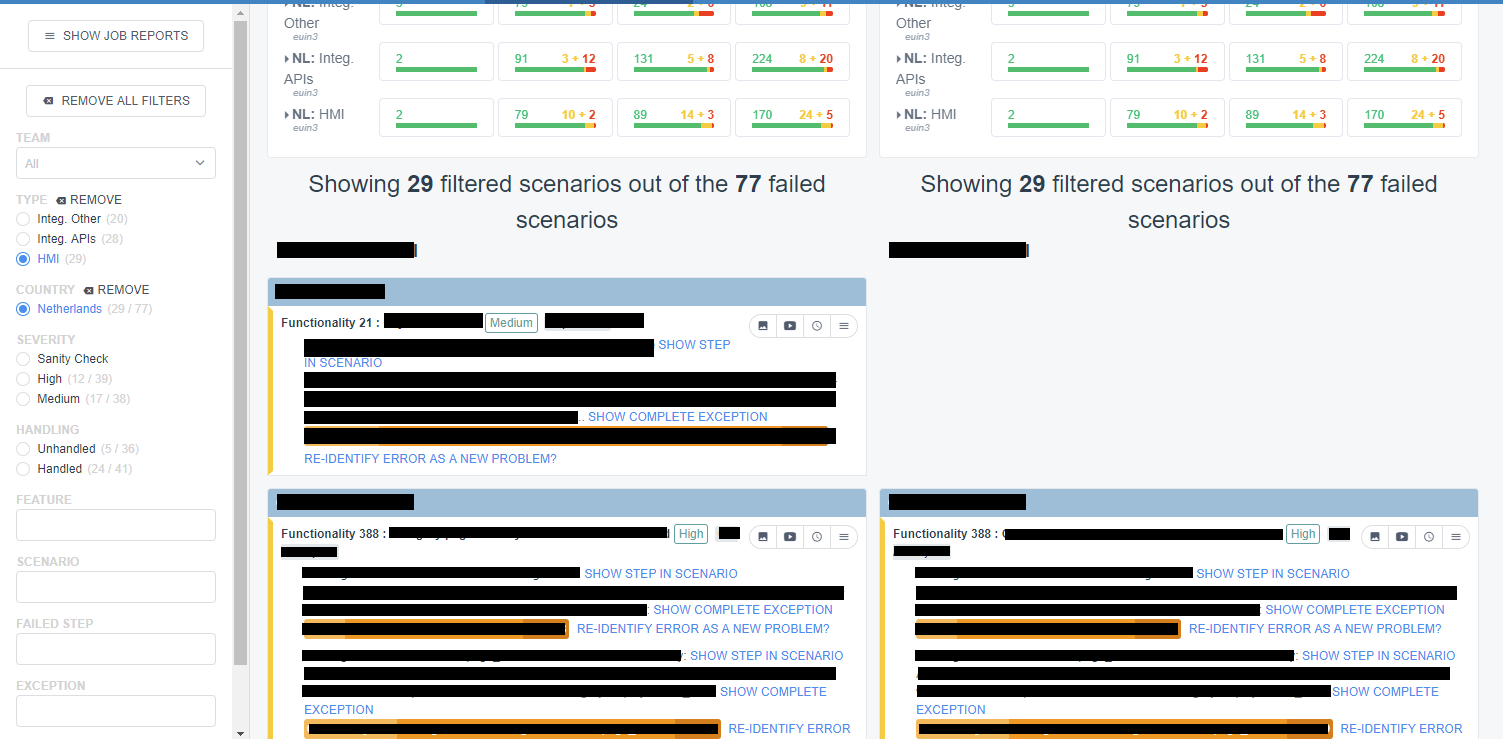
In the example, the first scenario is not present in the right execution, and the second scenario is present, with identical results.
A good bonus would be to add a new checkbox filter could be added: "Show only differing scenarios", showing scenarios with different results of scenarios present in one execution but not in the other.
Contributor guide
No contributing guide indexed for this repository
Research direction
Start from the Execution screen and its left filter bar, then inspect the existing APPEND TO EXISTING PROBLEM popup that the issue identifies as a model. Trace how executions and scenarios are currently displayed side by side. Done means the COMPARE WITH... flow selects another execution, compares equivalent scenarios, and distinguishes missing, identical, resolved, and new results; the differing-scenarios filter is optional.
Written by the indexing model from the issue text.
Assessment
- Tech stack
- java
- Domain
- frontend
- Issue type
- Feature
- Difficulty
- 5/5
- Estimated time
- Over a week
- Activity status
- Stale
- Clarity
- Mostly clear
- Newbie friendliness
- 25/100