Need to translate CAShapeLayers drawn over the charts while scrolling
- Dominant language
- Swift
- Stars
- 28k
- Forks
- 6k
- PR merge metrics
- No merged PRs in 30d
Description
Hi, I'm trying to achieve to draw indicator line over the chart view using CAShape Layer. so when I draw it is not getting translated if I scroll left or right as Its not staying in the same place(value). So I tried translate it manually I assigned delegate to my chart view and in chart translate function I tried to translate my layer to the matrix's tx and ty but its not working as intend as when I move it is moved to the very begin of values even if I draw them in the very last
func chartTranslated(_ chartView: ChartViewBase, dX: CGFloat, dY: CGFloat) {
let currentMatrix = chartView.viewPortHandler.touchMatrix
if chartView == self.candleStickChartView && !isMarkerVisible {
guard let sublayers = self.candleStickChartView.layer.sublayers else {return}
let matrix = self.refresh(newMatrix: currentMatrix, chart: chartView)
for layer in sublayers {
layer.performWithoutAnimation {
layer.setAffineTransform(.init(translationX: matrix.tx, y: matrix.ty))
}
}
}
}
func refresh(newMatrix: CGAffineTransform, chart: ChartViewBase) -> CGAffineTransform
{
var touchMatrix = newMatrix
// make sure scale and translation are within their bounds
limitTransAndScale(matrix: &touchMatrix, content: chart.viewPortHandler.contentRect)
chart.setNeedsDisplay()
return touchMatrix
}
private func limitTransAndScale(matrix: inout CGAffineTransform, content: CGRect)
{
let maxScaleX = self.candleStickChartView.scaleX
let maxScaleY = self.candleStickChartView.scaleY
// min scale-x is 1
let scaleX = min(max(1, matrix.a), maxScaleX)
// min scale-y is 1
let scaleY = min(max(1, matrix.d), maxScaleY)
let width = content.width
let height = content.height
let maxTransX = -width * (scaleX - 1.0)
let transX = abs(min(max(matrix.tx, maxTransX - 0), 0))
let maxTransY = height * (scaleY - 1.0)
let transY = max(min(matrix.ty, maxTransY + 0), -0)
matrix.tx = transX
matrix.a = scaleX
matrix.ty = transY
matrix.d = scaleY
}
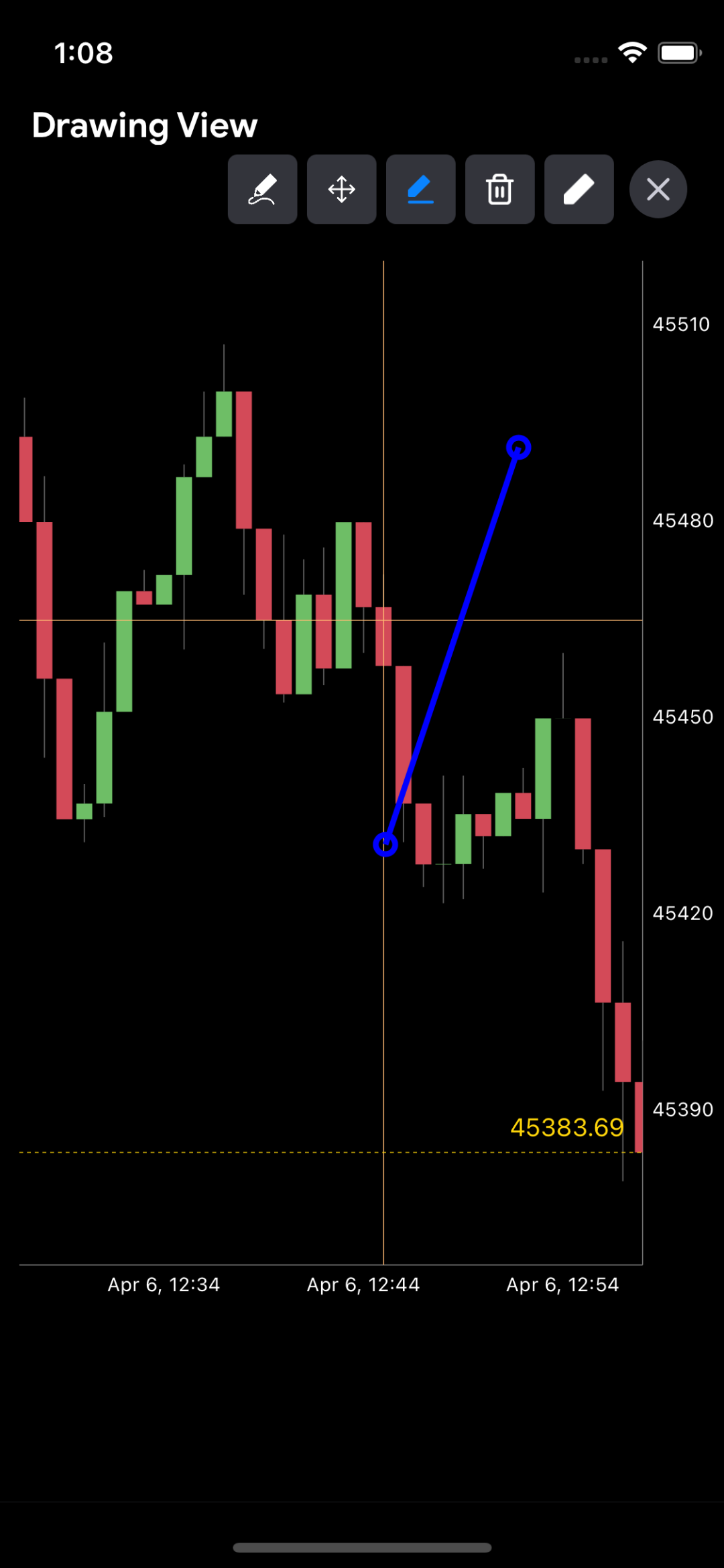
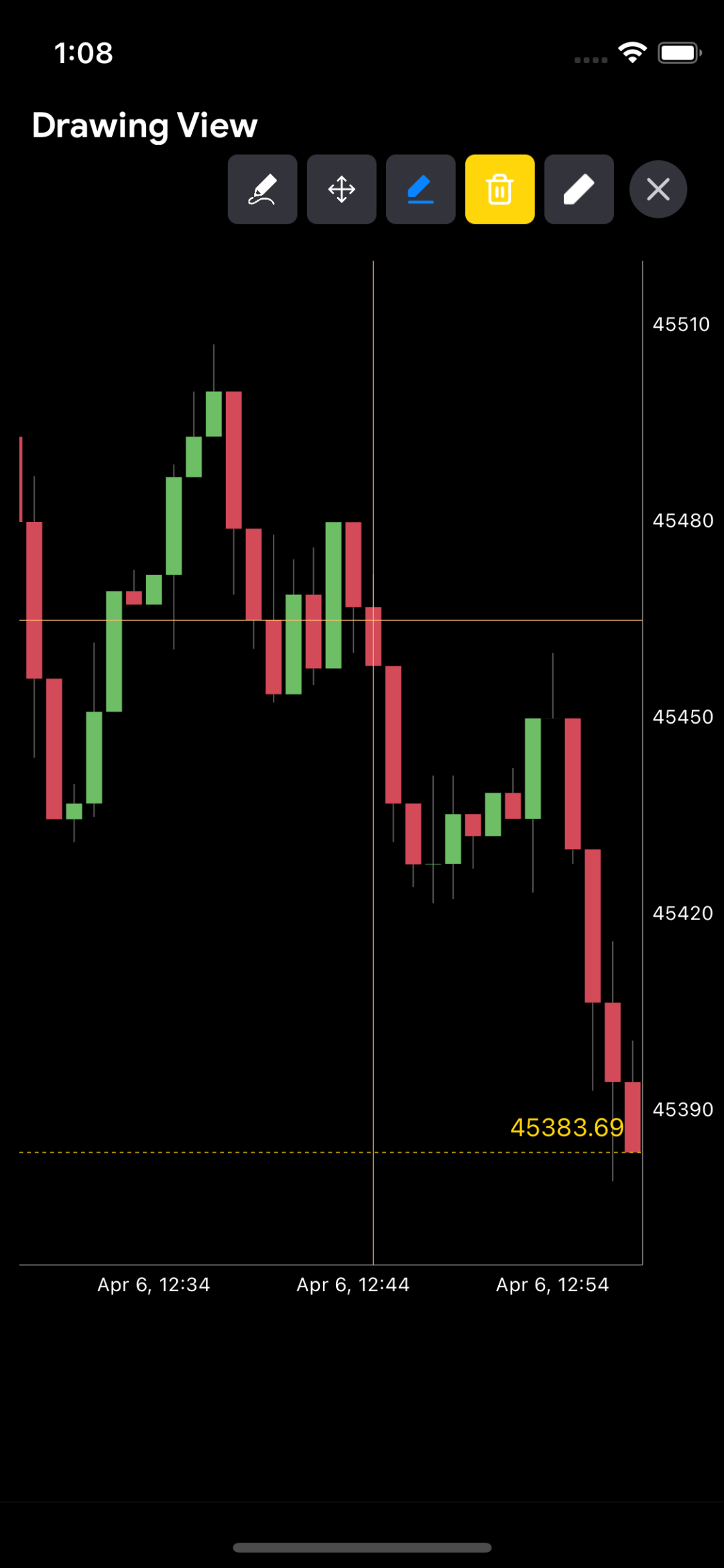
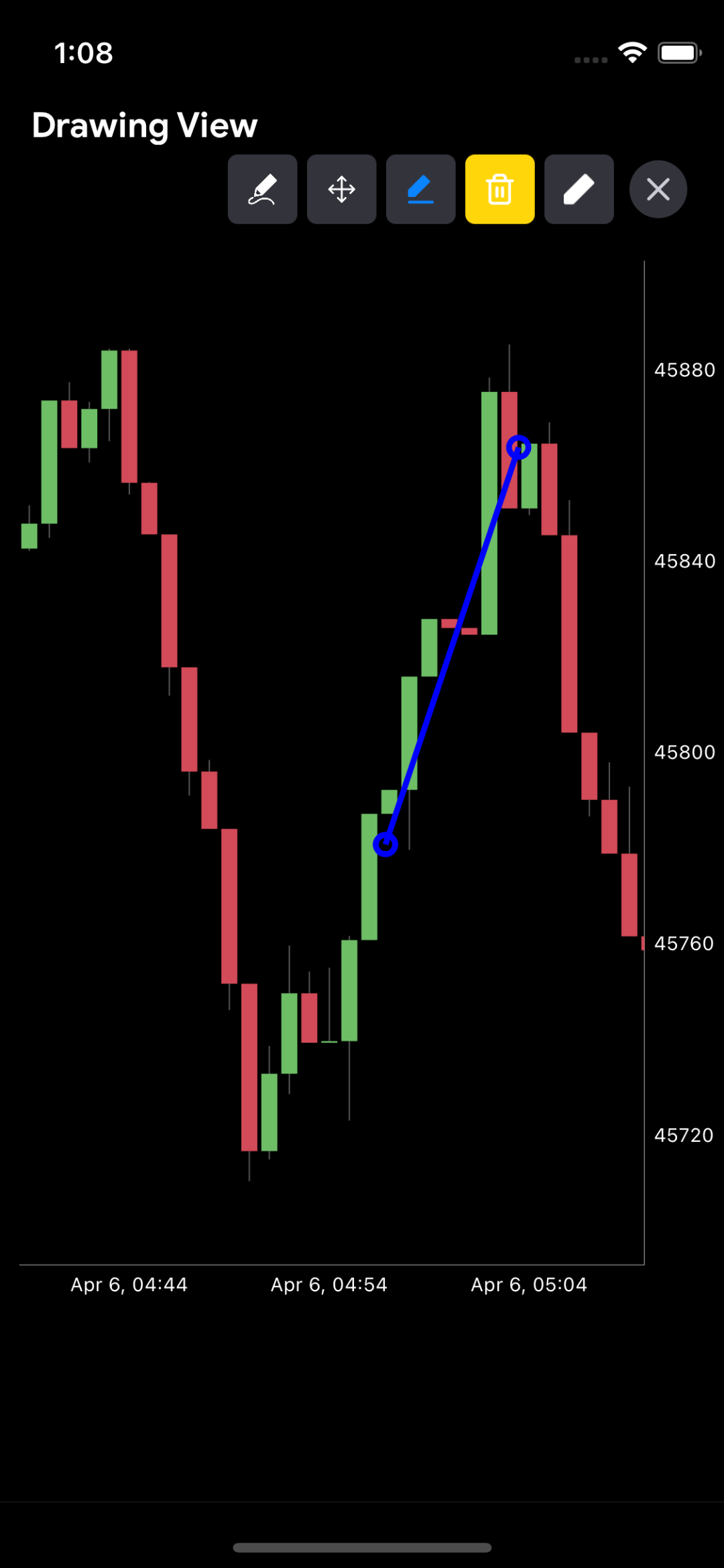
Any help would be appreciated.
Thanks
Charts Environment
Charts version/Branch/Commit Number: 4.0.2
Xcode version: 13.3 (13E113)
Swift version: 5
Platform(s) running Charts: iOS
macOS version running Xcode: 12.3
Contributor guide
Research direction
Start with ChartViewBase's chartTranslated callback and ViewPortHandler.touchMatrix, then inspect how the candleStickChartView renders and scrolls its layers. Reproduce the issue on Charts 4.0.2 with the supplied CAShapeLayer code; done means indicator layers remain aligned with their chart values while scrolling in both directions.
Written by the indexing model from the issue text.
Assessment
- Tech stack
- ios, swift
- Domain
- data-visualization, mobile-dev
- Issue type
- Bug
- Difficulty
- 4/5
- Estimated time
- 3-5 days
- Activity status
- Stale
- Clarity
- Needs clarification
- Newbie friendliness
- 20/100