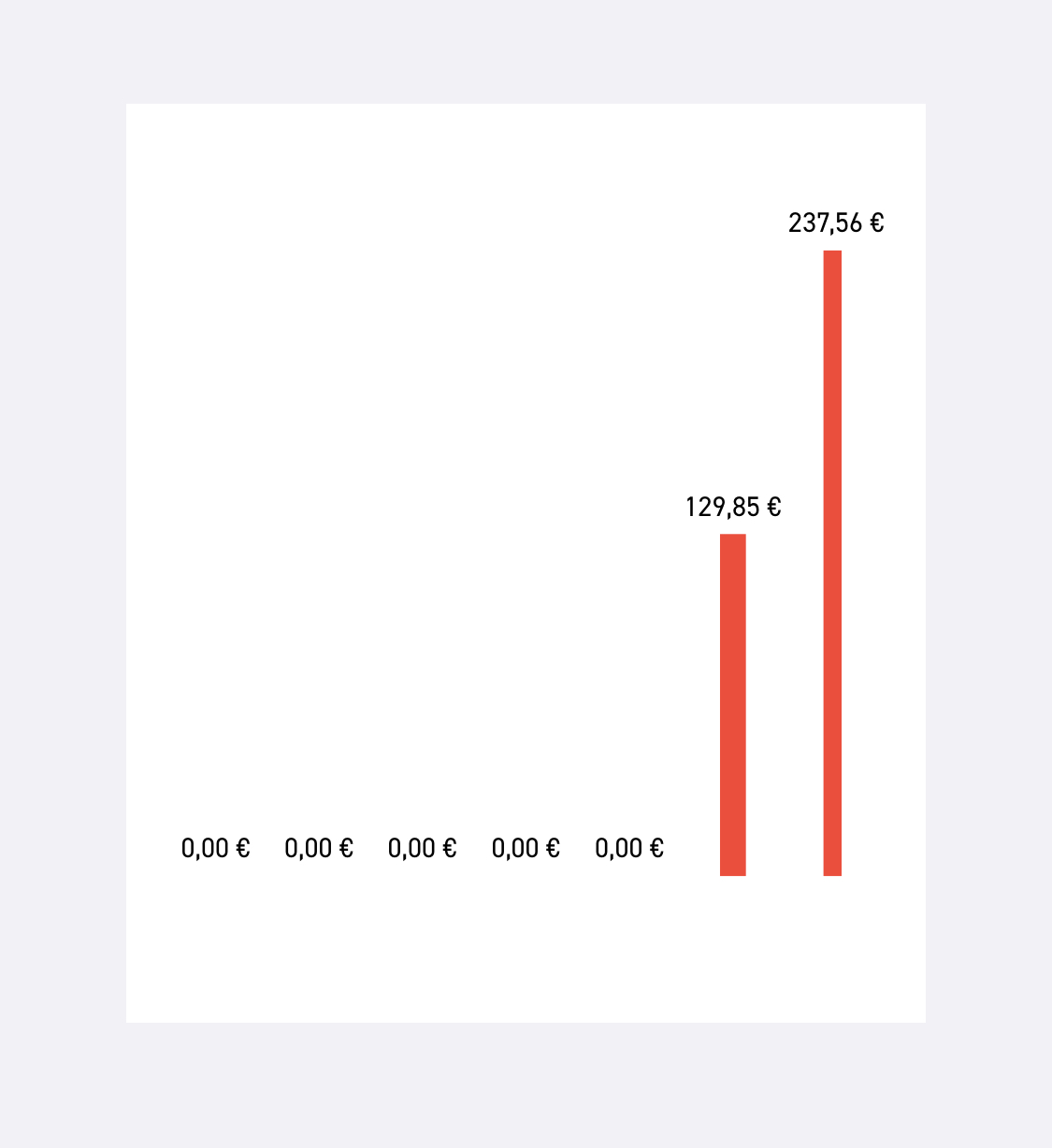
Barchart unequal width of bars
- Dominant language
- Swift
- Stars
- 28k
- Forks
- 6k
- PR merge metrics
- No merged PRs in 30d
Description
When using the code
```
chart.backgroundColor = UIColor.white
chart.xAxis.enabled = false
chart.leftAxis.enabled = false
chart.rightAxis.enabled = false
chart.drawBordersEnabled = false
chart.minOffset = 10
chart.legend.enabled = false
chart.isUserInteractionEnabled = false
```
the bars on the sides (i.e. the most left and the most right bar) are smaller than the rest (see attached screenshot).
Any idea how to fix this?
The values start at x:10 and go to x:70 in steps of 10, the width of the bar is defined as
```
let data = BarChartData(dataSet: setData)
data.barWidth = 2.5
```
Contributor guide
Research direction
No source file, test, or entry point is named. Reproduce the issue with the supplied Swift chart configuration, x values from 10 to 70, and barWidth of 2.5, then trace the bar rendering and axis-range behavior. Done means the first and last bars have the same apparent width as the others.
Written by the indexing model from the issue text.
Assessment
- Tech stack
- swift
- Domain
- data-visualization, mobile-dev
- Issue type
- Bug
- Difficulty
- 3/5
- Estimated time
- 1-2 days
- Activity status
- Stale
- Clarity
- Mostly clear
- Newbie friendliness
- 38/100