PointGraphics initially fail to render in Columbus 2.5D mode
- Dominant language
- JavaScript
- Stars
- 15.7k
- Forks
- 3.9k
- Avg merge
- 4d 6h
- Merged PRs (30d)
- 34
Description
## Summary
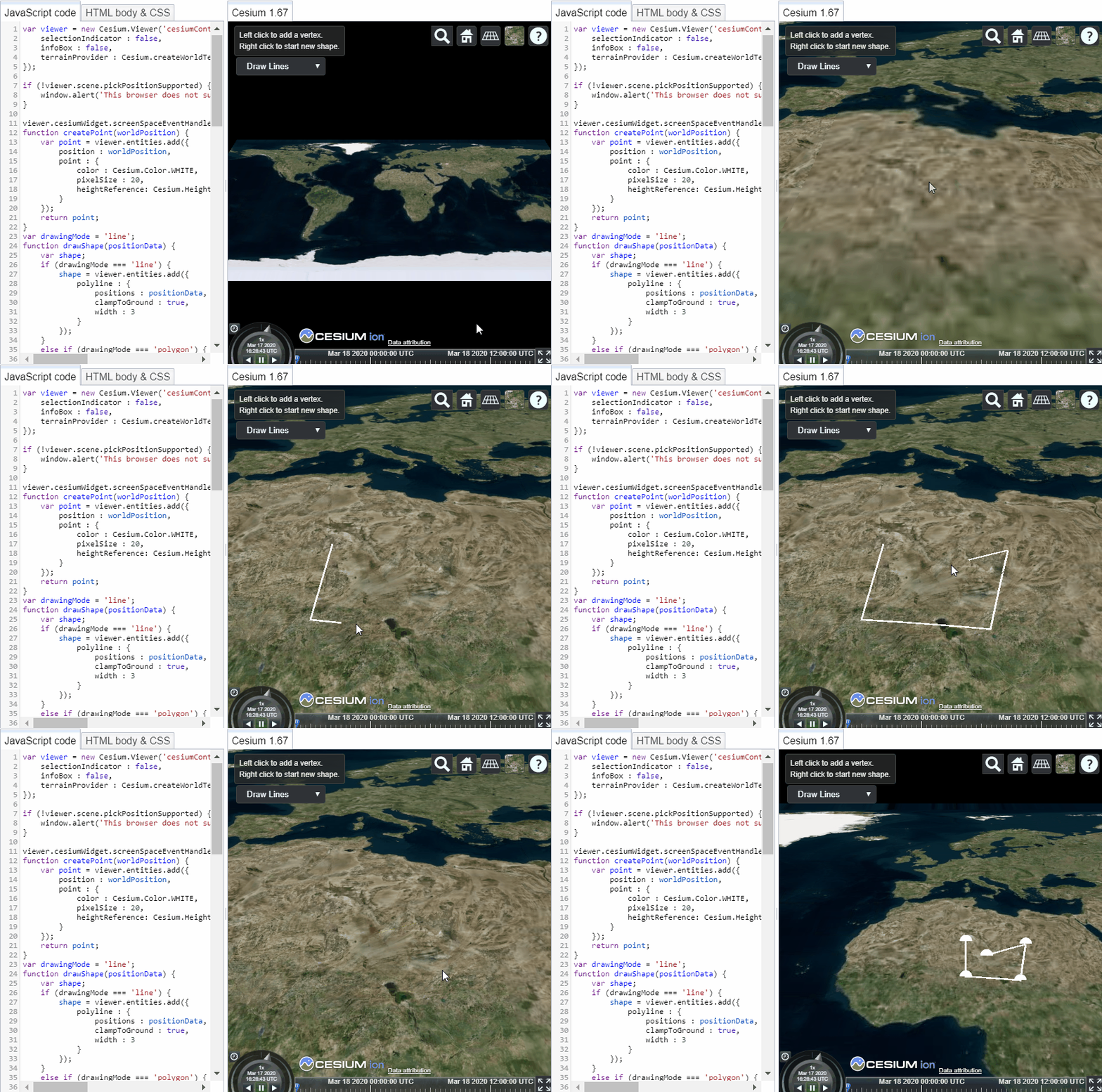
In 2.5D Columbus mode, Point entities are initially not visible, but become visible when the camera angle changes sufficiently.
## Sandcastle example:
This can be demonstrated with a minor change to the "[Drawing on Terrain](https://sandcastle.cesium.com/?src=Drawing%20on%20Terrain.html)" Sandcastle example.
Simply change the "pixelSize" in the createPoint function from 5 to 20:
```
function createPoint(worldPosition) {
var point = viewer.entities.add({
position : worldPosition,
point : {
color : Cesium.Color.WHITE,
pixelSize : 20,
heightReference: Cesium.HeightReference.CLAMP_TO_GROUND
}
});
return point;
}
```
## Steps to Reproduce:
1. In the [Drawing on Terrain](https://sandcastle.cesium.com/?src=Drawing%20on%20Terrain.html) Sandcastle example, set a larger pixelSize so that it's easy to see the Point entities.
2. Run the modified Sandcastle example.
3. Use the scene mode picker to choose Columbus mode.
4. Draw a polyline. The PolylineGraphics will be shown, but not the extra-large PointGraphics vertices.
5. Zoom out or change the camera angle. The PointGraphics vertices will become visible.
## Actual/Undesired Behavior:
## Desired/Expected Behavior:
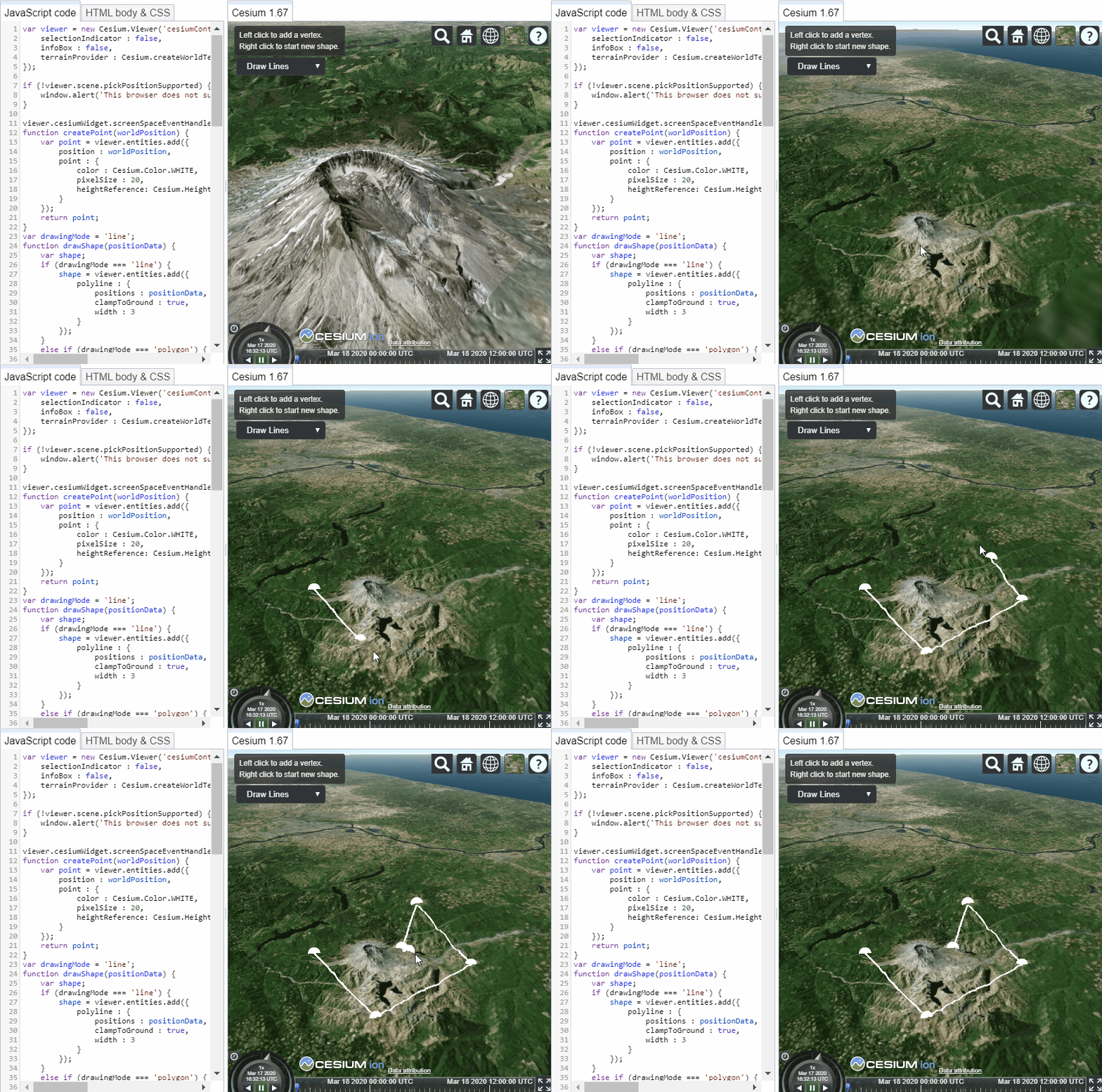
The Point entities should be visible upon creation, as they are in full 3D mode:
## Browser:
Chrome Version 80.0.3987.132
Firefox 74.0 (64-bit)
## Operating System:
Windows 10 version 1809 build 17763.1098
## Workarounds / things I've tried:
- I tried generating positions above the terrain surface (cartographic, with positive heights), and it did not help.
- I tried setting the `disableDepthTestDistance : Number.POSITIVE_INFINITY` and `distanceDisplayCondition : new Cesium.DistanceDisplayCondition()` which I believe should be the settings most conducive to always showing the Point entities, and it did not change the behavior.
- I introduced an automatic zoom-out-then-zoom-back in, by calling "move" methods on the Camera, and this does work, but requires waiting 50 milliseconds or so (the exact time varries), which is a jarring UX. In addition, the required move-back distance varies depending on the geometry (note, in the gif, one of the points fails to render even as the others *do* render, and does not render until we move back further.
If anyone has a fix or a good workaround, it would be very helpful to me!
Contributor guide
Research direction
Reproduce the issue by modifying the Drawing on Terrain Sandcastle example, setting createPoint's pixelSize to 20, and selecting Columbus mode. Trace the PointGraphics rendering path for newly created terrain-clamped points and compare it with the PolylineGraphics behavior. Done means the points are visible immediately in Columbus mode without changing the camera angle.
Written by the indexing model from the issue text.
Assessment
- Tech stack
- javascript
- Domain
- computer-graphics
- Issue type
- Bug
- Difficulty
- 4/5
- Estimated time
- 3-5 days
- Activity status
- Stale
- Clarity
- Mostly clear
- Newbie friendliness
- 35/100