Azure / Azure/azure-quickstart-templates
Marketplace SideLoad scripts broken
- Dominant language
- Bicep
- Stars
- 14.9k
- Forks
- 16.2k
- Avg merge
- 6d 21h
- Merged PRs (30d)
- 6
Description
azure-quickstart-templates/SideLoad-AzCreateUIDefinition.ps1
### Issue Details
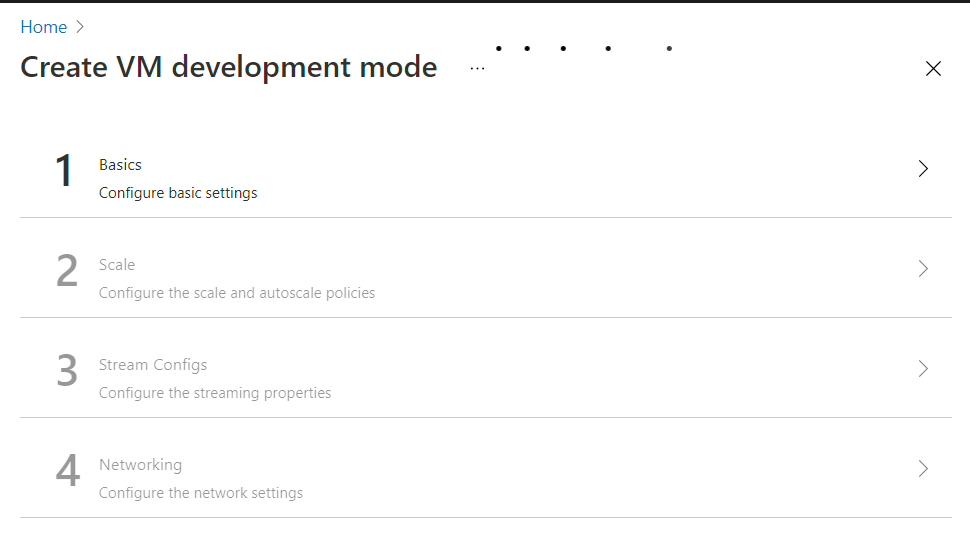
The SideLoad scripts are broken and use an old portal UI. If you try and use the PowerShell script(s) locally and deploy a createUIDefinition.json file it goes to a broken portal experience with no content and a never ending loading animation.
### Repro steps
1. Download the azure-quickstart-templates/SideLoad-AzCreateUIDefinition.ps1 file to your local Windows box
2. Place a valid createUIDefinition.json file in the same directory
3. Run the PowerShell script (.\SideLoad-AzCreateUIDefinition -StorageResourceGroupLocation southcentralus)
4. Notice the Portal experience is broken and it doesn't show the correct ARM template UI experience (works fine in the Sandbox UI portal for Marketplace ARM templates).
Contributor guide
No contributing guide indexed for this repository
Research direction
Start with azure-quickstart-templates/SideLoad-AzCreateUIDefinition.ps1 and reproduce the issue on a Windows machine using a valid createUIDefinition.json and the documented PowerShell command. Compare the resulting portal experience with the working Marketplace ARM template Sandbox UI; done means the deployed definition loads the correct ARM template interface instead of an empty page with an endless loading animation.
Written by the indexing model from the issue text.
Assessment
- Tech stack
- azure, powershell
- Domain
- cloud
- Issue type
- Bug
- Difficulty
- 4/5
- Estimated time
- 3-5 days
- Activity status
- Stale
- Clarity
- Mostly clear
- Newbie friendliness
- 35/100